
Everything artists need to know about SoundCloud monetisation
Image Credit: SoundCloud
Welcome to our guide to everything SoundCloud. From uploading your music, to monetising and promoting on the music streaming/social media platform.
Since the early days of SoundCloud generating revenue for artists via ads and subscriptions, RouteNote is partnered with SoundCloud to help independent musicians and labels around the world make money from their music on the world’s largest music and audio platform, with zero upfront fees. What’s more, if you already have tracks and an active following live on SoundCloud, we can help you monetise your existing content. No need to remove and reupload your music.
Click below to jump to one of the following:
How to upload to SoundCloud
One of the key differences between SoundCloud and platforms like Spotify and Apple Music is that artists can upload music directly to SoundCloud without using a third-party distributor. Like YouTube, SoundCloud supports user-generated content (UGC), allowing creators to share tracks, build an audience and connect with listeners on the platform.
Once you’ve created a SoundCloud account, uploading music is simple from a desktop browser or mobile device. Desktop uploads provide the most options, and some DAWs, such as FL Studio, also allow you to upload tracks directly to SoundCloud.
Desktop
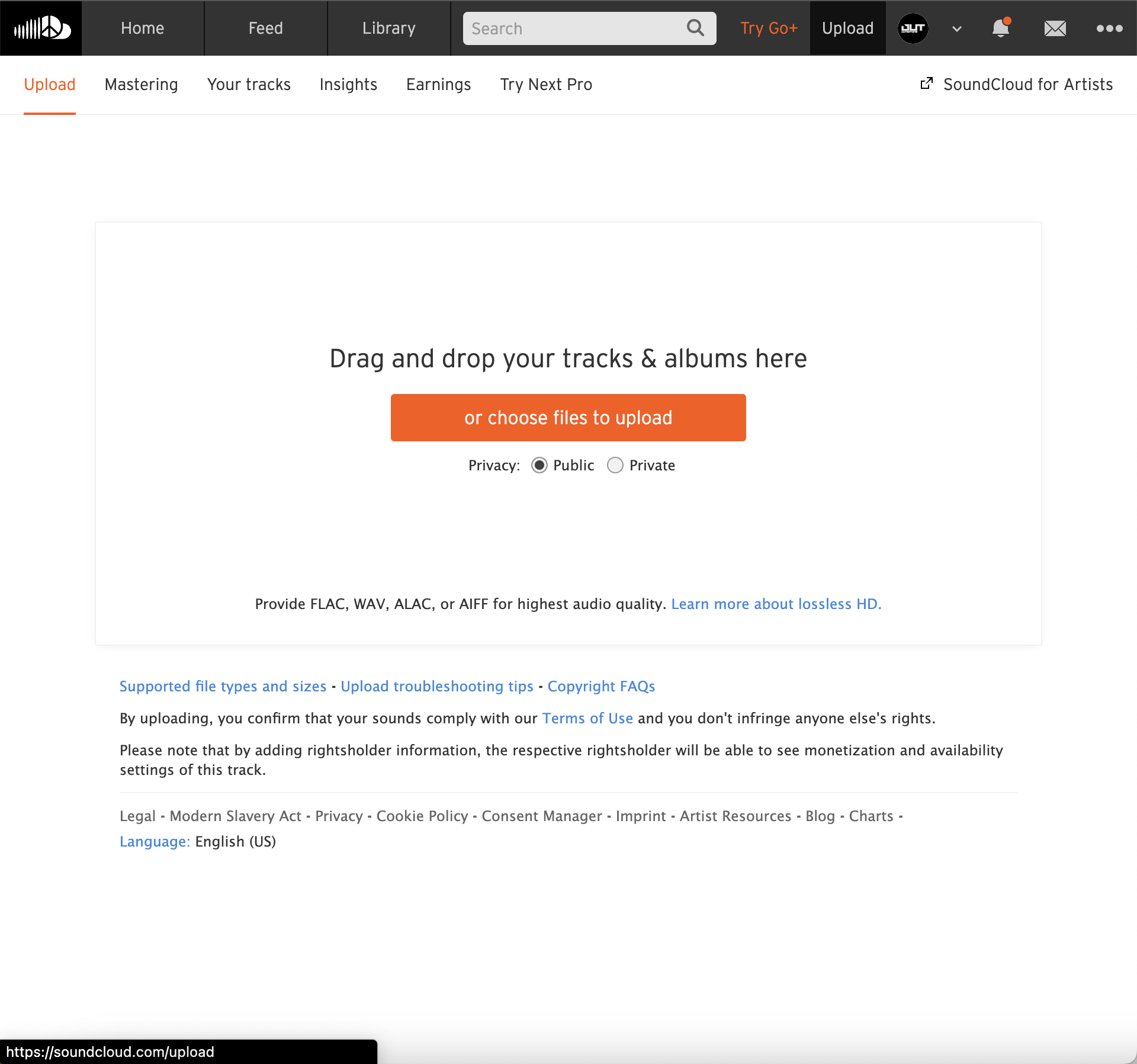
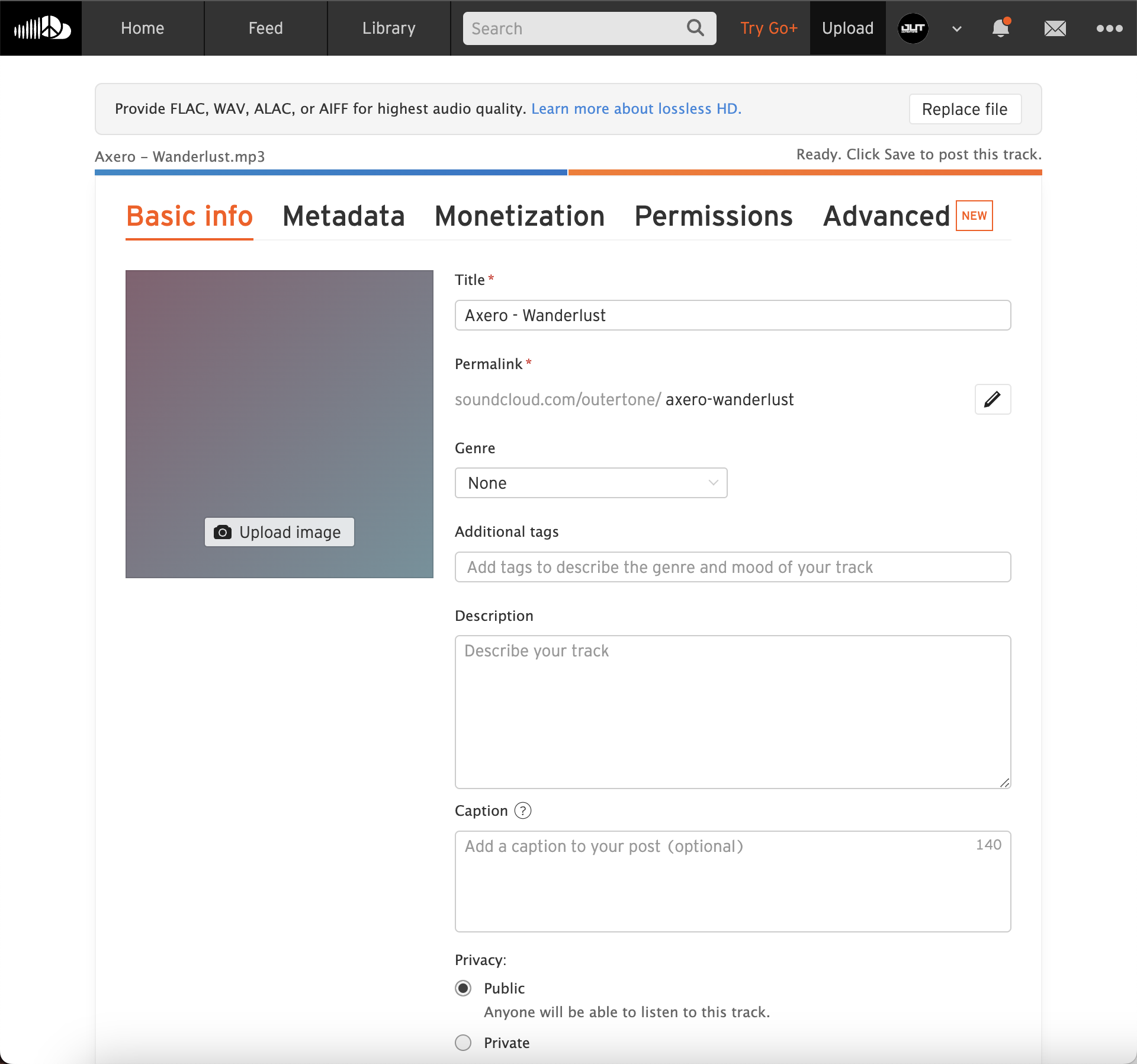
- Head to soundcloud.com and click Upload in the top right corner.
- Drag and drop your audio files or click the orange box to browse your computer.
- While your audio uploads, fill in the details such as artwork, Title, Genre, Description, Caption, etc.
- Click through to the other tabs for more info. The more info you add, the better. Once you’re done, click Save.
Mobile
In 2020, SoundCloud launched the ability to upload music directly from iOS and Android.
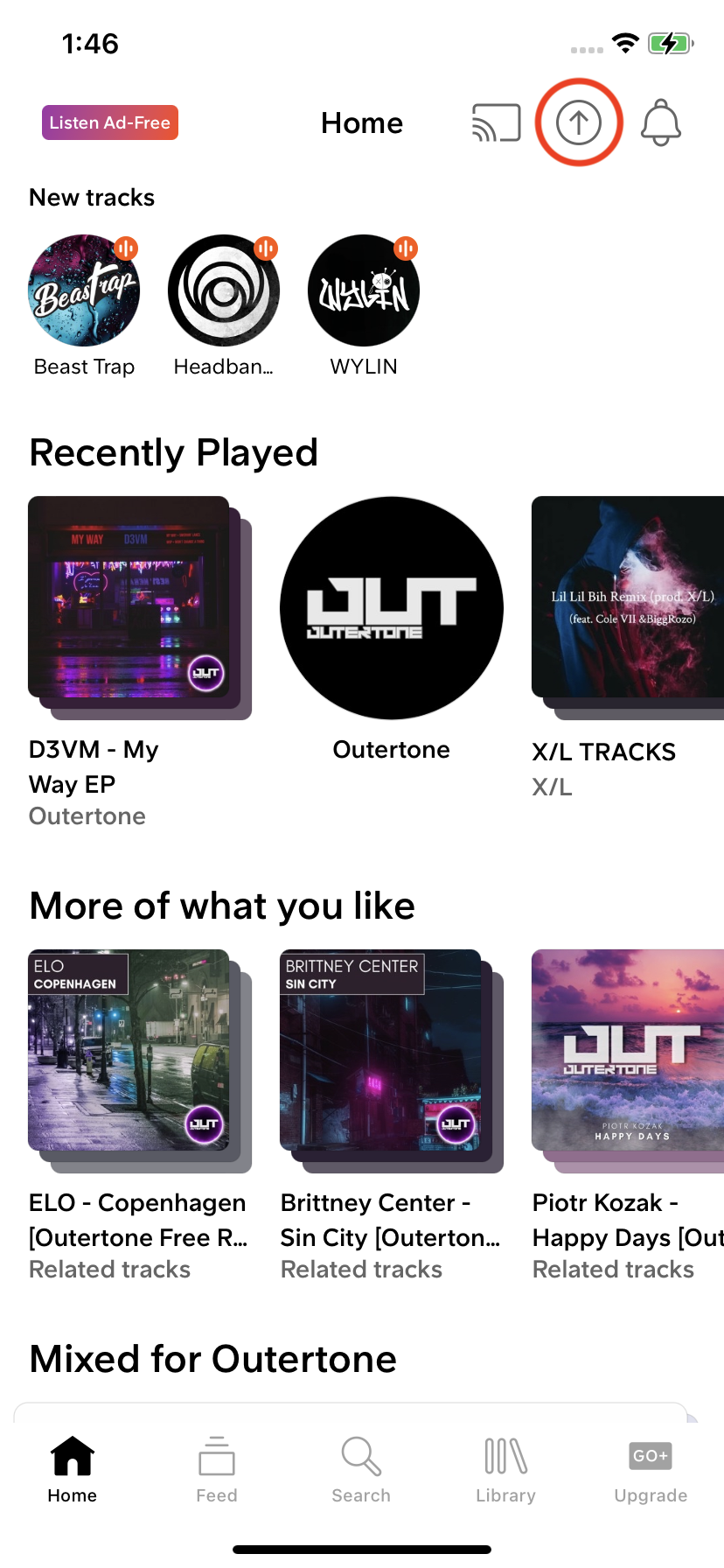
- Open the SoundCloud app and tap the upload icon in the top right corner
- Find the audio file on your device
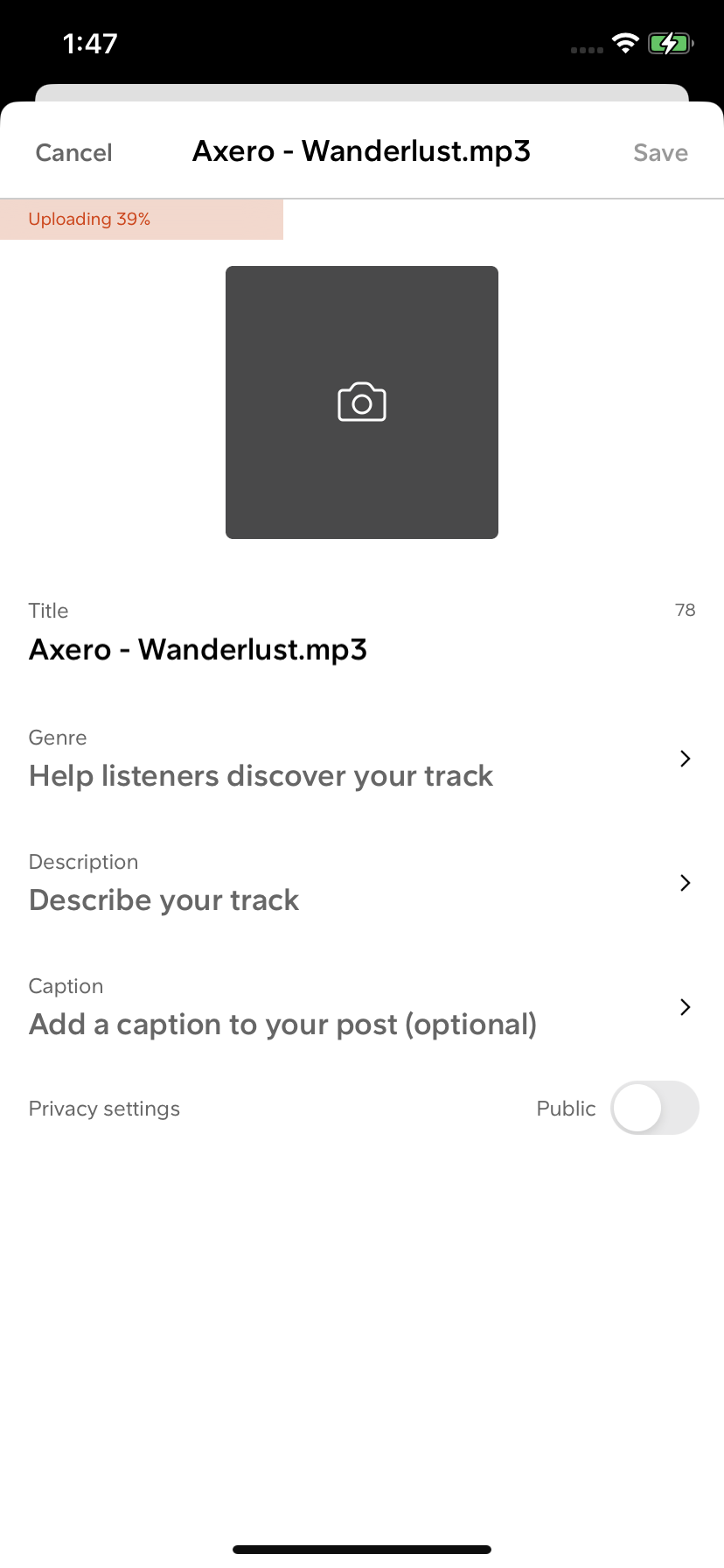
- While your audio uploads, fill in the details such as artwork, Title, Genre, Description, Caption, etc.
- Once you’re done, tap Save.
How to join our SoundCloud Network
RouteNote helps independent artists from around the globe release music to major streaming services and social platforms.
RouteNote doesn’t upload your music directly to SoundCloud. Instead, you can connect your RouteNote account with your existing SoundCloud profile and submit eligible tracks for monetisation. This is great for users with an existing catalogue and fanbase on SoundCloud, as it allows you to monetise your eligible tracks.
You can only monetise tracks you have the exclusive rights and ownership for. This means, unfortunately, you can’t distribute remixes without permission from the original artist.
To get started, you’ll need to distribute your music with RouteNote. If you already have your music on stores via another distributor, that’s fine. You can still use RouteNote to fill the gaps.
- Sign up for a free RouteNote account
- Head to the Distribution tab and click Create New Release
- Fill out the metadata, then upload your tracks and artwork
- Tick SoundCloud (and other stores you wish to distribute to) in the Manage Stores page
- Choose between Free or Premium distribution
RouteNote Free doesn’t cost a penny, while you keep 85% of your streaming and download revenue. RouteNote Premium costs a small fee, but you keep 100% instead. With RouteNote, you are never locked in and can switch at any time. All other features are the same between tiers.
While you’re waiting for your release to be approved, it’s time to link your RouteNote account with your SoundCloud account.
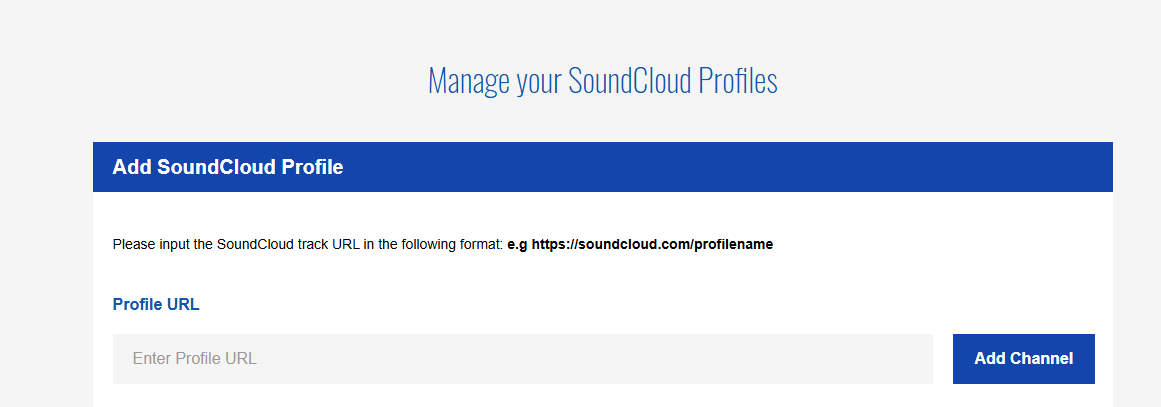
- At the top of your RouteNote account, head to the Monetisation tab, then SoundCloud
- Input your SoundCloud profile URL in the Profile URL box, then click Add Channel. This will be: https://soundcloud.com/yourusername
- We’ll check your profile is valid and all being well, enable your account within a couple of days. You’ll see the Status change to Active once this is complete. You’ll also receive an email.
How to monetise your SoundCloud tracks
Now that you’re distributing with RouteNote, and your SoundCloud and RouteNote accounts are linked, any eligible RouteNote tracks will appear under the under SoundCloud → Management. You’ll find these listed on your Tracks page, along with a status indicating whether each track is Cleared or Uncleared for monetisation.
To link a track for monetisation, simply paste the correct SoundCloud track URL next to the corresponding RouteNote track and click Save.
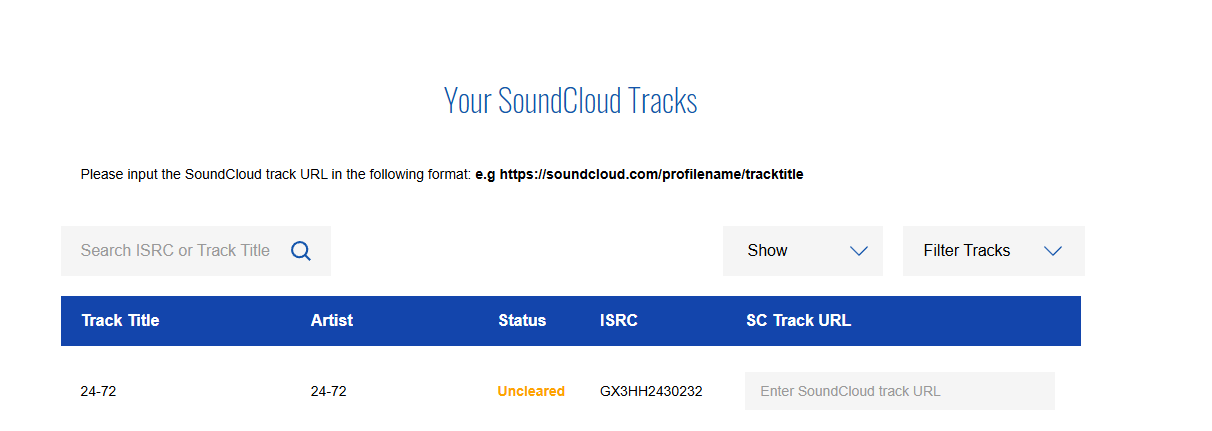
If a track is marked as Uncleared, it means it is still awaiting validation. Once the track has been reviewed and approved, it will move to Cleared for Monetising and we’ll request SoundCloud to enable monetisation. Once SoundCloud has completed this process, the status will update to Enabled. This process can take up to 14 days for SoundCloud to complete.
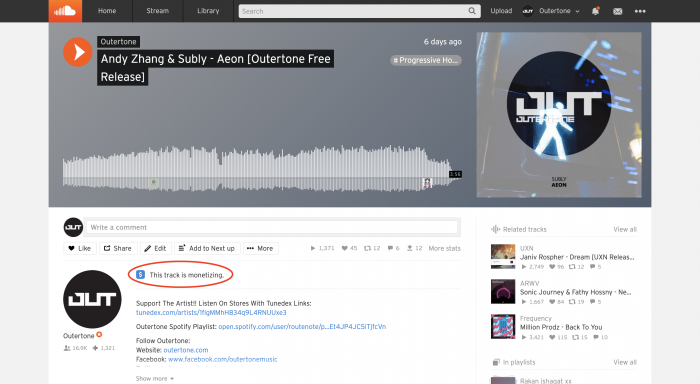
You can check if your SoundCloud track is monetising by heading to the track on SoundCloud and looking for the blue dollar symbol, beside “This track is monetising”.
How to monetise private SoundCloud tracks
If you’d like to ensure monetisation is enabled from day-one, you can link private tracks. Follow the steps above to link your track, but omit the private extension code at the end of the SoundCloud URL. You’ll need to inform our SoundCloud team that you’ve done this, so we know the track is valid. Drop an email to soundcloud@routenote.com, with the full SoundCloud link (including the extension) and track ISRC.
Any questions?
For more details on our SoundCloud Network, find the RouteNote Support Hub here. For more details on linking your SoundCloud profile and tracks, find our SoundCloud guide here.
If you’ve been waiting over 14 days for monetisation, want to remove yourself from our SoundCloud Network, or have any other questions, drop our SoundCloud team an email and we’ll look into it for you. Be sure to include your ISRC and SoundCloud URL: soundcloud@routenote.com
Statistics and earnings
Once your SoundCloud tracks are linked and monetisation is enabled, your statistics and SoundCloud revenue will appear in your RouteNote account. Monetised plays are usually reported 45 days after the month they were earned in. Payments are then automatically made between the 15th–20th of each month once your balance has reached the $50 minimum earnings threshold.
SoundCloud monetisation availability varies by territory and eligibility. Eligible streams from supported countries will contribute towards your SoundCloud revenue.
What is SoundCloud?
While the audio platform has changed a lot over the years to more closely replicate most major music streaming services, the inclusion of user-generated content, social engagement via comments and reposts, as well as the basic layout and iconic feed of music from the artists and labels you follow remains in place, complete with time-stamped comments. This direct inclusion of major and underground artists on the platform places SoundCloud in the unique position of having both a thriving artist AND listener community. To this day, these features set SoundCloud apart from the competition.
While platforms like Spotify have customizable artist profiles, it still feels there’s a slight disconnect between artist and community in comparison to SoundCloud.
How did SoundCloud start?
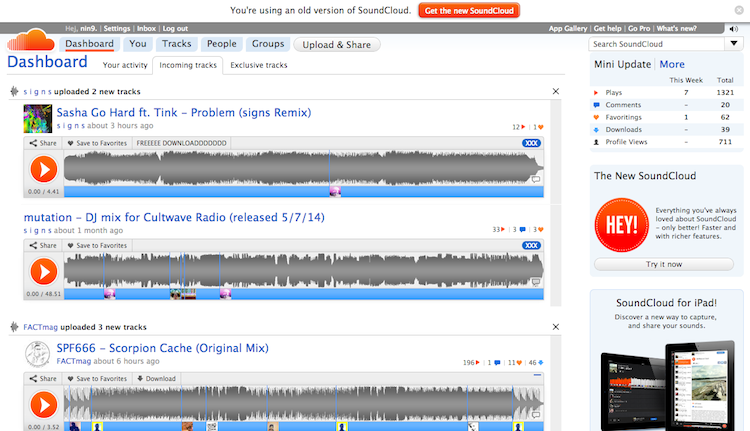
SoundCloud was founded in 2007 by Alexander Ljung and Eric Wahlforss as a platform that allowed musicians to share, collaborate on and discover audio online. The platform launched publicly in 2008 and quickly became a popular home for independent artists looking to share music directly with listeners.
Over the years, SoundCloud has played an important role in music discovery, helping launch the careers of artists including XXXTentacion, Juice WRLD and Lil Uzi Vert. The platform also became closely associated with the rise of “SoundCloud rap”, a style of hip-hop known for its DIY approach, online-first communities and experimental sound.
Today, SoundCloud remains a key platform for independent artists, offering tools for uploading music, connecting with fans and exploring monetisation opportunities.
The basic features of SoundCloud
Despite having several features that sets it apart from most other streaming services like Spotify and Apple Music, as well as being targeted to a different audience, you will find most of the usual music streaming features we’ve come to expect, such as curated mixes and playlists based on the music you love.
Below we explore the desktop site and mobile app. SoundCloud is available on web, iOS, Android, Sonos, Chromecast and Xbox One.
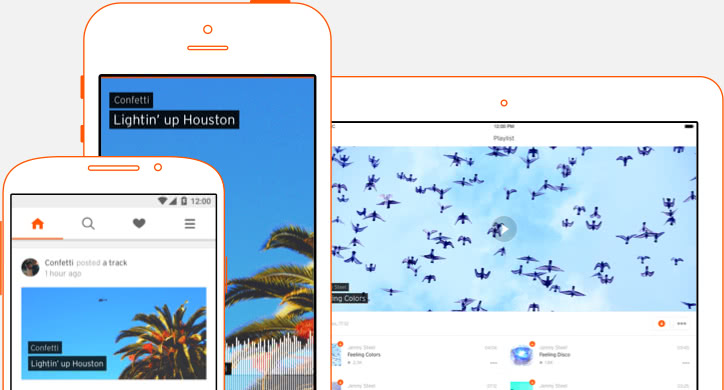
SoundCloud on desktop
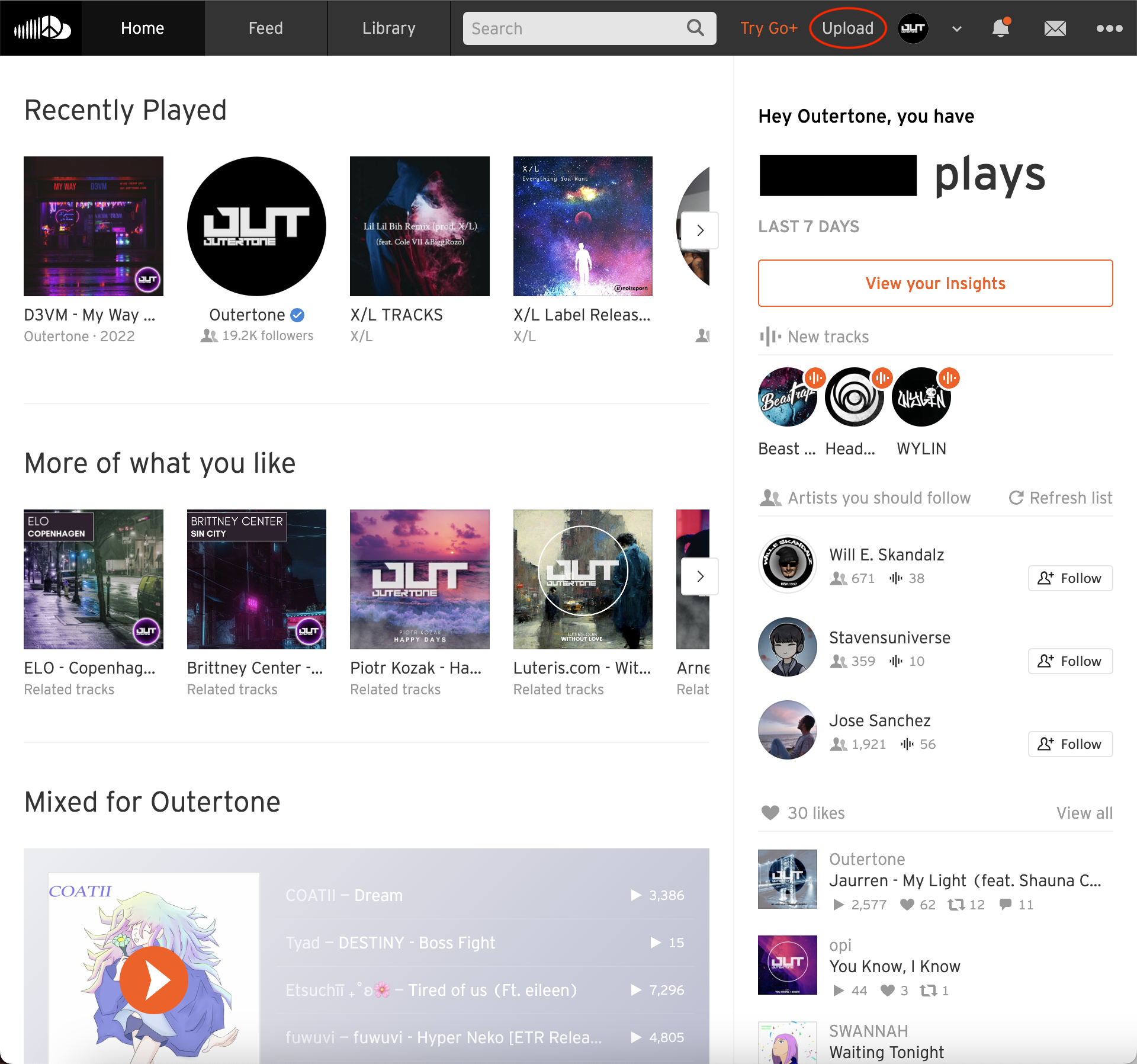
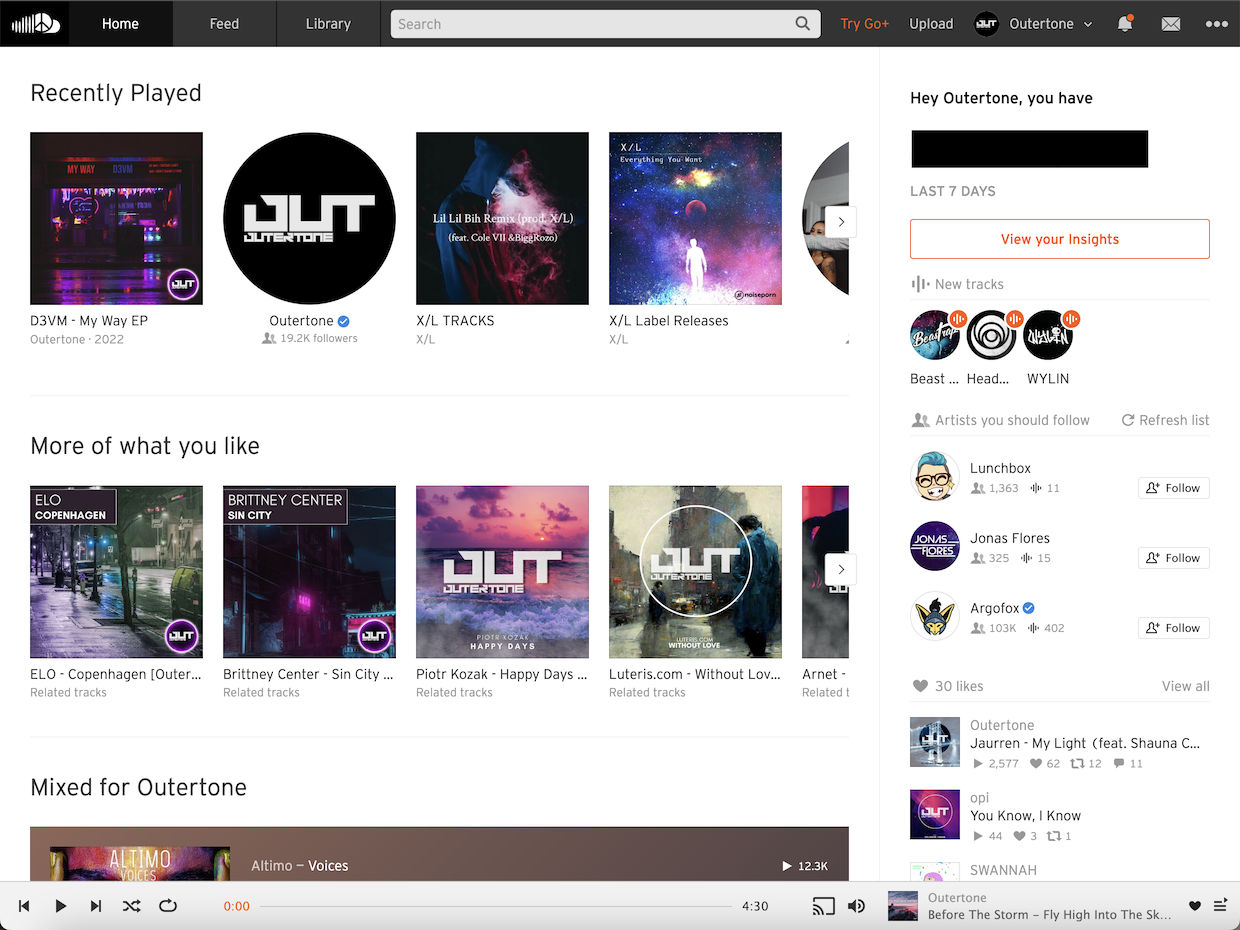
Once logged in, the SoundCloud homepage takes you to the Home/Discover page. This is full of recently played, related tracks, similar artists, personalised mixes, curated playlists, new releases, charts, genres, SoundCloud exclusives and more. This is where to go when you want to listen to something new.
Track controls live at the bottom of the screen. Along the right side, you’ll see your profile stats, the latest tracks from artists you follow, suggested artists, your liked tracks, listening history and more. Click your profile name in the top right corner for more options and artist tools.
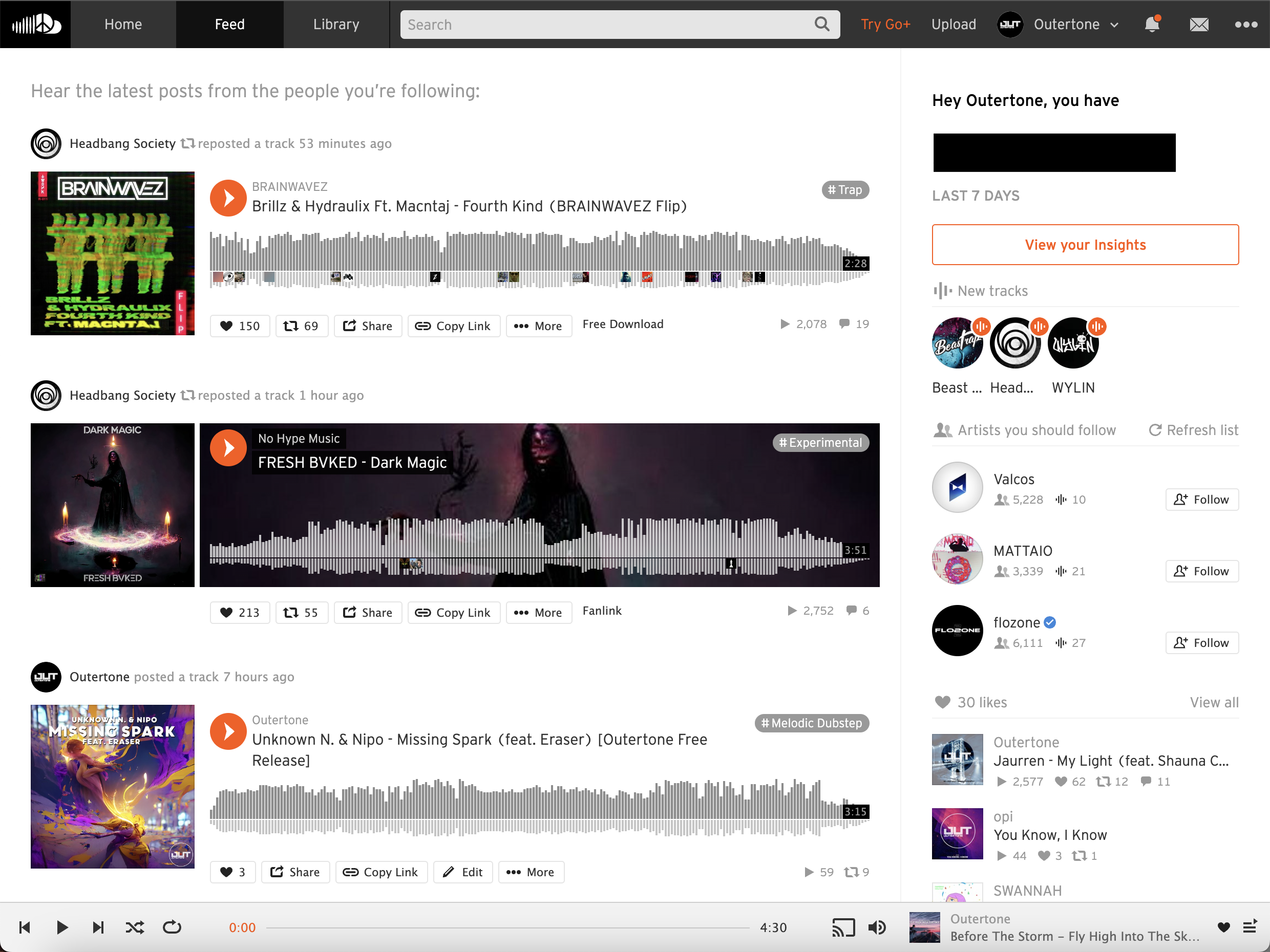
Hop over to the Feed for a never-ending feed of the latest uploads and reposts from artists you follow. This is a great place to discover music from the artists you love.
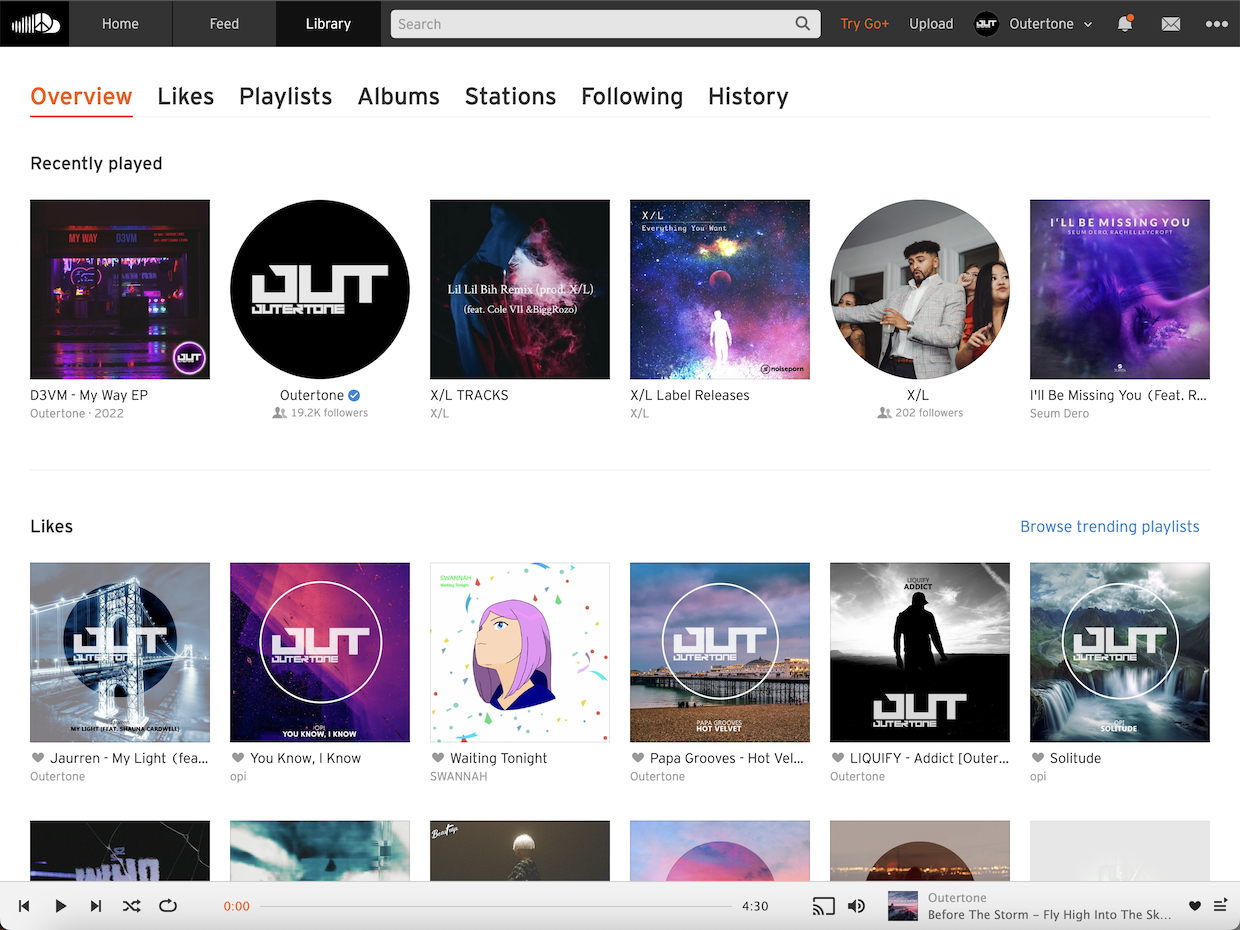
Under Library, you’ll find your Recently Played, Likes, Liked stations, and other saved music, such as Playlists and Albums. Click one of the headings to switch between different options.
SoundCloud on mobile
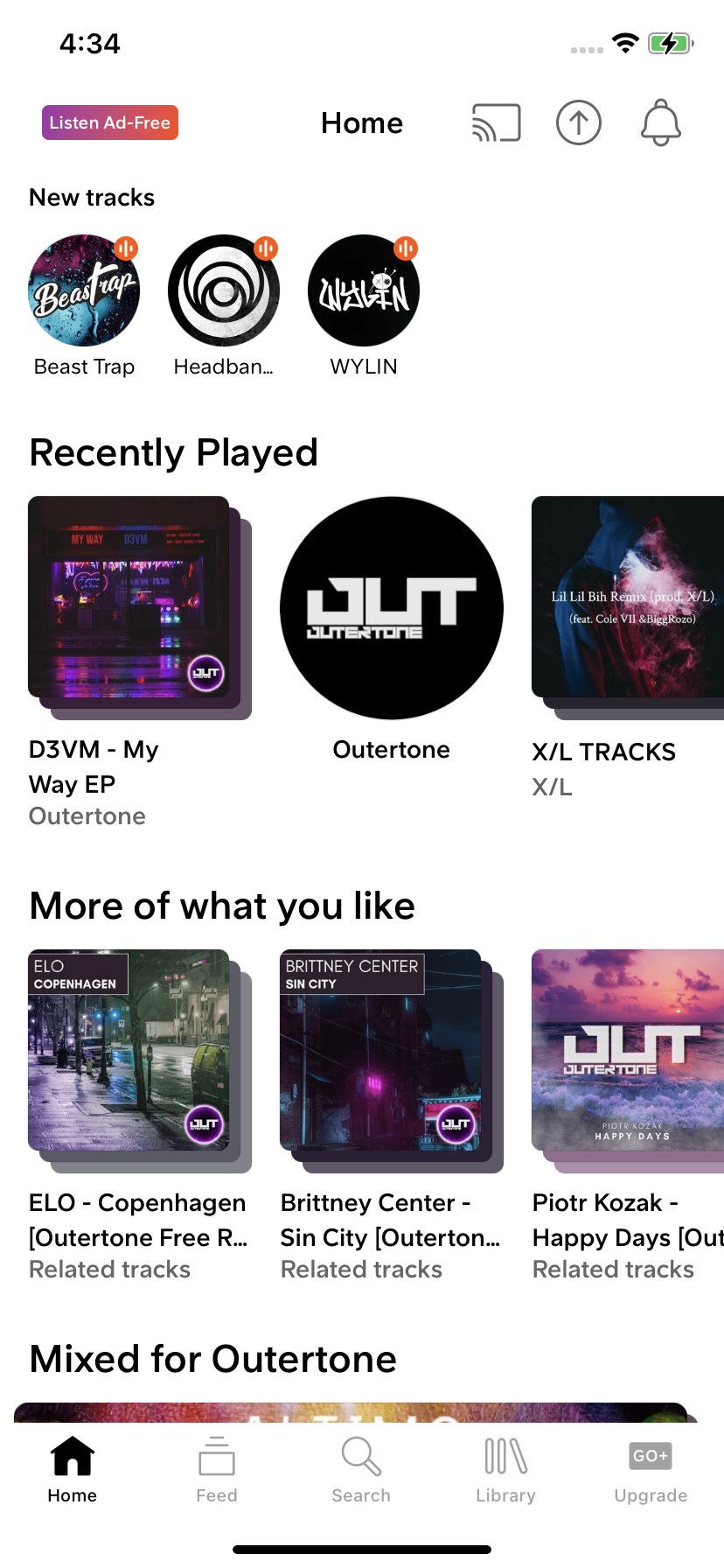
Much like the desktop website, the mobile Home screen is full of recently played, related tracks, similar artists, personalised mixes, curated playlists, new releases, charts, genres, SoundCloud exclusives and more. This is where to go when you want to listen to something new.
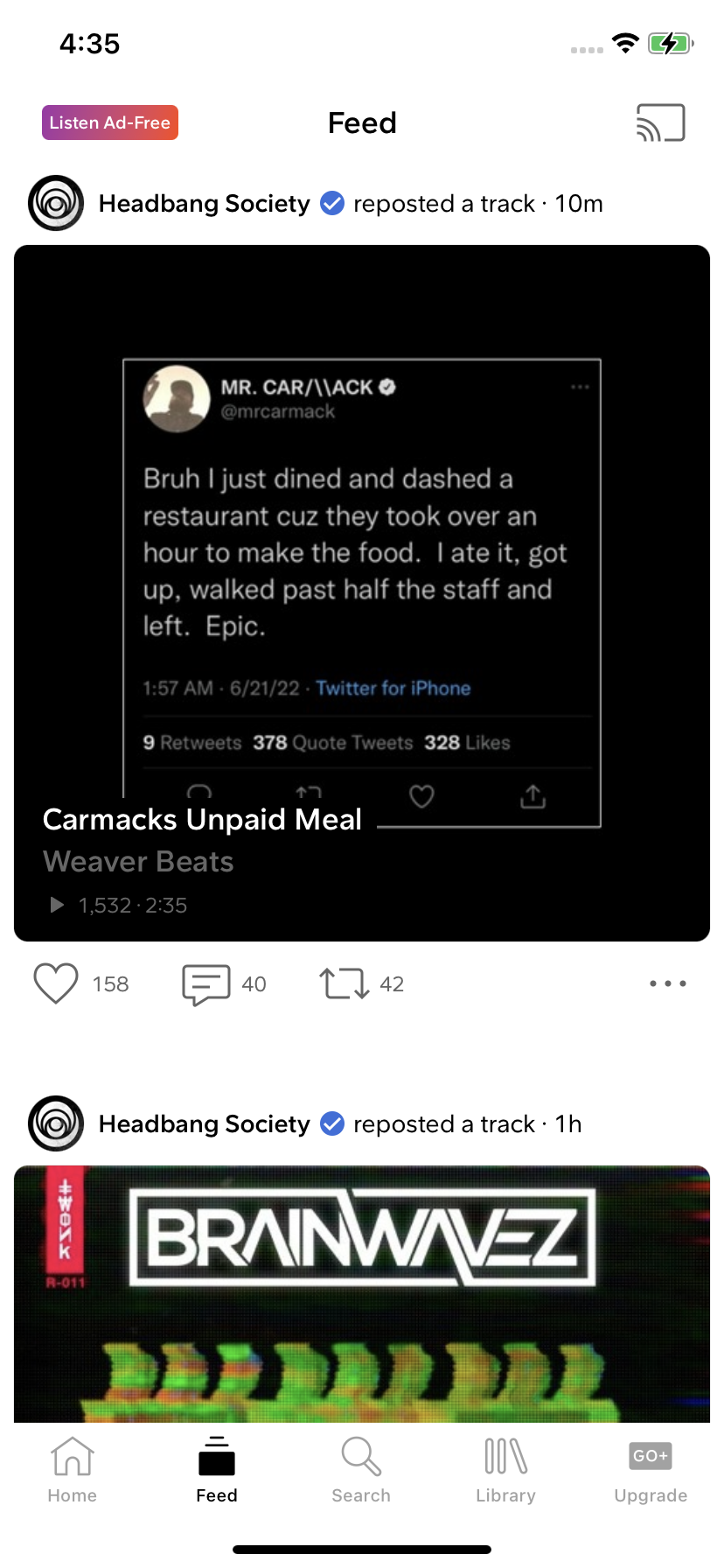
Tap Feed for a never-ending feed of the latest uploads and reposts from artists you follow. This is a great place to discover music from the artists you love.
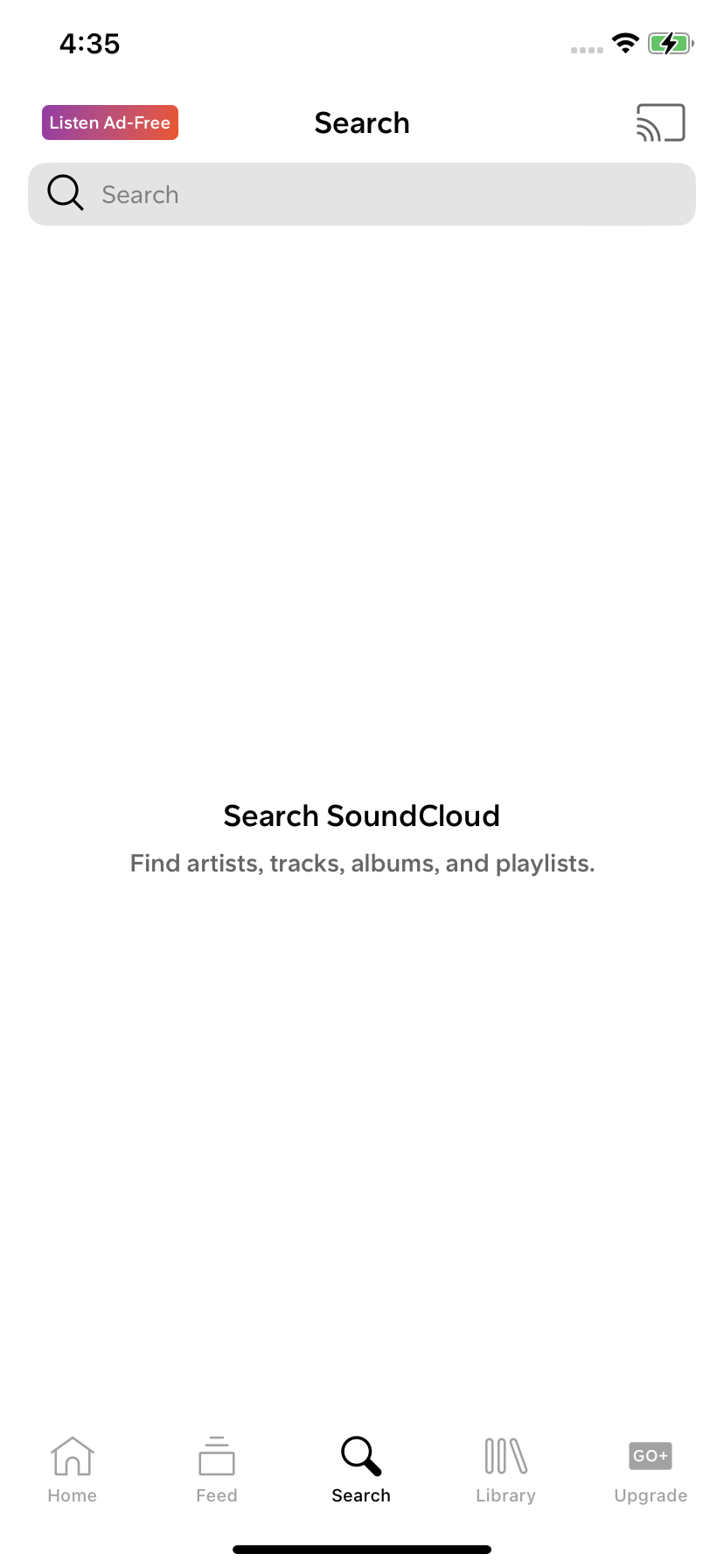
For Search, the clue’s in the title. Search for any artists, tracks, albums or playlists.
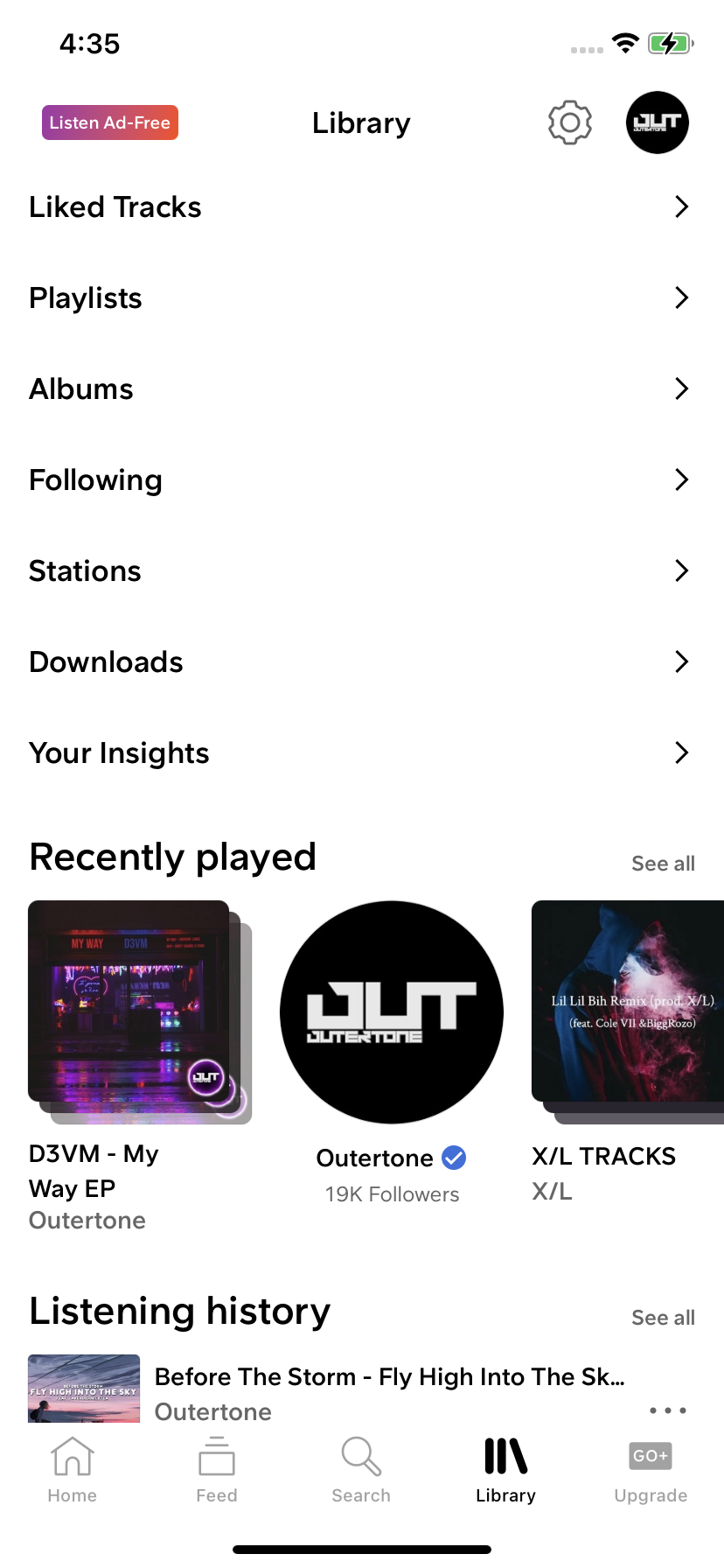
Under Library, you’ll find your Recently Played, Listening history, Liked Tracks, Following artists, Your Insights, your profile, settings, and other saved music, such as Playlists, Albums, Stations and Downloads (for Go and Go+ subscribers).
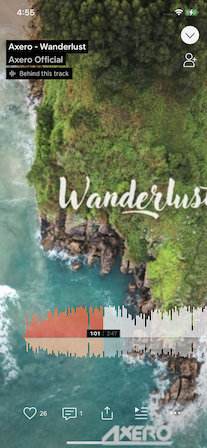
When playing a track, tap the gray bar at the bottom of the screen to pull up the now playlist screen. Navigating music on the mobile app is easy. A tap anywhere will play/pause, swipe to skip track and slide the waveform to scrub through a track. Tap the share icon to post to social platforms, such as Instagram Stories, Snapchat and Facebook Stories.
How many tracks are on SoundCloud?
SoundCloud’s catalogue includes music from millions of artists around the world, combining independent uploads with licensed releases from established artists and labels. The platform’s open upload model has helped make it a popular place for discovering new music, demos, remixes and emerging artists.
Unlike many streaming platforms, SoundCloud has always allowed creators to share music directly with listeners, making it a key platform for independent artists looking to build an audience and connect with fans.
Click here to find the all-time most-streamed songs on SoundCloud.
Click here to view the biggest artists on SoundCloud.
SoundCloud listener subscription types
With no subscription, you can still access many of SoundCloud features. For free, you get ad-supported listening to a limited catalogue, as well as the ability to save tracks to your library, follow artists and build playlists.
There are three subscription options for listeners.
- SoundCloud Go
- Ad-free listening
- Offline listening
- SoundCloud Go+
- Same as previous tier, plus:
- Full catalogue
- High quality audio (AAC 256 kbps)
- DJ tools integration
- SoundCloud DJ
- Same as previous tier, plus:
- Save unlimited tracks for offline playback within select DJ apps
How does SoundCloud compare with the competition?
As a listener, how does SoundCloud compare to other popular music streaming services? With a catalogue full of user-generated content, there’s plenty of great music from underground artists and mixes that you won’t find elsewhere.
Pros:
- Extensive catalogue of licensed and UGC
- Social features, such as comments, reposts and DMs
- Ad-supported free tier
- Ad-free, offline listening available at just $4.99/month
Cons:
- Limited audio quality. No lossless option.
Find a full comparison between SoundCloud and Spotify.
Artists
It goes without saying that SoundCloud is a great platform for artists of all sizes. Beyond uploading and monetising, how can artists really make the most out of the streaming service?
How to verify your SoundCloud account
Want to get one of those fancy blue ticks next to your artist name on SoundCloud? Our video below details how to get one!
SoundCloud artist subscription types
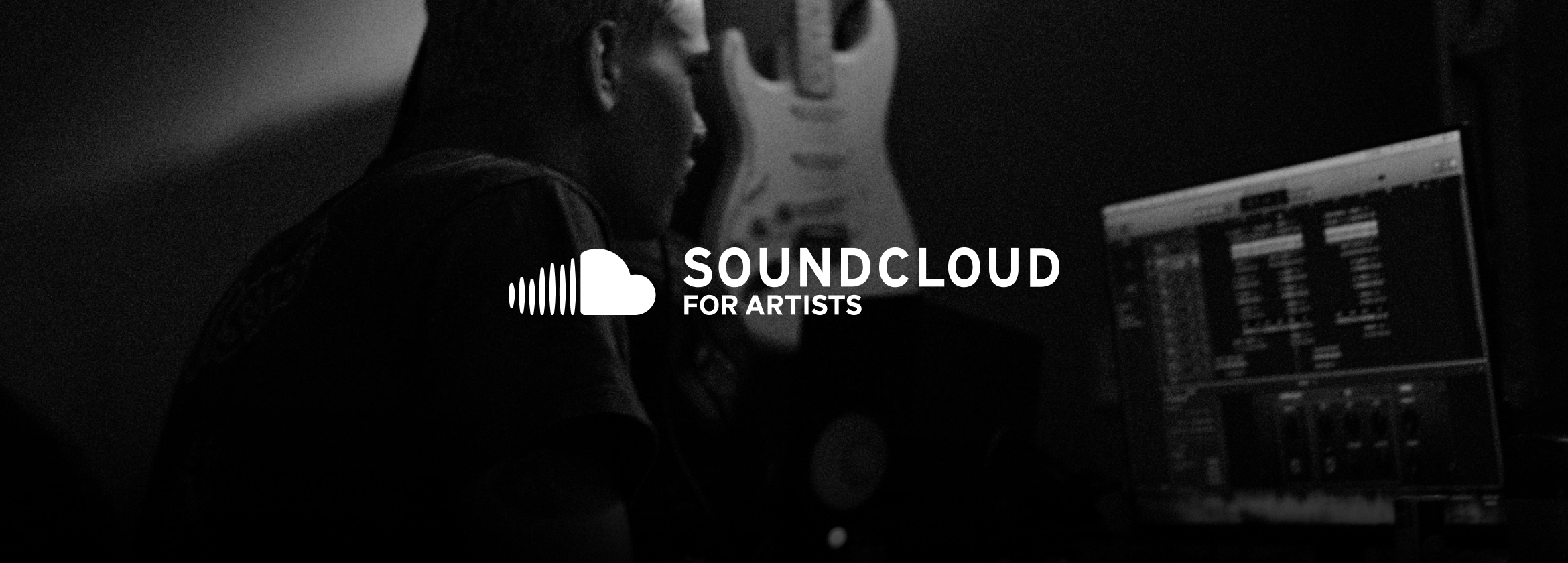
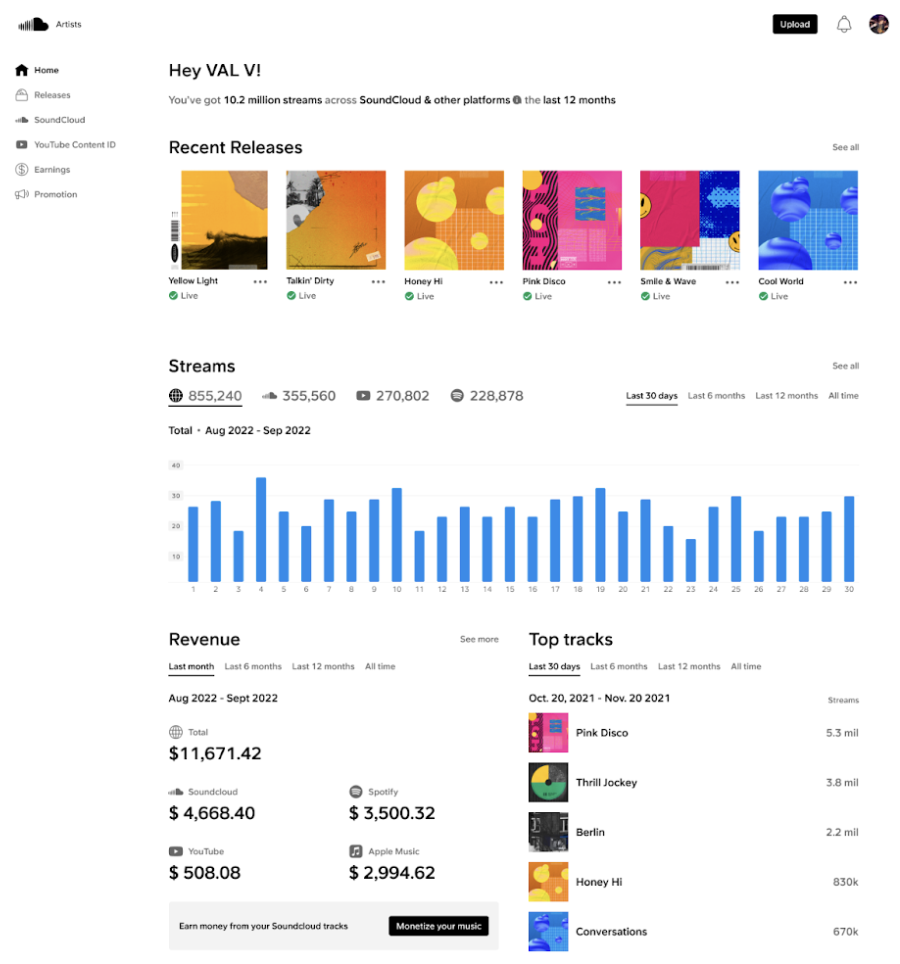
SoundCloud offers different subscription options designed to help artists upload, promote and monetise their music.
- Artist
- 3 hours of uploads
- Boost tracks and reach new listeners twice per month
- Distribute and monetise tracks twice per month
- Replace tracks without losing stats three times per month
- AI Mastering once per month
- Artist Pro
- Unlimited uploads
- Unlimited track boosts
- Unlimited distribution and monetisation
- Unlimited track replacements without losing stats
- AI Mastering three times per month
SoundCloud’s artist subscriptions focus on helping creators grow their presence on SoundCloud, while RouteNote helps artists distribute their music to major streaming platforms and manage their releases from one place.
What are fan-powered royalties?
In 2021, SoundCloud In 2021, SoundCloud became the first major streaming platform to introduce “fan-powered royalties”, their version of a UCPS model, for artists monetizing directly via SoundCloud. The way most music streaming services work today is via a pro-rata model. The model is designed to ensure a listener’s subscription revenue is shared between the artists they actually listen to, rather than being pooled across the entire platform.. Instead, a UCPS or fan-powered royalties splits the listener’s subscription revenue between the artists they listen to. This method is thought to benefit smaller musicians with dedicated audiences.
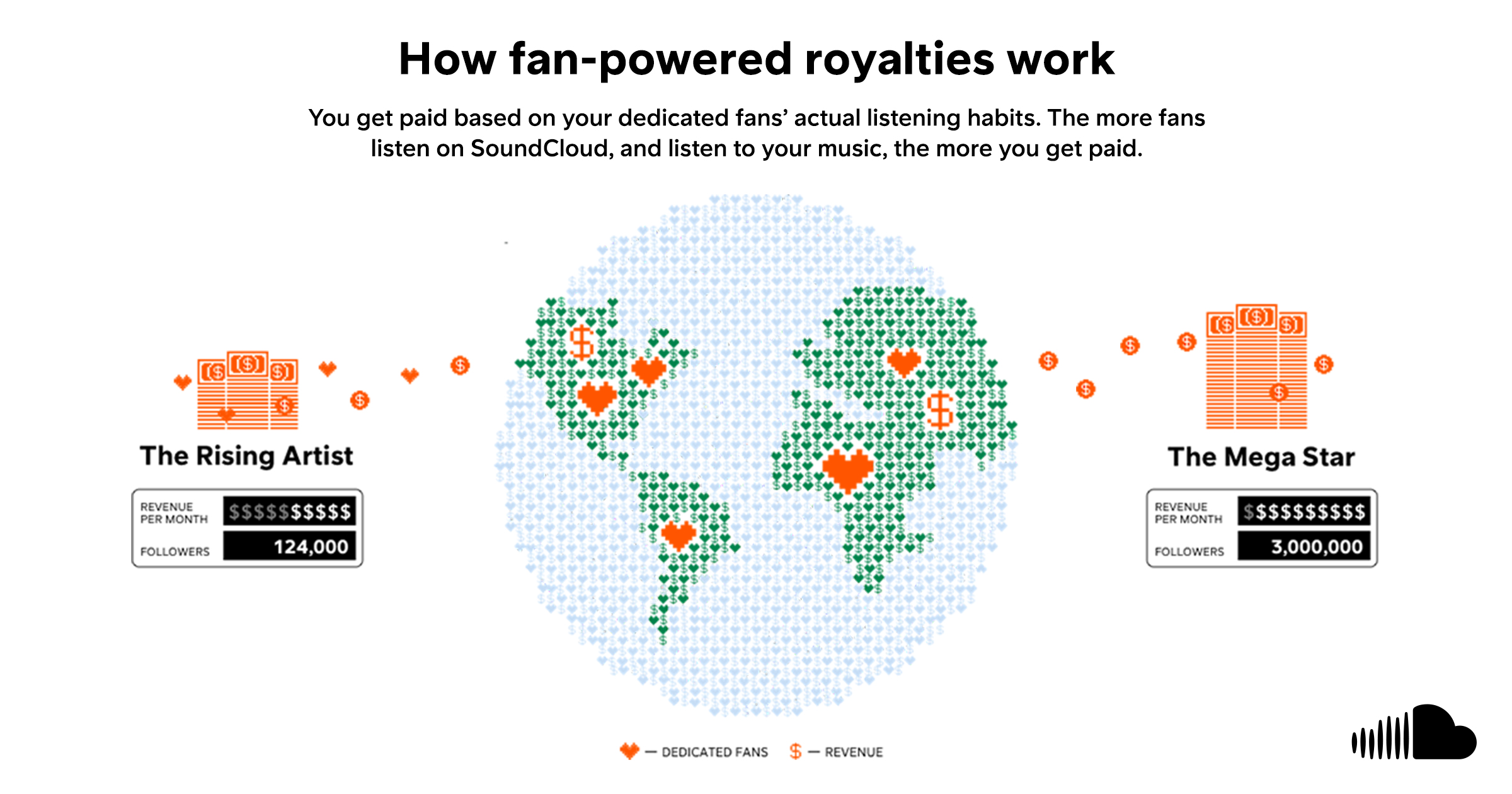
Fan-Powered Royalties remain one of SoundCloud’s key differentiators, offering an alternative to the traditional pro-rata royalty model used by most streaming services.
How to market your SoundCloud music with PUSH.fm
Once your music is live on SoundCloud, promoting it is just as important as uploading it. PUSH.fm offers marketing tools to help you share releases, grow your audience and encourage fan engagement across SoundCloud and other platforms.
Smart Links
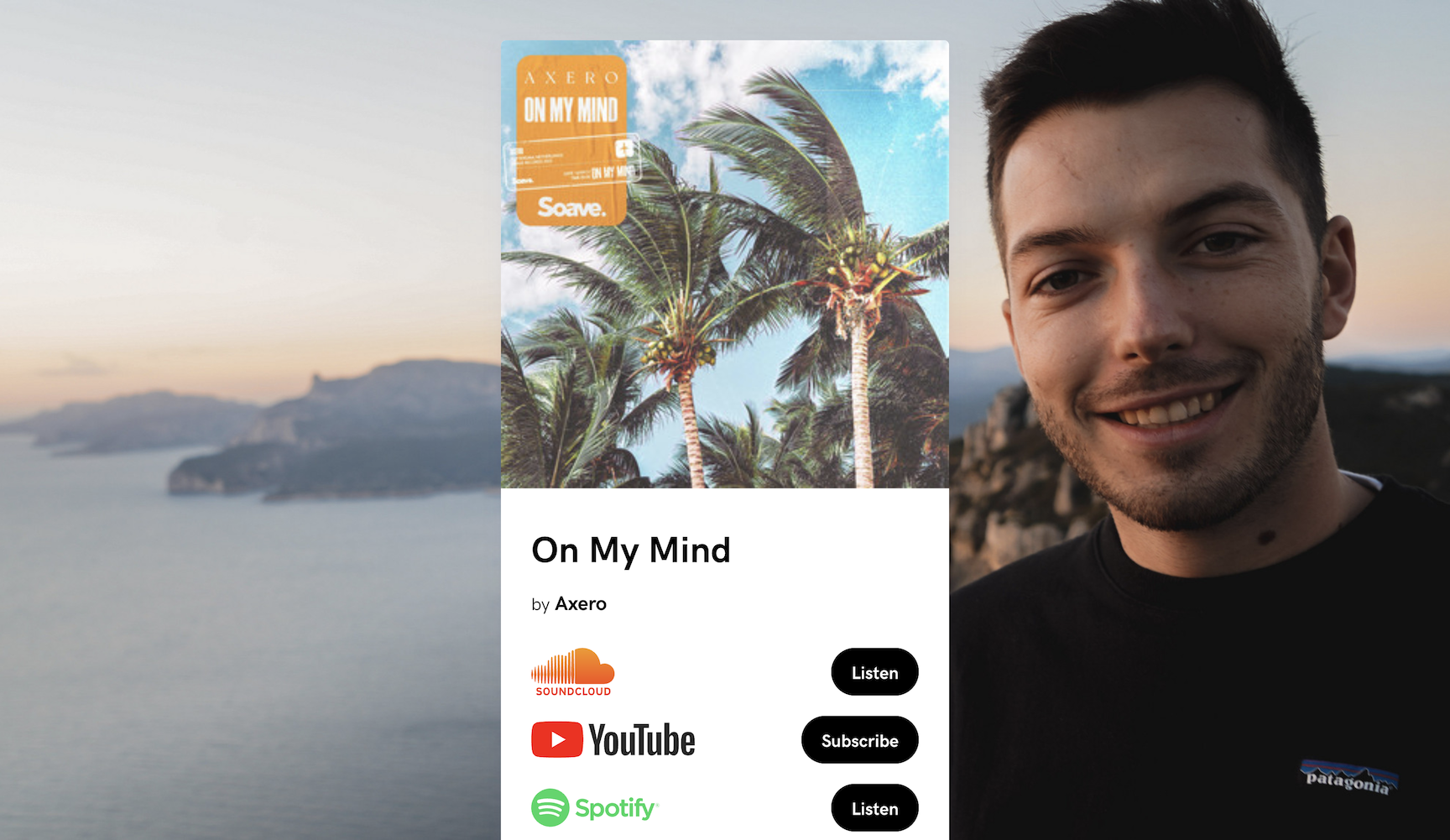
Your music is on dozens of different stores, so how do you share your music, while accommodating for listeners on all platforms? That’s where Smart Links come in. Smart Links pull together all of the stores and streaming services your music is available into one customizable landing page.
Make Smart Links your own! Smart Links are only limited by your imagination. Add links to any sites and customise the image and background. Smart Links are also great for linking to multiple social media profiles (including SoundCloud) with one link.
Create unlimited Smart Links for free on PUSH.fm.
See the example below in action.
Reward Links
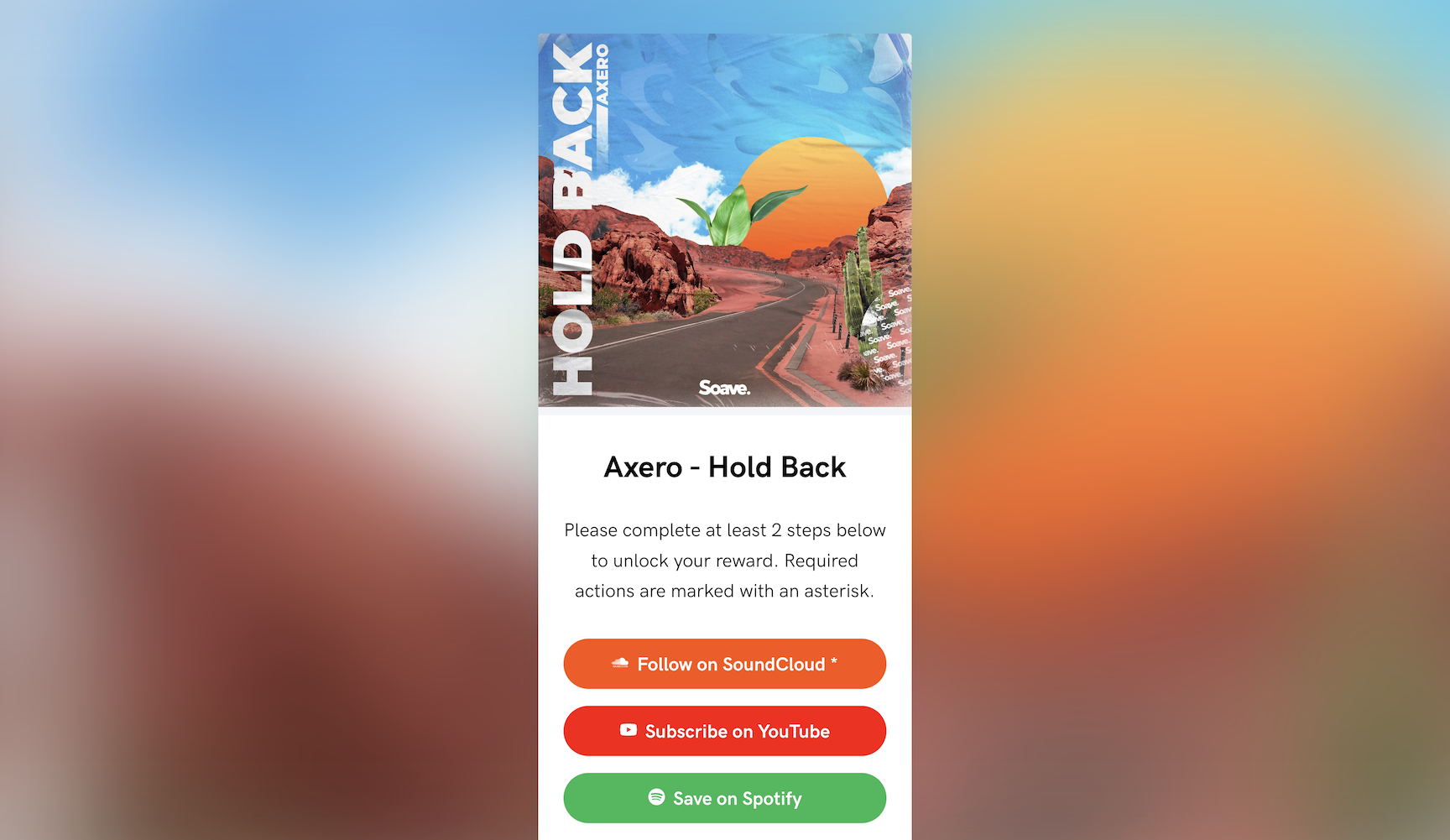
Continuing their promise of providing powerful marketing tools to independent musicians, Reward Links are a great way to reward your loyal fans for taking social actions.
Request or require fans to follow you on SoundCloud to gain access to a free download of your latest track or secret promo code. Similarly to Smart Links, Reward Links are fully customizable, with social actions available across SoundCloud, Facebook, Instagram, YouTube, Twitter, Spotify, Apple Music and Deezer.
Create unlimited Reward Links for free on PUSH.fm.
See the example below in action.
Competitions
Based on Reward Links, Competitions on PUSH.fm are another way to reward fans for taking social actions.
A landing page requires your fans to “Follow on SoundCloud” or take another action on one of the seven other platforms in exchange for an entry into a competition hosted by you. You choose the possible actions, end date and customise the look. Each action counts as one entry. At the end of the competition, you’ll be given a spreadsheet of email addresses from entrants. Simply use a random number generator to pick a winner.
Competitions are available to Premium subscribers. $5 per month gets you access to unlimited Competitions.
Statistics
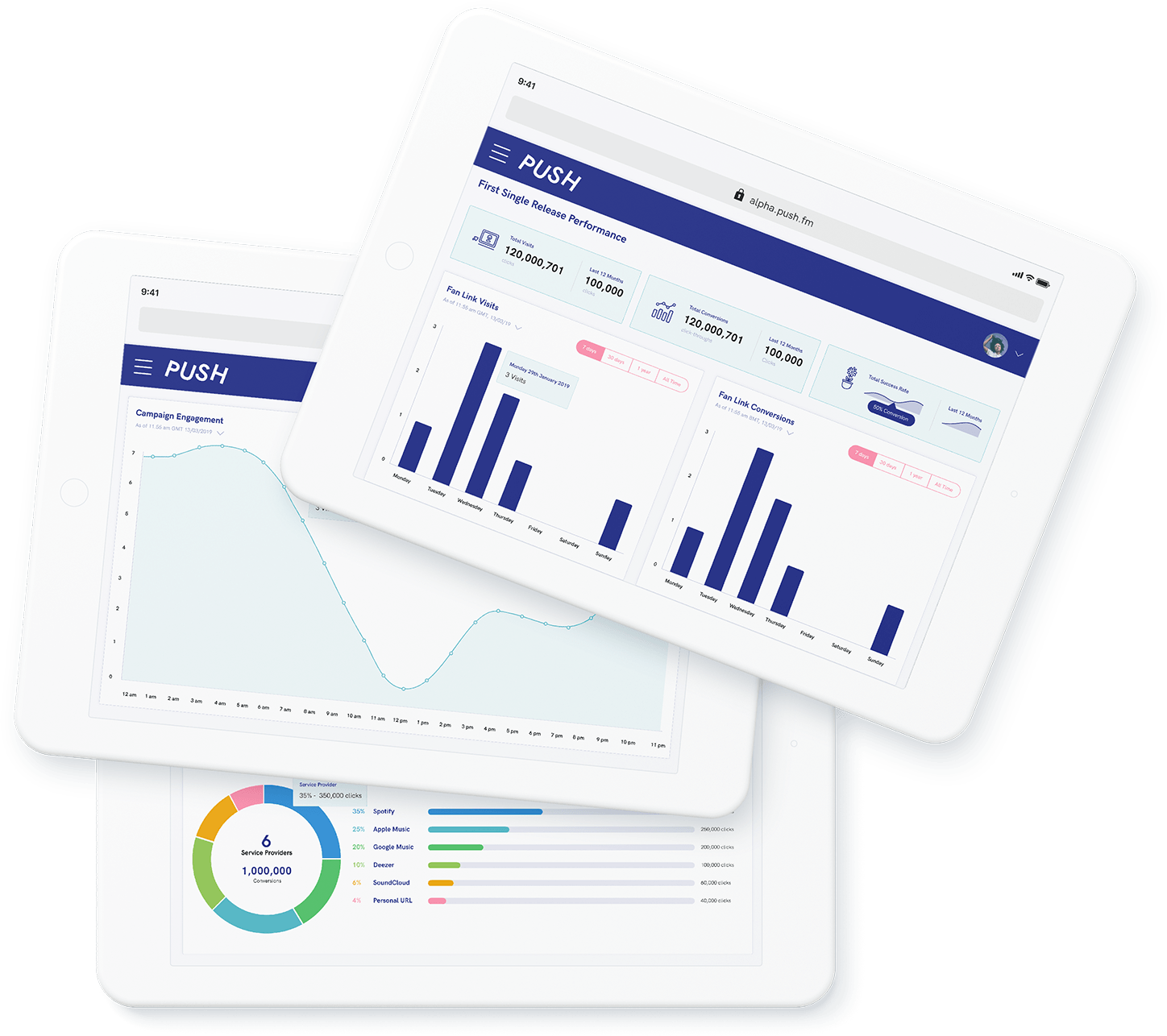
As your fans click through to your streaming services, follow you on social media and enter your competitions, PUSH.fm will track these movements and report them to your PUSH.fm account. View visits, conversions and much more data, broken down by date and time. This is vital data, as it allows you to target future campaigns.
Wrapping up
SoundCloud remains one of the best platforms for independent artists to share music, build an audience and connect with fans. Whether you’re uploading tracks, exploring monetisation or promoting your latest release, understanding the tools available can help you make the most of the platform.
With RouteNote, you can distribute your music to the world’s leading streaming services and monetise eligible tracks on SoundCloud, while PUSH.fm provides marketing tools to help you reach even more listeners. Together, they give independent artists everything they need to release, promote and grow their music.