
Spotify Mix brings customizable transitions to personal playlists
A new Spotify feature bring short seamless audio transitions between tracks in your playlists, with crossfades, beatmatching and EQ fades.
Apple Music announced AutoMix in June this year. Coming with the introduction of iOS 26, AutoMix applies time stetching and beatmatching between your tracks for seamless transitions. While Spotify already has crossfading at the account level and even Automix, which applies beatmatching on select Spotify playlists, the latest update brings this feature to personal playlists, along with additional processing and customizable options.
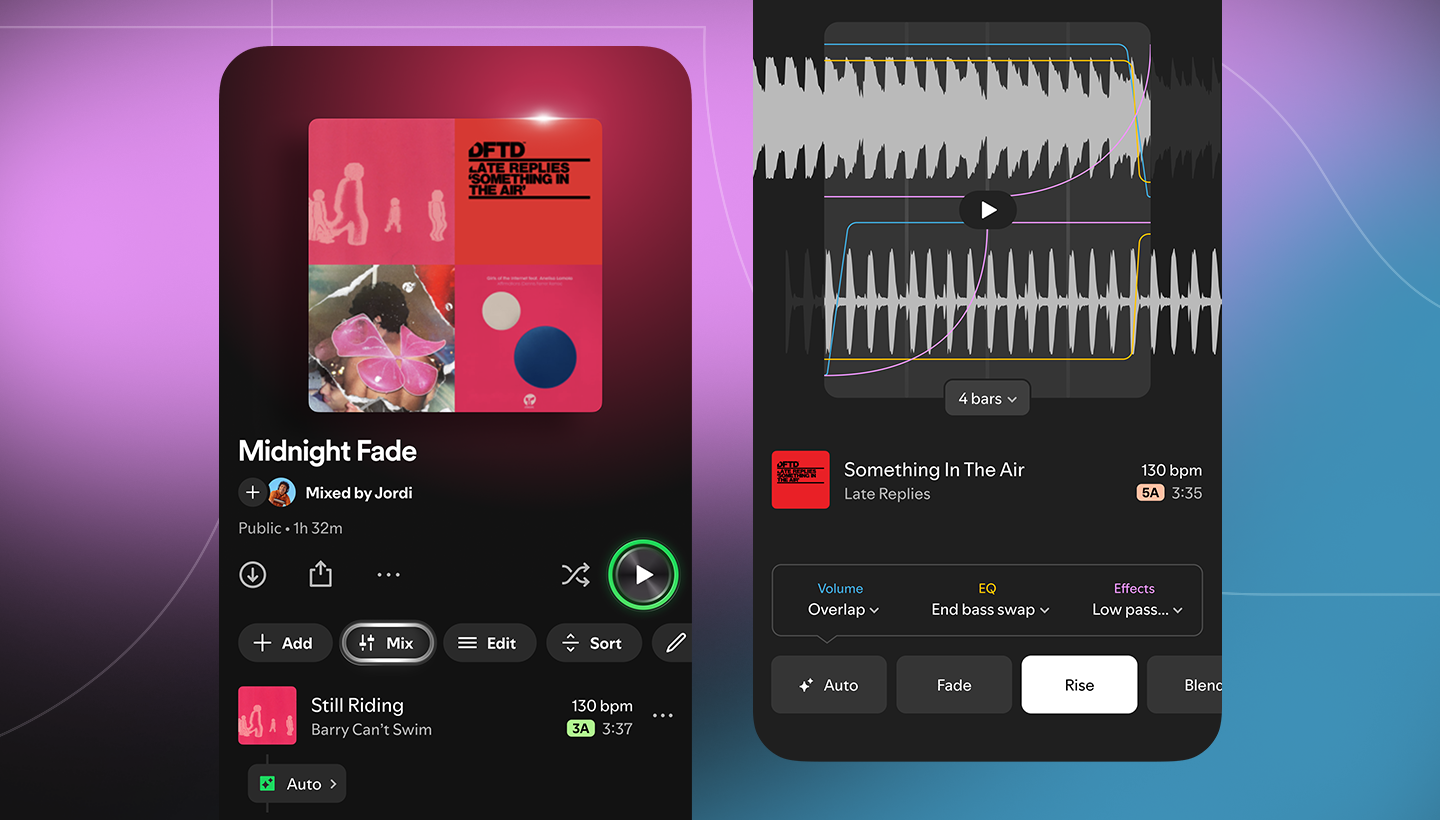
The new Spotify “Mix” feature applies crossfades, beatmatching and EQ fades, processed in real time during playback. You can customize what processing is applied with features such as volume, EQ, and effect curves. No recording or alterations of tracks.
Once rolled out, Spotify Premium subscribers will find a new “Mix” button at the top of your playlists. This will automatically create an instant blend, or tap “Mix” again to customize the settings. There are presets like “Fade” and “Rise” to make the process easy for beginners. Dive into the settings to alter volume (such as “Overlap”), EQ (such as “End bass swap”), and effects, plus there’s new waveform and beat data to transition at the perfect spot. Once you’re done, simply tap “Save” and enjoy, share or collaborate on mixed playlists with Spotify Premium friends. You can toggle the mix on and off at any time by pressing the “Mix” button.
When you tap Mix, Spotify will show the key and BPM of each track so you can find well-matched tracks to transition between.
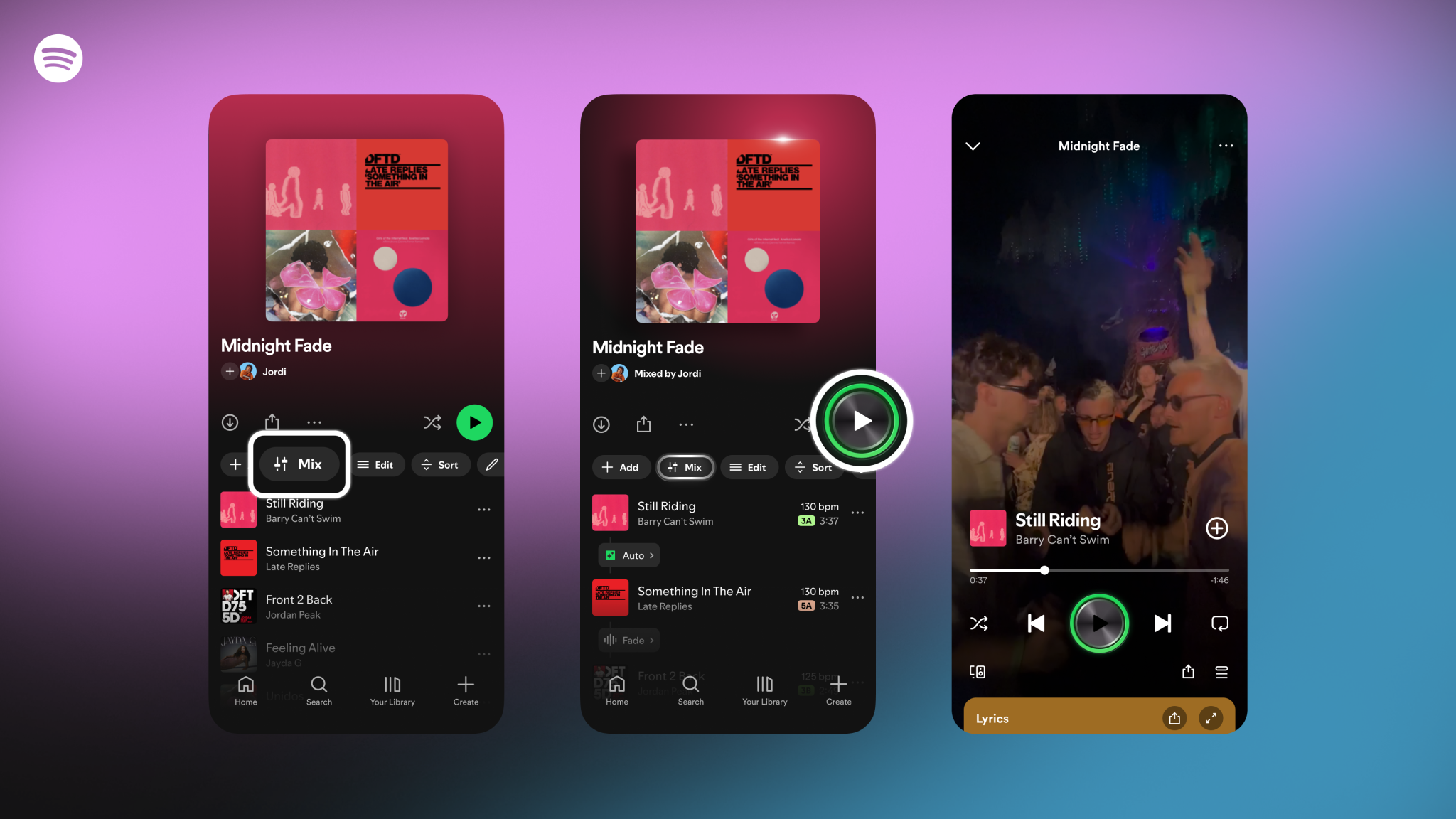
Spotify Mix is rolling out now in beta to Premium subscribers only. Start crafting the perfect genre, mood, energy, beat and key linked playlists that gradually building up or down the energy over time, or go rogue and create the most chatic mixes you can. This feature could be perfect for house parties without the awkward pauses or running playlists that stick to a consistent BPM.
Once you’ve created your perfect playlist, apply a custom cover art using Spotify’s new tool. Mixed playlists will get exclusive new stickers and labels.