
Spotify doubles down on social listening with real-time listening activity and Request to Jam
Two new messaging features make it easier for fans to discover, share, and listen to music together.
Spotify isn’t just for listening, it’s for sharing your favorite songs, podcasts, and audiobooks. Playlists became collaborative, Wrapped became shareable, and Jam turned listening into a group activity. Now, Spotify is making the platform even more social with two new tools.
The platform is launching listening activity and Request to Jam. Both arrive within Spotify’s Messages feature, which has been used by almost 40 million users since it relaunched last year. Together, they make it easier for users to see what their friends are playing in real time and jump into a shared listening session without friction.
Here’s what’s new:
Listening activity
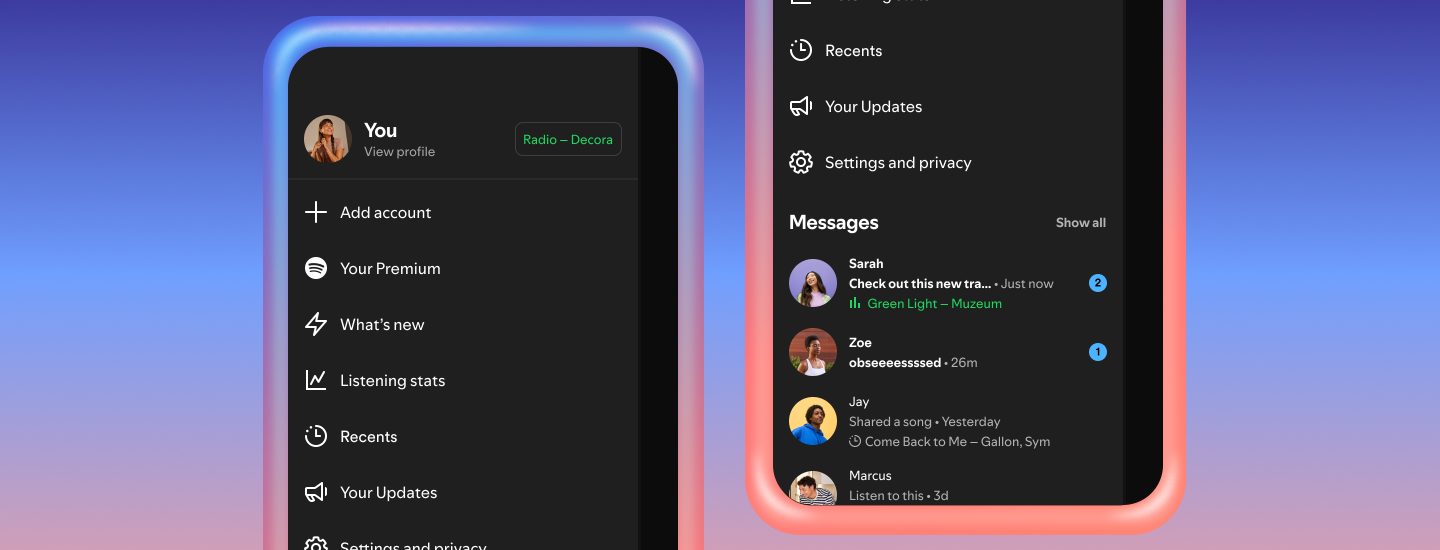
Spotify’s new listening activity feature does exactly what it says. It lets users share what they’re listening to in real time within Spotify Messages. If you’re not listening to anything, your most recently played song will show instead.
Importantly, listening activity is fully opt-in. It’s only visible to people you’ve already connected with through Messages, and it can be switched off at any time. Plus, even if you choose not to share their own activity, you can still see what others are listening to.
How does Spotify’s listening activity work?
- Head to Privacy and social settings to turn on listening activity.
- Your listening will then appear in the chat row of the side drawer and at the top of Messages chats.
- See someone listening to a track you’re interested in? You can easily play the track, add it to your library, open the track’s context menu, or react with one of six emojis.
Request to Jam
Spotify’s Jam feature has already proven its popularity. Since launching in 2023, its daily active users has more than doubled year over year, and Jam even celebrated hitting 100 million monthly listening hours last year. The problem? Knowing when your friend is actively listening at the same time as you.
That’s where Request to Jam comes in. It works hand in hand with listening activity, letting you invite friends or family into a remote Jam session from Messages. As you can now see whether someone is already actively listening, sending an invite suddenly feels like the perfect time to request a Jam.
How does Request to Jam work?
- Premium users can send a request from within a Messages chat by tapping the icon in the top right corner.
- The recipient can accept or decline the request.
- If accepted, the recipient becomes the host of the Jam session, where you’ll both be able to add tracks to a shared queue and listen along together.
Spotify also suggests songs based on both users’ taste profiles, making it easier to queue tracks you’ll both like. Users can leave a Jam whenever they like, and unanswered Jam requests expire after a few minutes.
Where and when are these features rolling out?
Both listening activity and Request to Jam are rolling out now across iOS and Android devices in Messages-enabled markets now. Spotify says that wider access will be coming by early February.
As both new tools live inside Spotify Messages, the features are only available to users aged 16 and over.
The bigger picture
Taken together, these updates underline Spotify’s broader social strategy. Since relaunching Messages, the platform has been steadily nudging users to socialize around music, not just listening along.
It potentially also adds another reason for users to stay inside Spotify’s ecosystem. In an increasingly competitive streaming market, social connection could encourage users to stick around.
Get your music onto Spotify and other streaming platforms worldwide for free with RouteNote today!