
Revenue Sharing on RouteNote just got quicker and easier!
RouteNote has updated its Revenue Sharing tool to make it faster and easier than ever to split your release royalties with collaborators.
RouteNote has long provided all users with the ability to split royalties between mulitple accounts. This feature is loved by collaborators and labels, simplifying monthly payments and ensuring everyone is fairly compensated.
How to share release royalties on RouteNote
All you need is your release details and the account details of every additional payee. Don’t forget, RouteNote accounts are totally free to create!
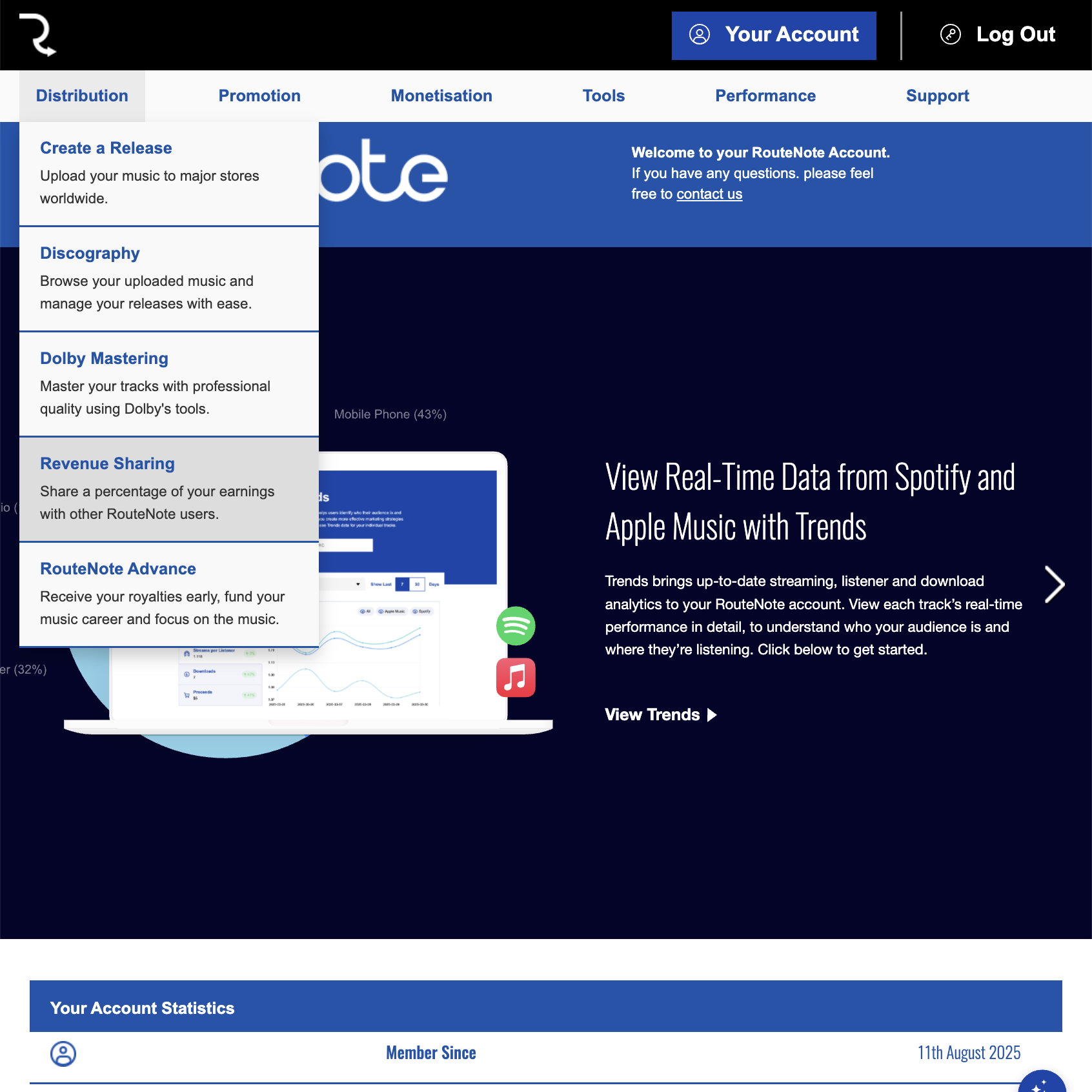
- Login to RouteNote, hover over the Distribution tab and click Revenue Sharing
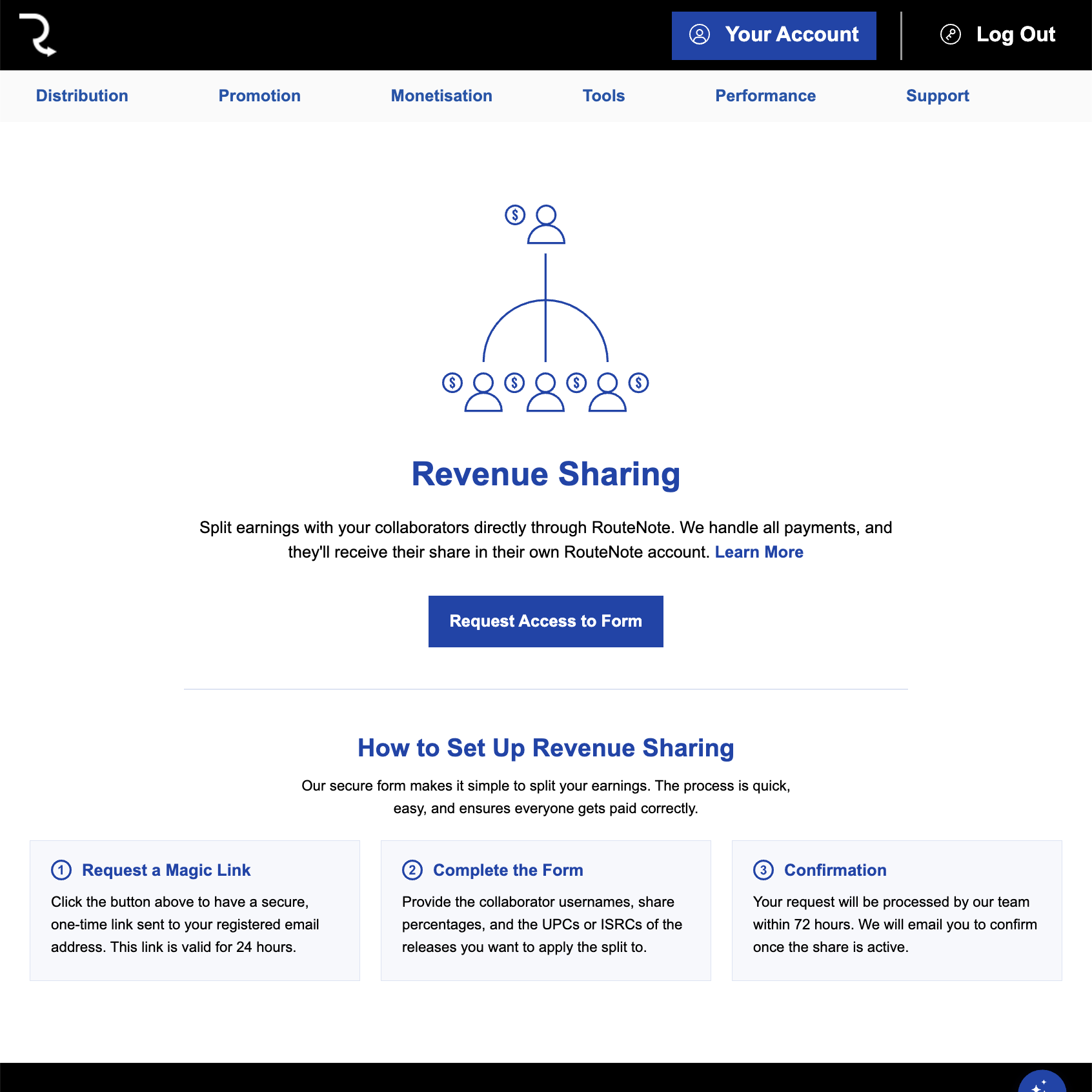
- Click Request Access to Form
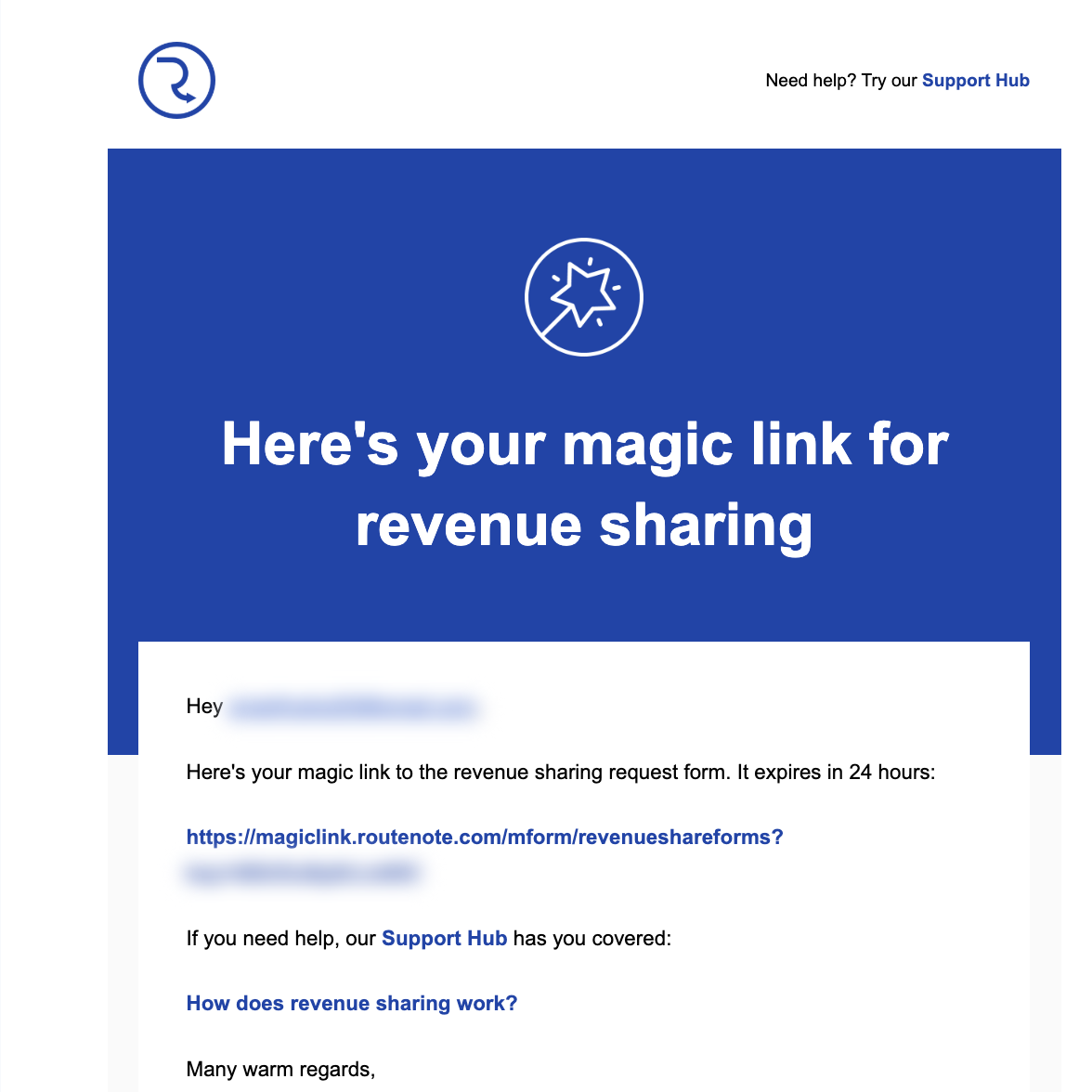
- You will be emailed a magic link to the form
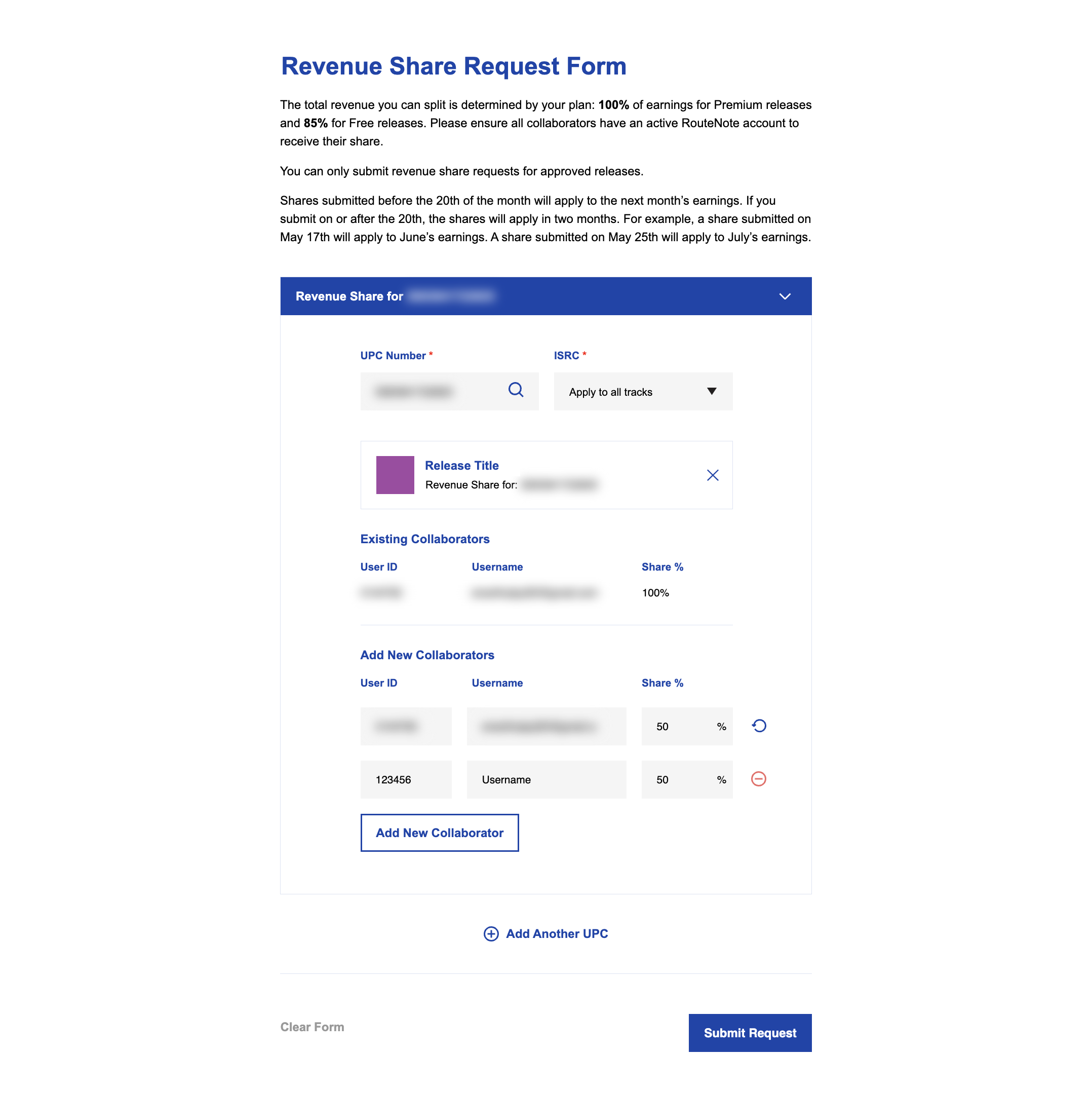
- Follow the link, fill out the form and hit Submit Request when you’re done
Enter a specific ISRC to split the royalties of a single track or click Apply to all tracks to share the revenue on the whole release. You can add as many collaborators as you like to a single release, just remember, RouteNote’s 15% cut applies to all releases distributed via our Free model. Choose RouteNote Premium to keep 100%. Use Add Another UPC to submit multiple UPCs in one request.
Access to the form can additionally be requested via a support ticket. Support – Support Tickets – Create New Ticket – (Ticket Category) Request for Revenue Share.
Requests are processed by our team within 72 hours.