
Spotify expands parental controls to free users
Spotify’s managed accounts feature is rolling out to listeners on the platform’s free tier, making it easier for more parents to manage what their kids see on Spotify.
Spotify is giving more parents access to its managed accounts feature, expanding the parental control tool beyond Premium Family subscriptions onto its free, ad-supported plan. The move means that more families can create a supervised Spotify experience for their children, while still letting kids enjoy their own personalised music space.
Managed accounts were first introduced for Premium Family users in select markets almost two years ago, before Spotify rolled out the feature more widely last year. Now, Spotify is making the feature more accessible to its free users, starting in Argentina, Colombia, Denmark, Italy, New Zealand, and Sweden.
How do managed accounts work?
Managed accounts are supervised Spotify profiles designed for children under 13 (or the local market equivalent). It’s designed to give young listeners their own space to enjoy music, while letting parents and guardians stay in control.
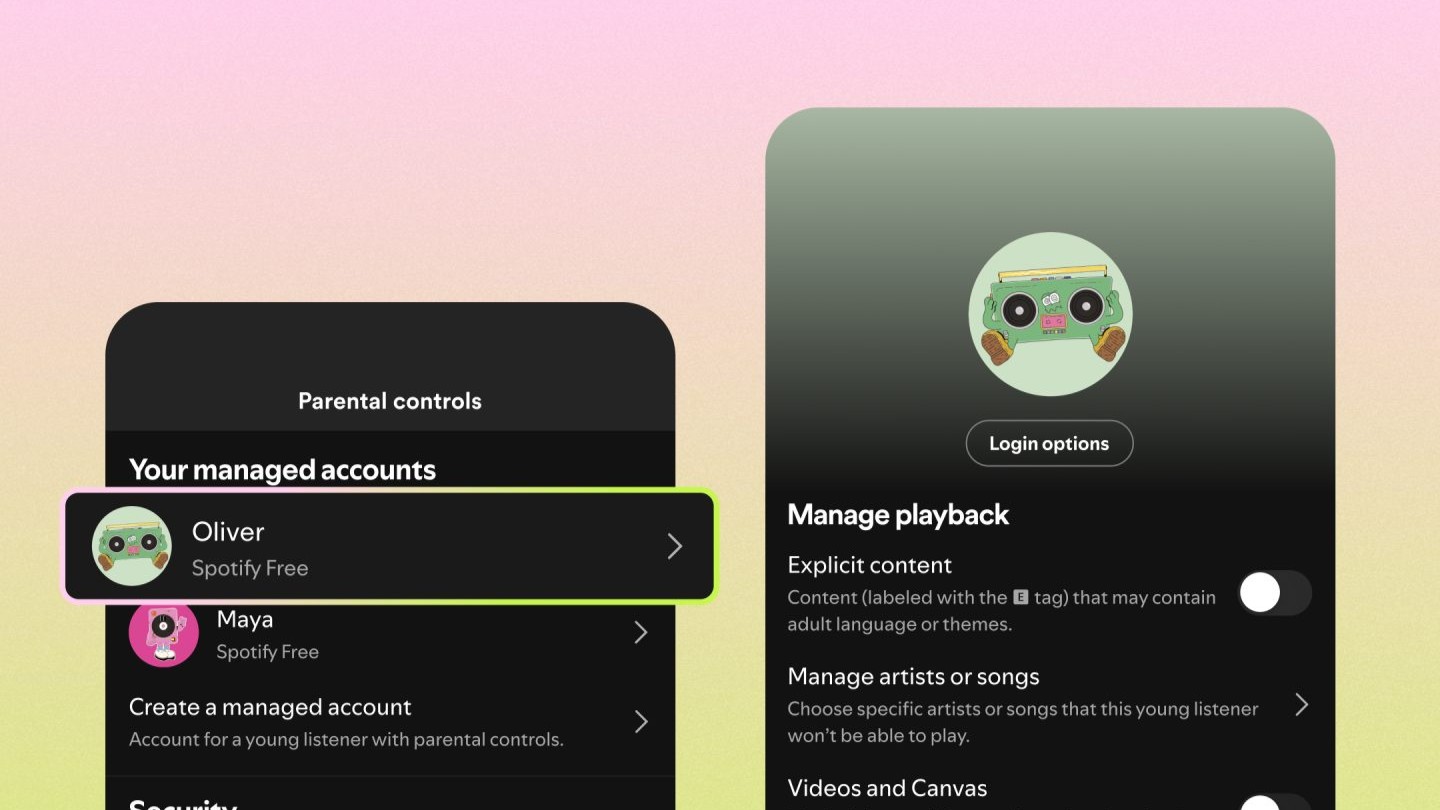
Under managed accounts, there are several built-in parental controls designed to make the platform more child-friendly. Parents and guardians can:
- Turn Spotify into a music-only experience
- Block explicit content
- Restrict playback from specific artists
- Disable music videos and Canvas visuals
On top of this, Spotify also automatically limits access to certain interactive social features like Messages and Jam, to create an ever safer environment for kids.
At the same time, kids still get many of the features that make Spotify engaging in the first place. They can create playlists, receive personalised recommendations, and even access their own Spotify Wrapped experience. Importantly, none of this will affect the parent’s account data or Spotify Wrapped results.
How to set up a managed account on Spotify
Spotify has kept the managed account setup straightforward. To create a managed account:
- Open Spotify Setting and privacy
- Select “Parental controls”
- Choose “Create a managed account”
- Follow the remaining steps to complete setup
From there, parents can return to the settings at any time to access and adjust their child’s account.

Why it matters
Spotify says that more than half of its users share music with children, making family-focused controls an important part of the streaming experience. Thanks to this expansion, more families can access those controls and relax knowing their kids can enjoy music in a safe space.
That’s even more important as video podcasts, music videos, and more social tools continue to grow across streaming platforms. And Spotify has already been opening up ways that users can control the content they see. Earlier this year, the platform introduced broader video playback controls, allowing listeners to turn music videos, podcasts video, and Canvas visuals on or off across accounts.
In simple terms, the update reinforces Spotify’s commitment to ensuring a positive experience for all of its users to discover and enjoy music, including families and their children.