

Apple reveals new Logic Pro tools as it launches Apple Creator Studio
Image credits: Apple
Here’s all the new features coming to Logic Pro for Mac and iPad, aiming to make music production workflows easier and more intuitive.
Apple has announced a new wave of Logic Pro updates for Mac and iPad. The new tools were revealed alongside Apple’s brand-new Apple Creator Studio which bundles together a wide range of Apple’s creative apps in a single subscription.
For those in the music industry, Logic Pro’s updates are designed to make music creation faster, more intuitive, and more accessible.
So, what’s new for Logic Pro?
From smarter session players to improved sound discovery, Apple is trying to inspire anyone to write, producer, mix, and more.
A new AI Synth Player enters the mix
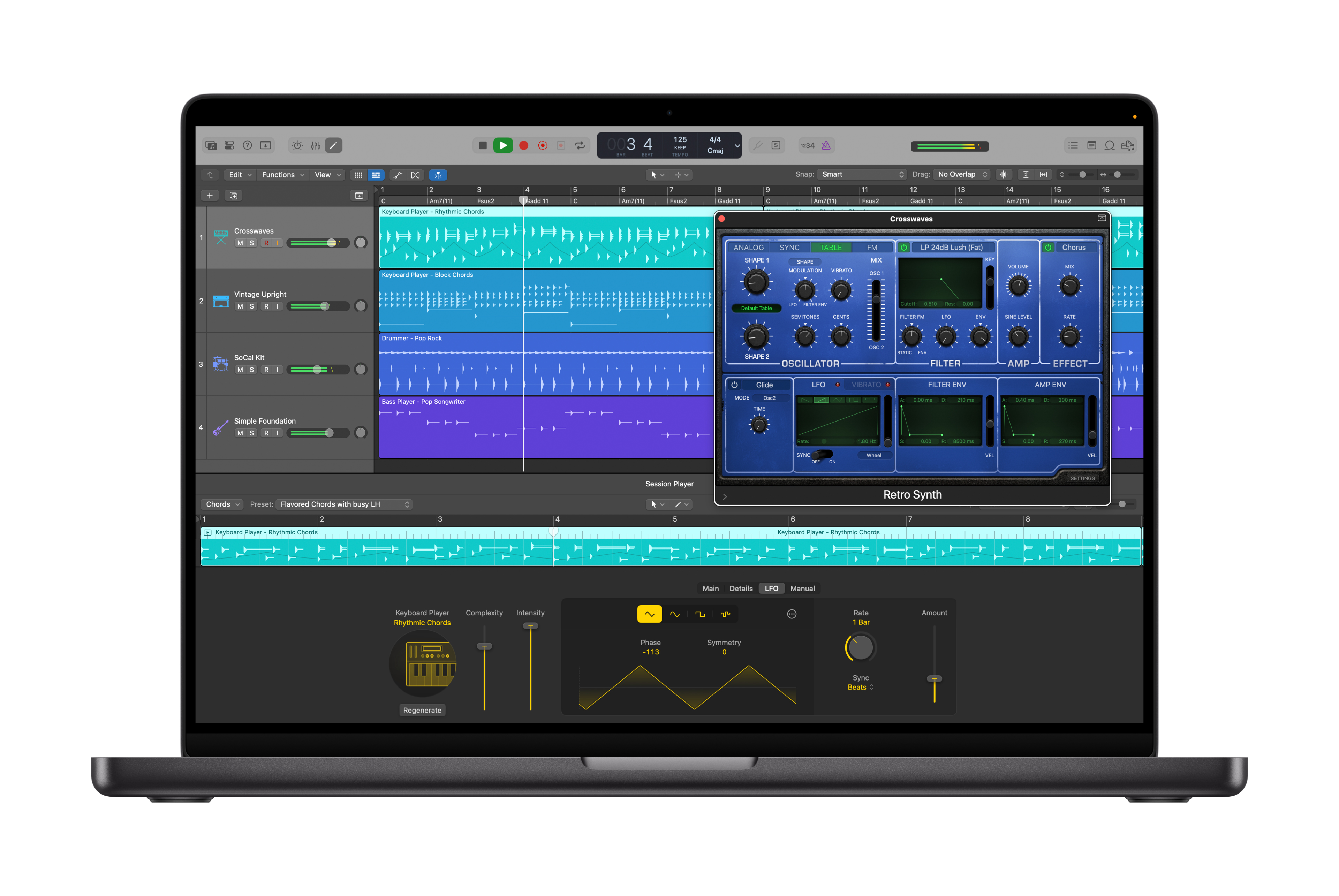
Logic Pro’s AI Session Players arrived last year, designed to automatically pick up the feel of your song and instantly play along with something that fits the vibe. Now, Apple is adding a new AI Synth Player to that lineup.
In simple terms, the Synth Player acts like a virtual skilled synthesist that reacts to your track in real time. It can generate parts that fit the mood and direction of a song, while still giving producers hands-on control. Users can still tweak performance elements like the complexity and intensity. That way, users can still unlock the exact sound they want.
Chord ID to speed up production
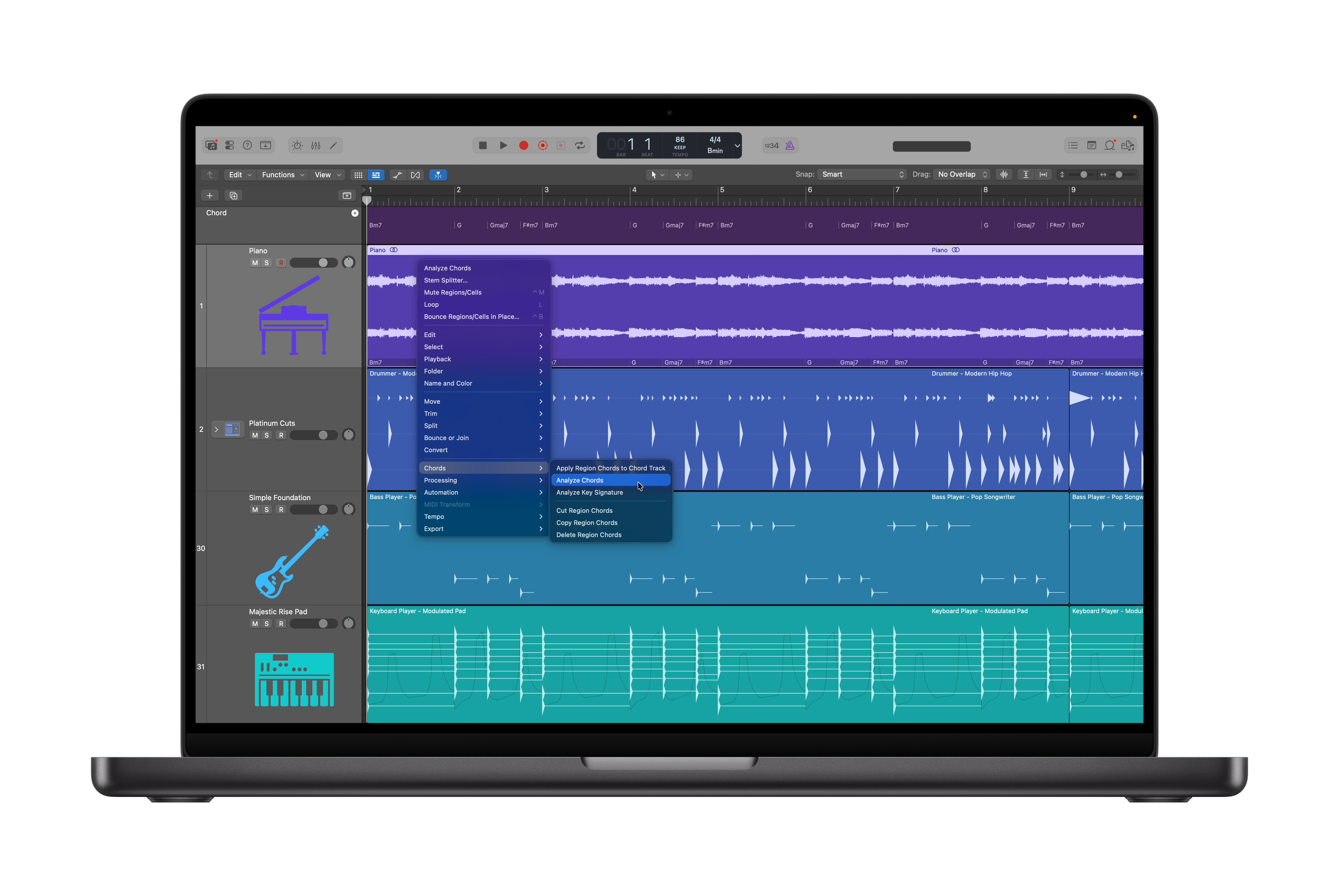
Another AI-driven addition is Chord ID, a feature built to remove the need to manually transcribe your demos.
Chord ID can analyze both audio and MIDI recordings, identify the harmonic content, and automatically detect and generate the chord progression inside Logic Pro’s chord track. That information can then be used to guide AI Session Players, allowing producers to instantly build out arrangements that follow the same chord progression. Once again, users can then play around with different Session Players, styles, and genres.
For songwriters and producers working quickly, this could be a time save. Instead of manually transcribing chords, users can focus on the finer details.
An expanded Sound Library
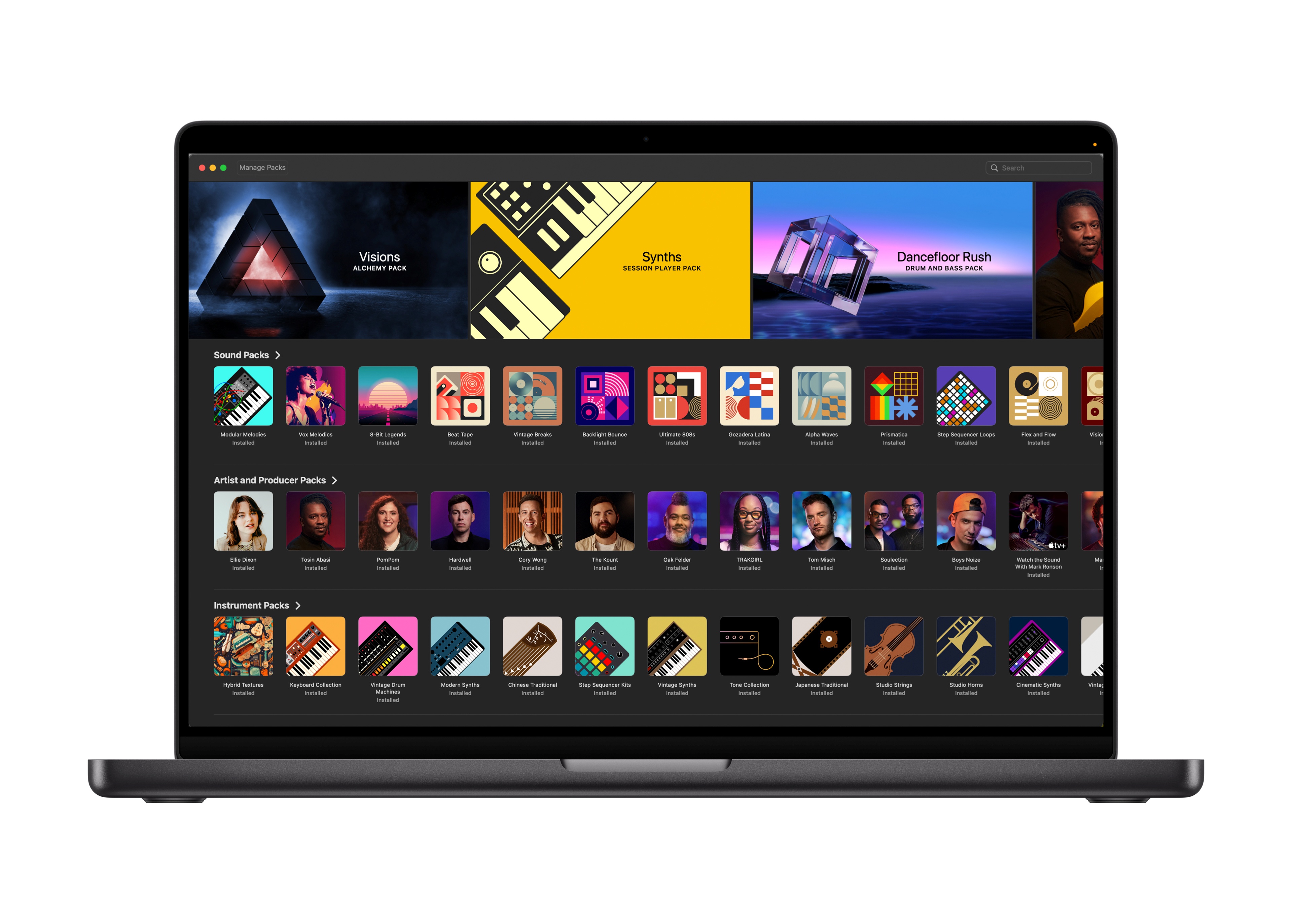
Apple Music is also giving a Logic Pro’s Sound Library a noticeable boost on Mac. Users will gain access to hundreds of additional Apple-designed and Producer packs. It includes everything from loops, samples, drum sounds, instrument patches, and more. As always, everything is royalty-free.
Logic Pro for iPad upgrades
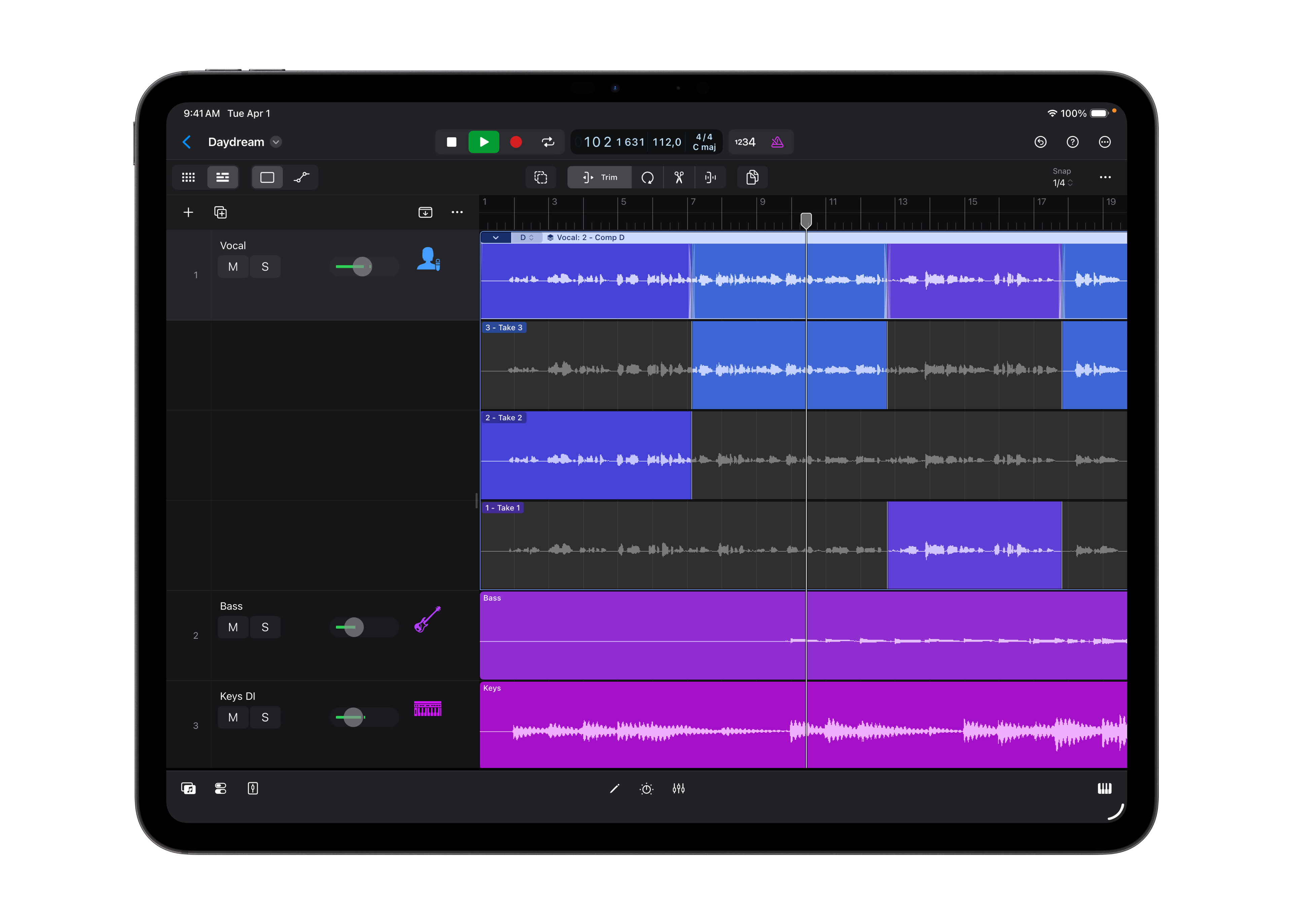
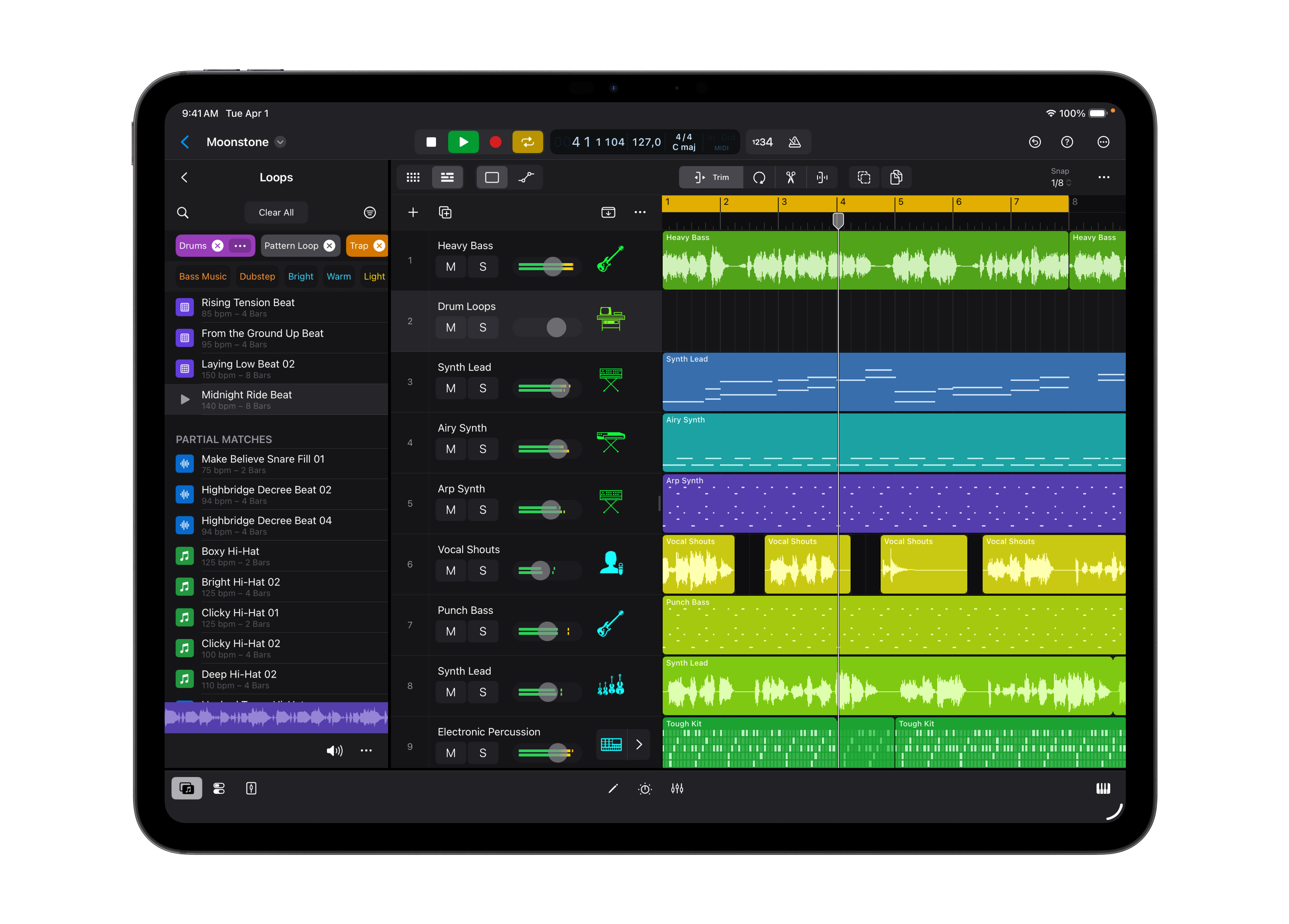
Logic Pro for iPad is gaining Quick Swipe Comping, a feature that was previously only available on Mac. It’s an easy but effective tool that allows users to piece together the best parts of multiple takes with simple swipe gestures, without manually cutting from all of your takes.
Apple is also adding Music Understanding features on iPad. This allows users to search the Sound Browser using natural language. Simply describe the sound you’re after, and Logic Pro will surface relevant loops and samples. That makes it easier than ever to find sounds that fit what you’re searching for.
What about the Apple Creator Studio subscription?
All of these Logic Pro updates arrive alongside Apple Creator Studio, a new subscription that bundles a full suite of Apple’s creative software under one roof.
The subscription includes access to a Logic Pro, Final Cut Pro, and Pixelmator Pro on both Mac and iPad. On Mac, users get Motion, Compressor, and MainStage. Meanwhile, intelligent and premium features for apps like Keynote, Pages, Numbers, and later Freeform are coming to iPhone, iPad, and Mac.
MainStage exclusive
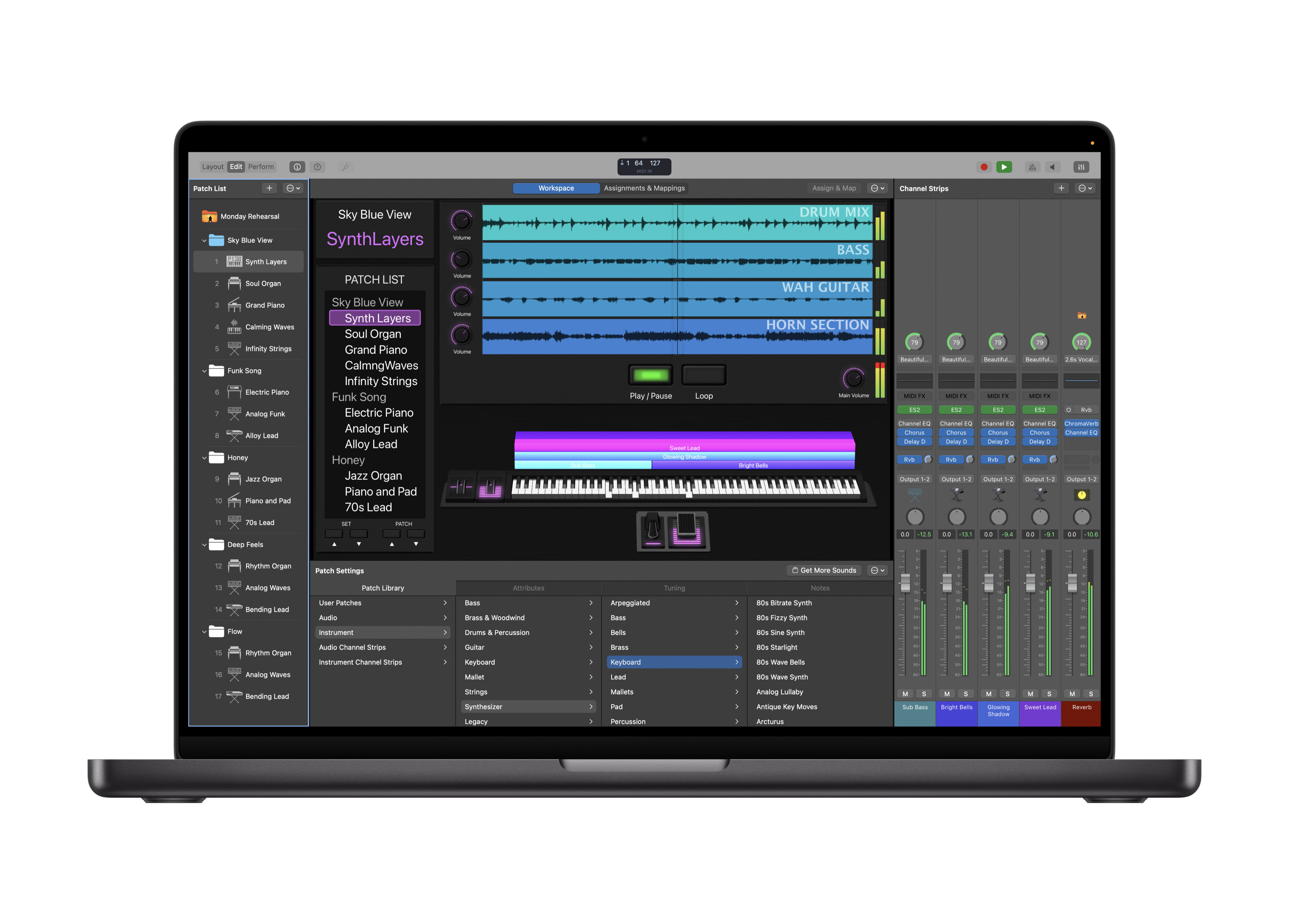
MainStage is worth highlighting, particularly in the context of Logic Pro upgrades, and is exclusive to the subscription. It allows a Mac to function as a live instrument, voice processor, or guitar rig, meaning the sounds built in Logic Pro can be taken directly to the stage with ease.
Apple Creator Studio launches on January 28, priced at $12.99 per month or $129 per year. Students and educators can access the subscription for $2.99 per month or $29.99 per year. Logic Pro will also remain available as a standalone purchase on the Mac App Store for those who would prefer to purchase it individually.
For more information, visit https://www.apple.com/uk/newsroom/2026/01/introducing-apple-creator-studio-an-inspiring-collection-of-creative-apps/