
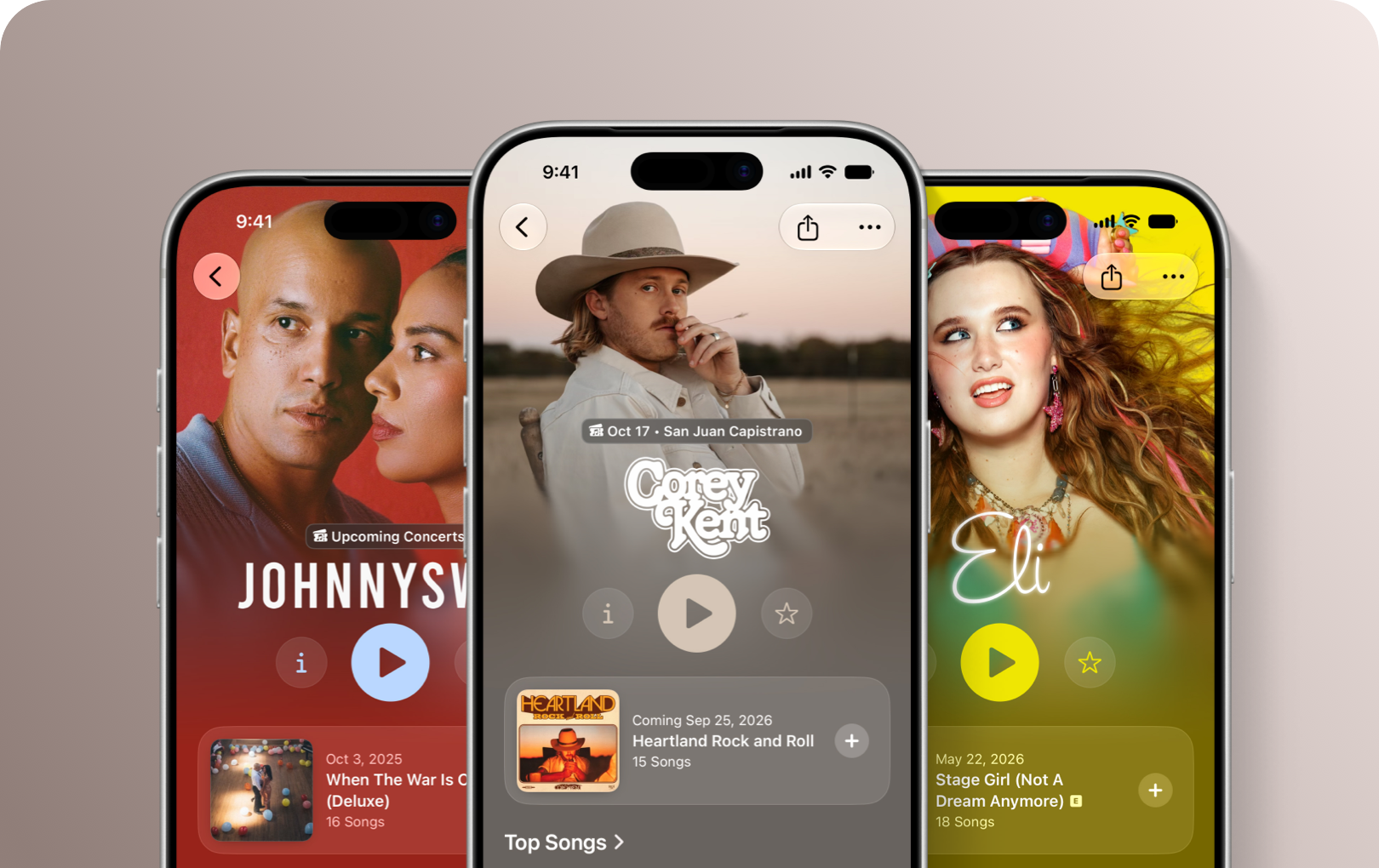
Apple Music now lets artists personalise their artist pages with iOS 27
Apple Music’s redesigned artist pages give musicians more ways to build a recognisable visual identity, including custom logos and colours for their profile.
Apple Music has given artist pages a visual refresh with iOS 27, and artists now have more control over how their profile looks to listeners.
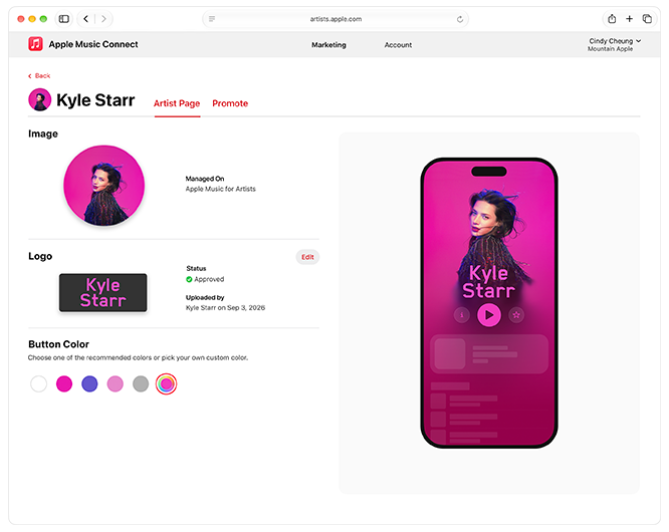
Alongside the redesigned pages, Apple has introduced the ability to upload a custom artist logo and choose the colour of the Info, Play and Favorite buttons that appear on the page.
For independent artists and labels, it’s another opportunity to make sure your streaming profiles feel like an extension of your wider artist brand.
Create a custom artist logo
The biggest addition is the new artist logo. Rather than relying solely on your artist image and name, you can now add a stylised version of your artist name to your Apple Music page.
Apple says the logo should be a text-based image matching your artist name. It needs to be supplied as a PNG with a transparent background, with a recommended template size of 3000 x 1200 pixels. The minimum size is 2880 pixels wide or 960 pixels tall.
For more rules and guidelines, check out Apple Music’s support page here.
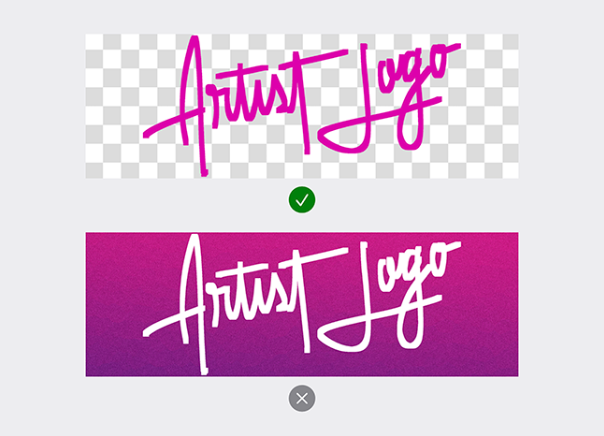
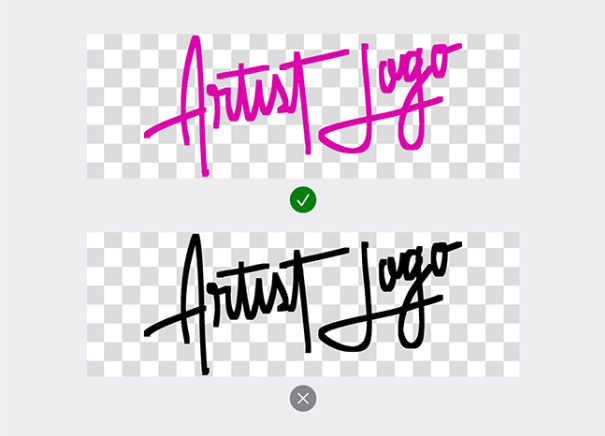
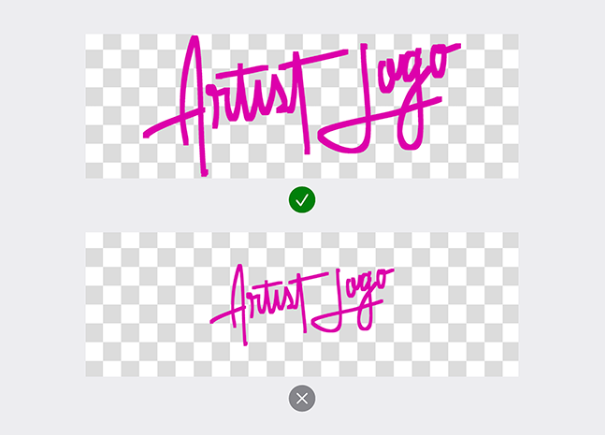
How to add your logo
Artists can add their logo through Apple Music for Artists:
- Sign in and select your artist page.
- Go to Artist Content > Artist Page.
- Find the Artist Logo section and select Choose Logo.
- Upload your PNG and click Submit.
Apple says logos can take up to five business days to review. Once approved, they’ll appear on your artist page.
Labels and distributors can also submit logos through Apple Music Connect, which is useful if you manage multiple artists.
Match your page with a custom colour
Apple has also added more control over the colour of the Info, Play and Favorite buttons on artist pages.
The buttons are white by default, but artists can choose from suggested colours or enter their own hex colour value to create a look that works with their artist image and logo. Apple Music for Artists provides an immediate preview, while the change should appear on Apple Music within a few hours.
It’s a small detail, but it can help tie the different parts of an artist profile together. If you already use a consistent colour palette across your artwork, social profiles and website, this gives you another place to carry that identity across.
Why this matters for independent artists
An Apple Music artist page is more than somewhere for listeners to find your songs. It’s another part of your artist identity.
Apple’s latest changes take that idea a little further. Instead of every artist page relying on the same basic layout, artists can now bring more of their own visual identity into the experience.
That can be particularly useful when you’re building a recognisable brand across multiple platforms. Your logo, artwork, social profiles and streaming pages don’t necessarily need to look identical, but having some consistent visual elements can make it easier for listeners to recognise you.
Make the most of your artist profiles
If you’re releasing music independently, these small profile updates are worth keeping on your release checklist.
Make sure your artist pages are claimed, your imagery is up to date and your branding is consistent before directing listeners towards your music.
And, of course, you need your music on Apple Music in the first place. RouteNote helps distribute your releases to Apple Music and other streaming services worldwide for free.
With iOS 27 now available, it’s a good time to take another look at your Apple Music artist page and give it a little more personality.