

YouTube introduces ‘Jump Ahead’ on the TV app
YouTube makes it easy to skip past the sponsored segment of videos, by bringing ‘Jump Ahead’ to Premium subscribers on the TV app.
In May 2024, YouTube launched a feature called ‘Jump Ahead’ to YouTube Premium subscribers. Using AI and viewing data, the feature lets users quickly skip to the most interesting part of the video, frequently at the end of a sponsored segment. Loved by users on mobile and the web, ‘Jump Ahead’ is now coming to the TV app too!
The way jump ahead works on TV differs from other devices. The designated skip point is indicated on the video’s progress bar by a dot. Users can press the remote’s fast-forward or right arrow twice to skip to this point. At this point, a message reading “Jumping over commonly skipped section” appears on screen. Previously pressing the fast-forward or right arrow would skip ahead by 10 seconds.
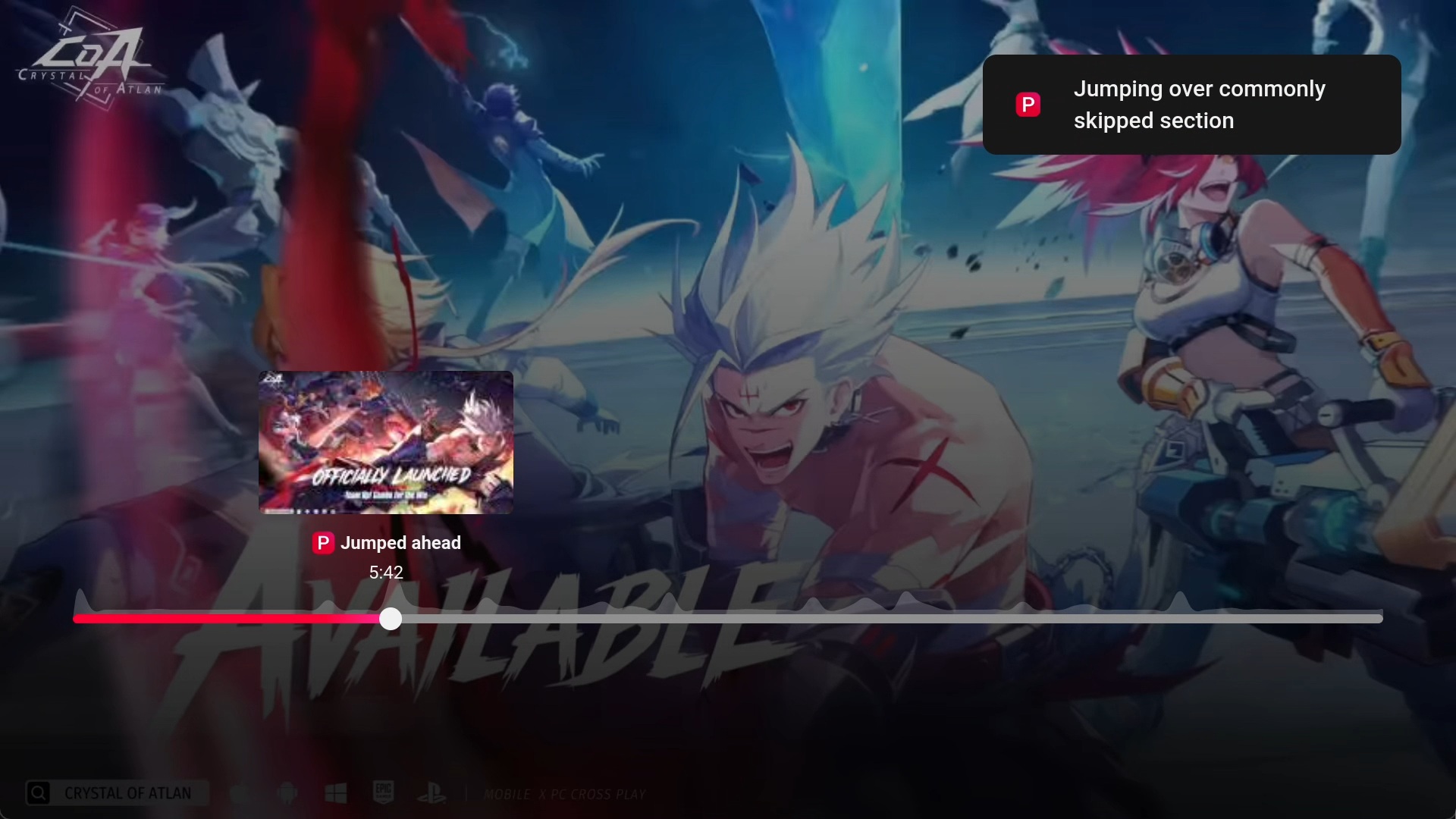
The ‘Jump Ahead’ feature appears to be rolling out at the time of writing. The story was reported on by Android Authority’s Mishaal Rahman who was able to use the feature on his NVIDIA Shield TV. The feature has also been spotted by Reddit users, while other TVs and TV streamers are seeing mixed availability.
While there is no official launch announcement from YouTube, a section on ‘Jump ahead’ on ‘Living Room’ devices was added to their ‘Premium benefits’ support page, although it notes that the feature may not appear on all videos.
The Jump Ahead feature is available on Living Room when you:
• Press the right arrow on your remote. You may see a dot appear on the progress bar that indicates the next point in the video most users fast forward to.
• Press the right arrow again on your remote to fast forward to that point
• Select “Enter” or “OK” to confirm and continue watching”
According to YouTube, the TV is now the US’s primary viewing source by watch time and over one billion hours of YouTube content is consumed on TVs daily.