

YouTube Analytics explained: The metrics that really matter for growth
YouTube has revealed the metrics that could be key to unlocking your channel’s growth.
As an artist or creator, YouTube can feel like a bit of rollercoaster. One video racks up views, the next one barely gets off the ground. Frustrating right? Well, that’s where YouTube Analytics comes in. Found in YouTube Studio, your analytics can help you understand your audience and sharpen your content strategy.
YouTube recently highlighted the four core metrics that really matter for growth. Let’s break them down and see how you can use them to grow your channel.
Why analytics are important
Before we dive in, let’s talk about why you should focus on analytics. We know as artists or creators your focus is about perfecting your art for people to enjoy, whether it be a new piece of music or making a banger video. But, harnessing your YouTube insights can help make this dream a reality.
Analytics can show you exactly what content is resonating with your audience, what’s getting skipped, and where your engagement is coming from. Instead of shooting in the dark, analytics provides a clear picture. Ultimately, this lets you double down on what your fans love, and help grow your career as a result.
1. Click-through rate (CTR)
CTR measures how many people click your video after seeing its thumbnail and title. In other words, your clicks per impression. For example, if your video gets 100 impressions, and results in 10 clicks, your CTR is 10%. A higher CTR is essentially a signal to YouTube that your video is appealing, and that means YouTube is more likely to recommend your video to relevant viewers.
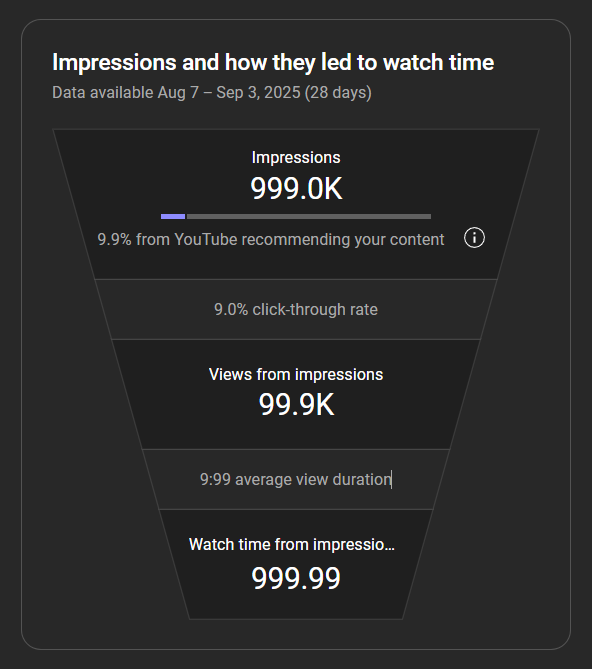
Note: Figures aren’t accurate
This demonstrates the importance of having a compelling title and thumbnail. They’re the first impression that potential viewers see before deciding whether or not they’ll watch your video. So make sure they count.
With YouTube’s “Test & Compare” feature, you can even test different thumbnails and titles to see what performs best. Essentially, you want to pique a viewer’s interest so much so that they want to click on your video. Other ways you can do this and boost your CTR is to:
- Use bold colours and clear text
- Pick thumbnails with eye-catching facial expressions (note the recent ones we’ve used on the RouteNote channel)
- Spark curiosity with your titles
- Answer questions that viewers are likely searching for
It’s important to remember that CTR isn’t everything though. Say a video has 1,000,000 impressions and only a 5% CTR, that still means 50,000 views. That’s still more than getting a higher 20% CTR from a video that gets 100,000 impressions (20,000 views).
2. Viewer retention
Viewer retention is all about how long viewers are actually sticking around for each video. Inside YouTube Studio, you can see exactly when your viewers drop off, and the average view time of each video.
High retention tells YouTube your content is clearly engaging and worth pushing to more people, improving your reach. But, looking at retention is beneficial for more than just growth. Importantly, it can also give you clues about your content and your storytelling.
Things to watch:
- If people leave in the first 30 seconds, maybe your intro drags.
- If viewers consistently drop off at a similar point, perhaps your pacing needs fixing to keep your video flowing.
- If they rewatch a section, that could indicate what really hits home.
You should also look out for a low retention with a high CTR. This could mean your thumbnail and title is promising something that your video simply doesn’t deliver. If this is the case, test other thumbnails that set more realistic expectations.
3. Traffic sources
Where are your views coming from? Search, suggested videos, social media, or somewhere else? Knowing where your views are coming from helps you double down on what’s working or adjust your strategy where it’s needed.
Signs to look out for:
- Lower retention could mean more traffic from external sources, where viewers are less likely to stick around.
- Check how your subscribers are watching. Are your videos actually connecting with your most loyal fans?
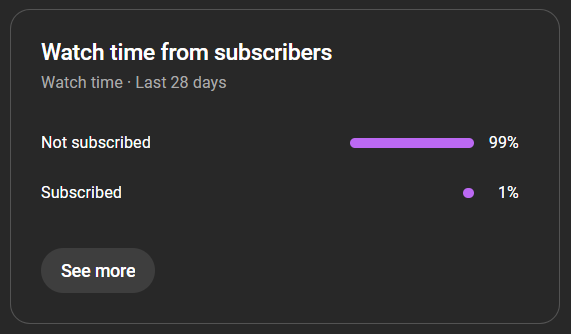
Note: Figures aren’t accurate
4. Videos growing your audience
In the Analytics ‘Audience’ tab in YouTube Studio, YouTube shows which videos have brought in the most new viewers in the past 90 days. These videos serve as an introduction to your channel and its content, and can help open the door to viewers checking out more of your content.
What to do with this info:
- Spot the patterns and lean into them. Are these tutorials, reviews, or simply focused on a specific topic?
- Make more of what’s working. You could even turn it into a series to give potential viewers more of the content they love.
- Reflect on whether these videos align with the audience you actually want to attract. If not, it might be time to shift your content strategy.
Final thoughts
Growing on YouTube can be a challenging process. Luckily, these four key analytics give you the tools to stop guessing and start growing.
So, dive into YouTube Studio today. See what resonates, spot the patterns, and build the kind of channel and community that will keep fans coming back.