
How to import audio files to Edits, Instagram’s new mobile video editing app
Instagram has introduced the ability to upload any audio files directly from your phone to their new mobile video editing app Edits.
Earlier this year, Instagram launched their dedicated mobile video editing app Edits. With a potential TikTok (and other apps from the same developers) ban on the horizon, Edits is a direct competitor to ByteDance’s video editing app CapCut. Although only launched a few months ago, Instagram has been proactive in updating the app, providing many powerful tools for easy video creation, enabling a direct content flow between Edits and Instagram Reels.
The latest feature update to Edits bring new fonts, cross-platform drafts, audio tools and other useful tools.
View on Threads
One of the best new features for artists specifically is the ability to import audio files. While RouteNote provides independent artists the ability to upload their music to the Edits audio library for use by anyone, this new feature will allow artists to add audio files directly from their phone. This could be a great tool to share teasers of track demos, or previews of unfinished or unreleased songs on short-form platforms like Instagram Reels and TikTok.
How to import audio to Edits
- When creating a project in Edits, simply tap Add audio or Audio to go to the music library
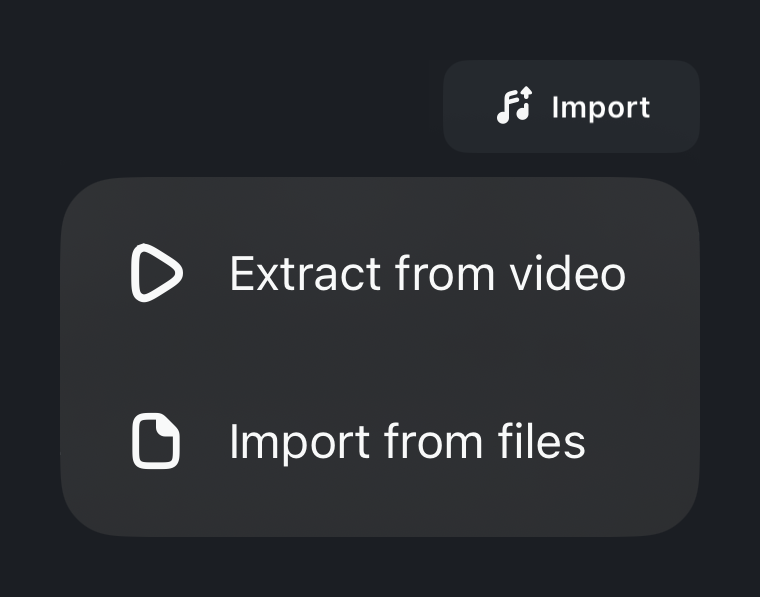
- Then tap Import in the top right corner
- Choose either Extract from video to pull the audio layer from a video in your camera roll
- Or Import from files to pick an MP3 or other audio file from your phone’s file manager

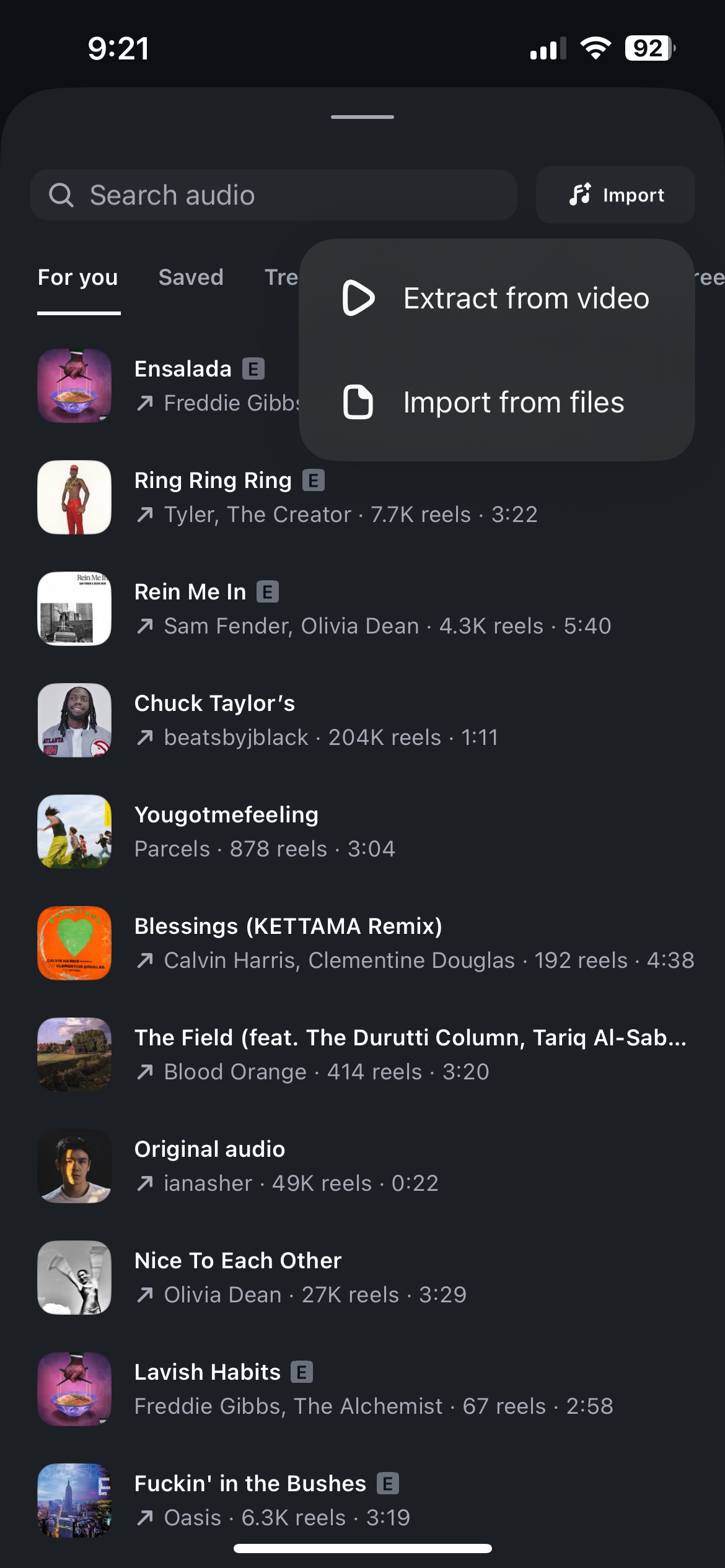
Meta has systems in place to detect the use of copyright protected material. The feature is available on my iPhone, however as the announcement was only made yesterday, it may still be rolling out to users. Make sure your app is updated.
Edits is still free, but Instagram has indicated plans to paywall some of the more advanced features going forward, such as those powered by AI.