

Nothing Headphone (1) review – a stand-out design with excellent sound, ANC and controls
We’ve got Nothing’s first pair of over-ear headphones in for testing. How do they look, feel and perform compared to the Sony WH-1000XM6?
Launched alongside the Phone (3) earlier this month, the Headphone (1) are the first pair of over-ear cans from British tech company Nothing, with existing products including phones, earbuds and watches. Nothing sent us a pair for review and we’ll be testing them against the also recently released Sony WH-1000XM6, one of the most praised pair of wireless ANC over-ear headphones. It should be noted early on that the Sony headphones are $150 more expensive than the Nothing Headphone (1).
Unboxing
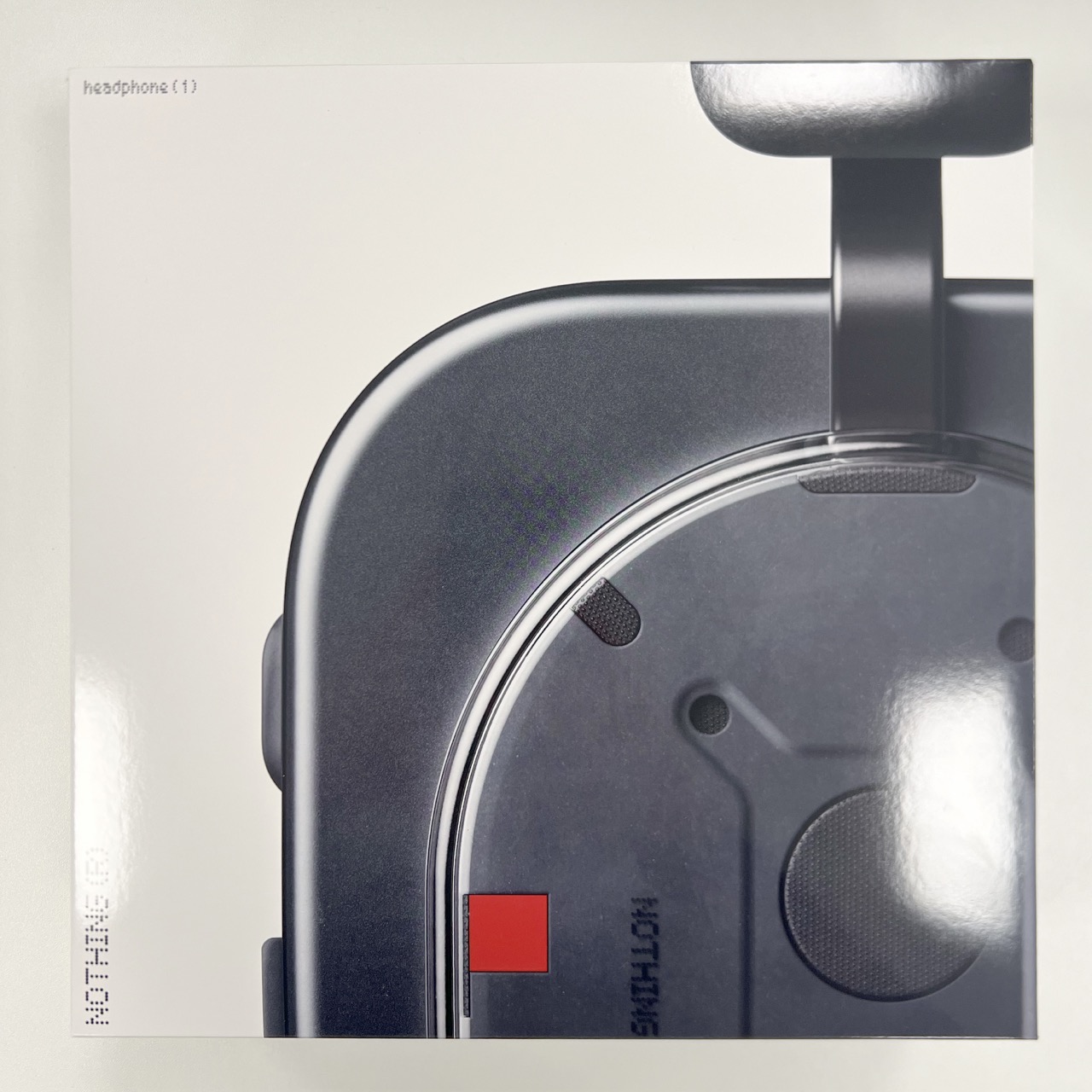
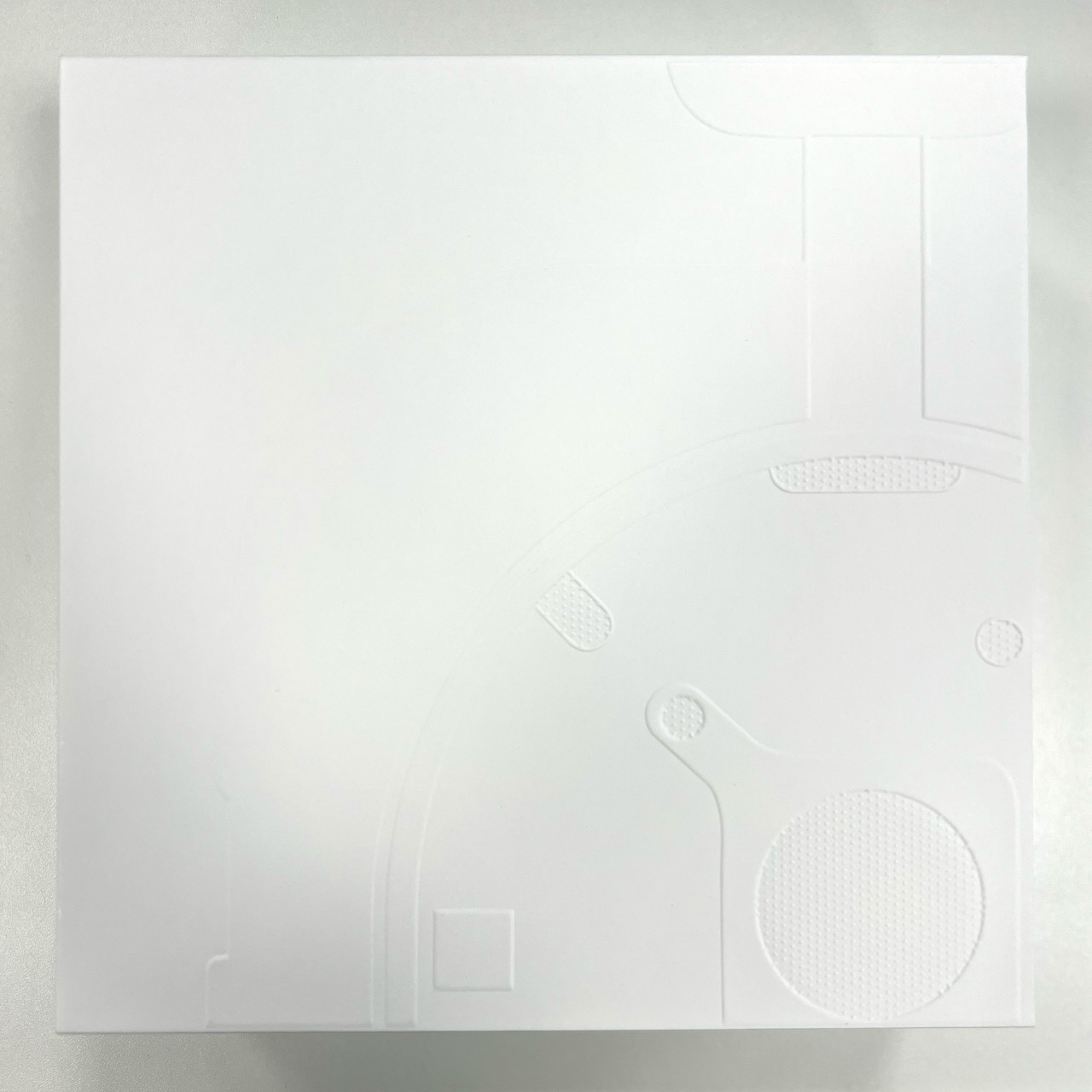
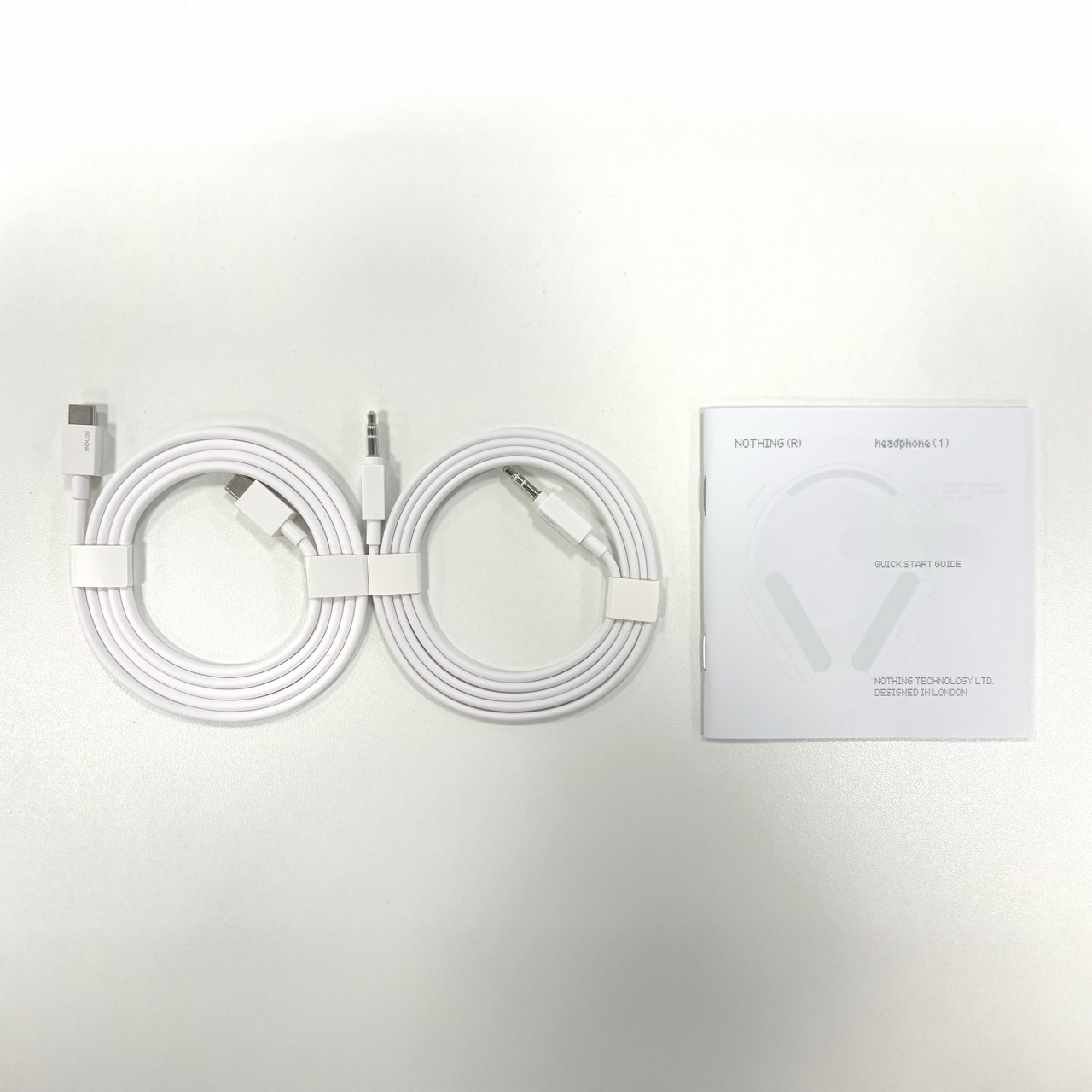
The Nothing Headphone (1) come nicely packaged. There’s a thin cardboard sleeve with the image of the product on. This opens at the bottom to reveal the actual white box, with the headphones embossed on the front. Inside here, you’ll find the headphone case, housing the headphones themselves and a small white box with a quick start guide, 3.5mm to 3.5mm audio cable and USB-C to USB-C charging cable. Both of these cables are white, with Nothing branding.
Design
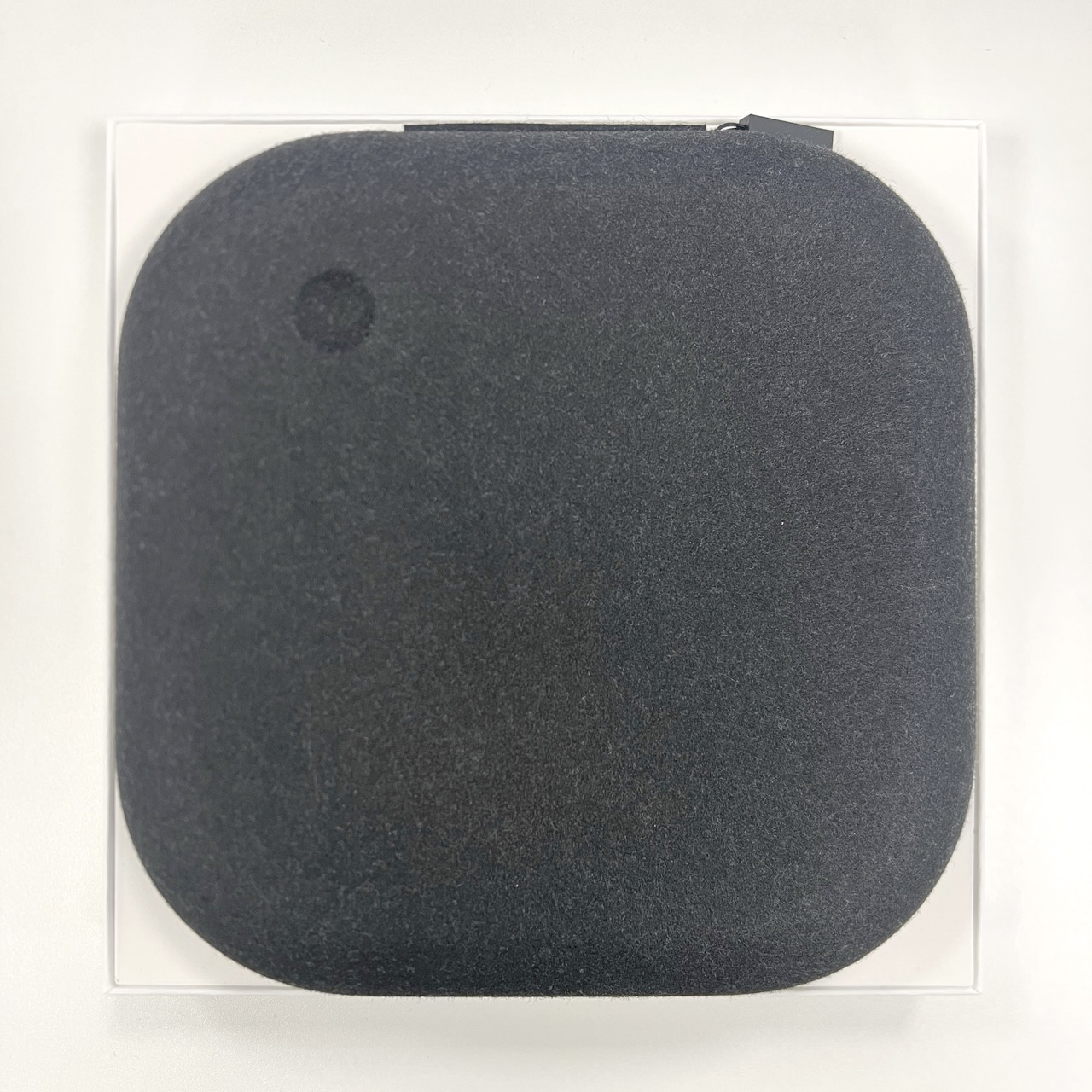
The headphones rotate, but do not fold, which leads to a large case. The case is a fur magnet, with small pieces of lint covering it immediately. The zipper isn’t great and gets caught quite easily while opening or closing. There is a sleeve on the inside, which is convenient for storing cables.
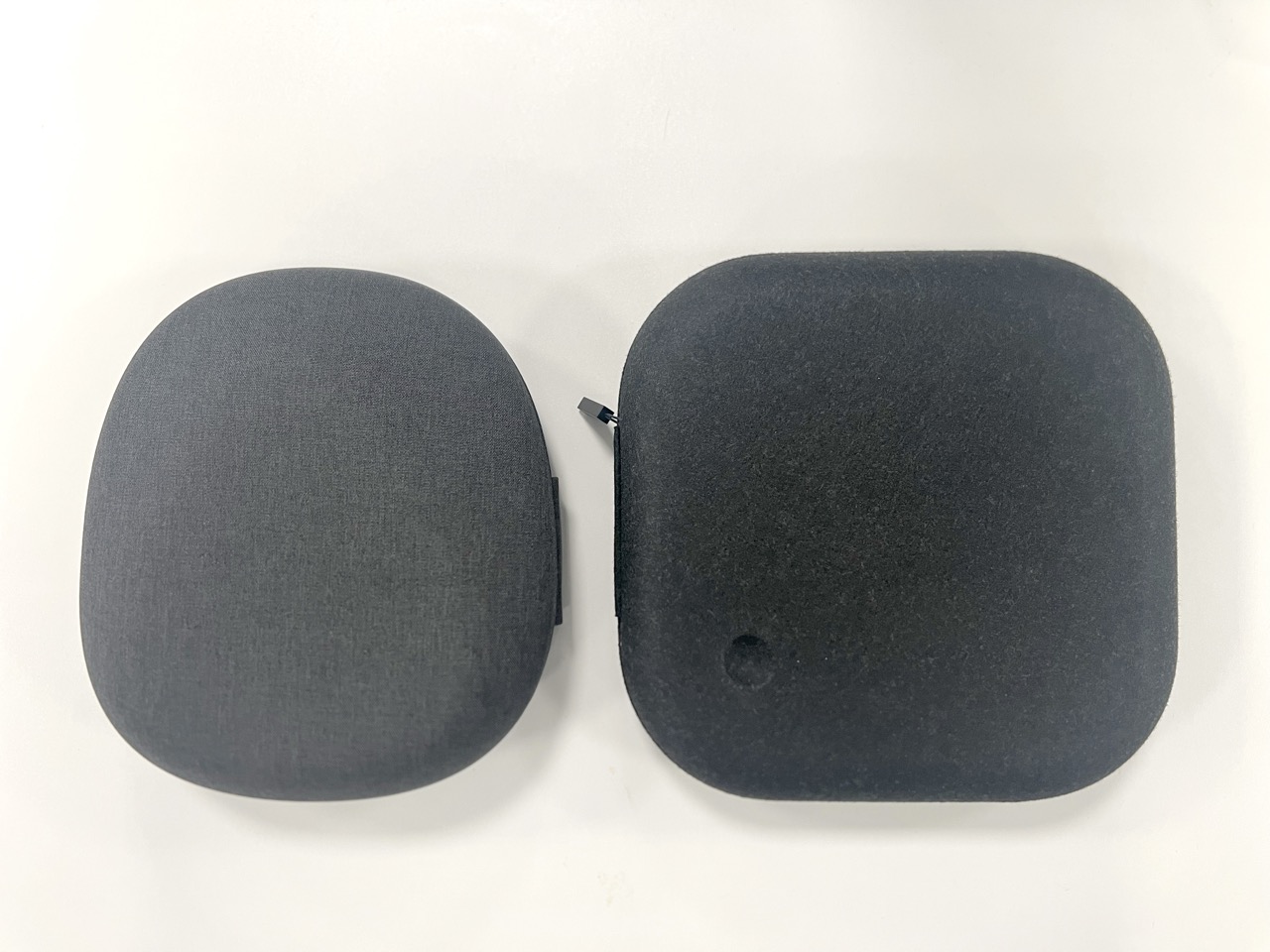
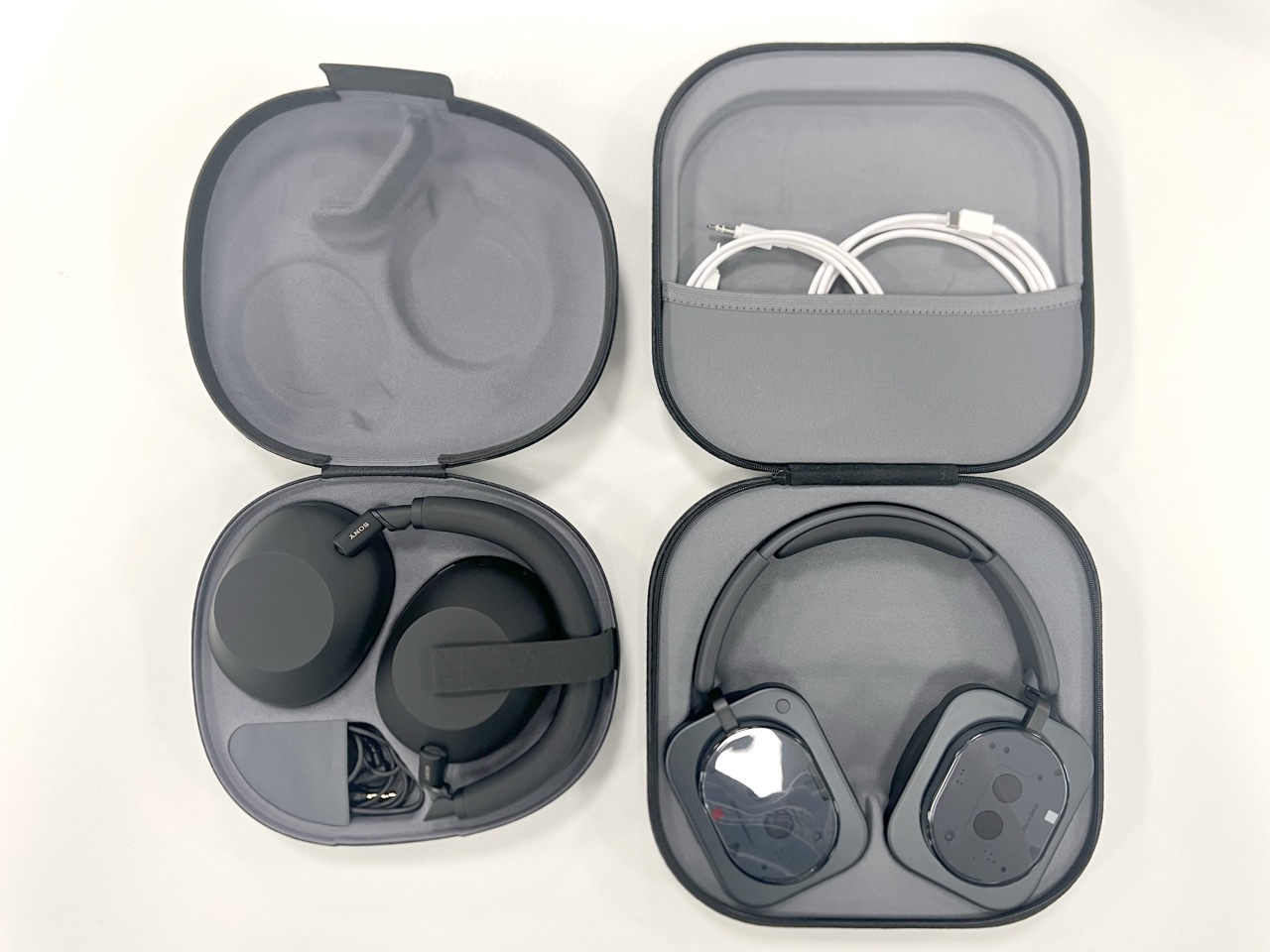
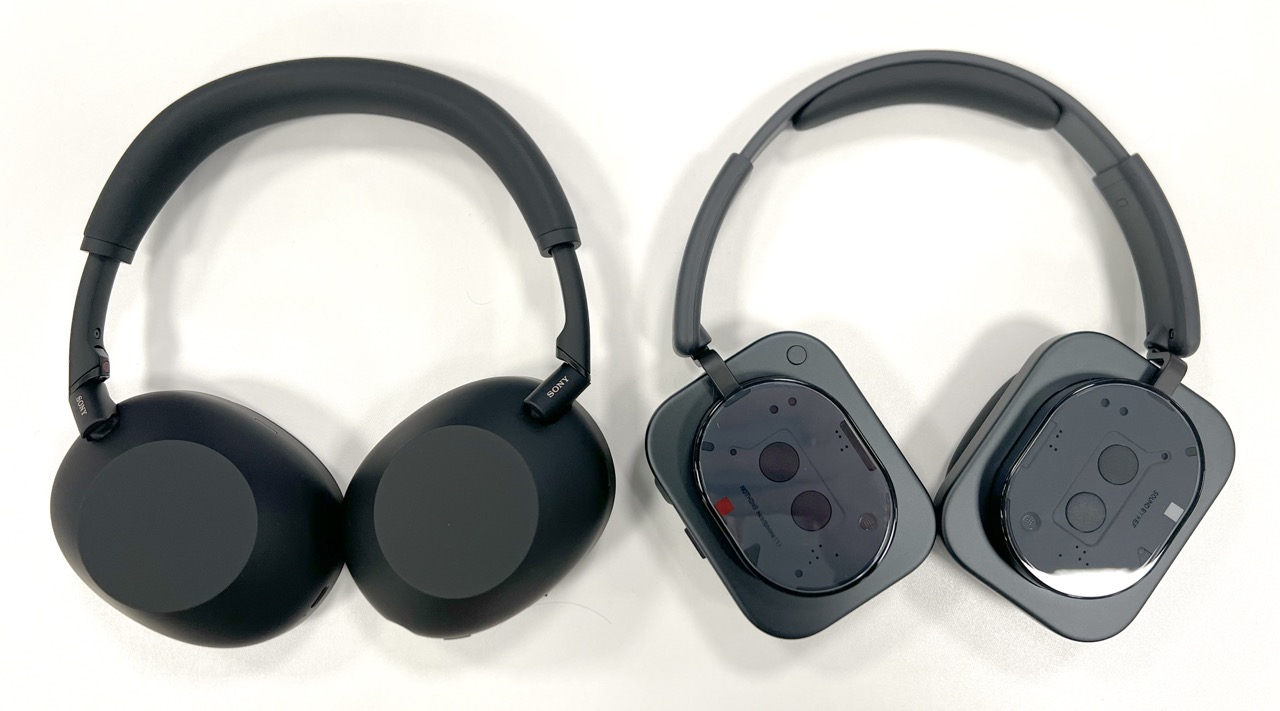
The headphones themselves have a somewhat divisive design. Personally I like the distinctive look, and think they look and feel premium. The headphones come in white or black. We have the black model. Based on the images we’ve seen, the white model looks more stand out, while the black model is a little more subtle in its approach.
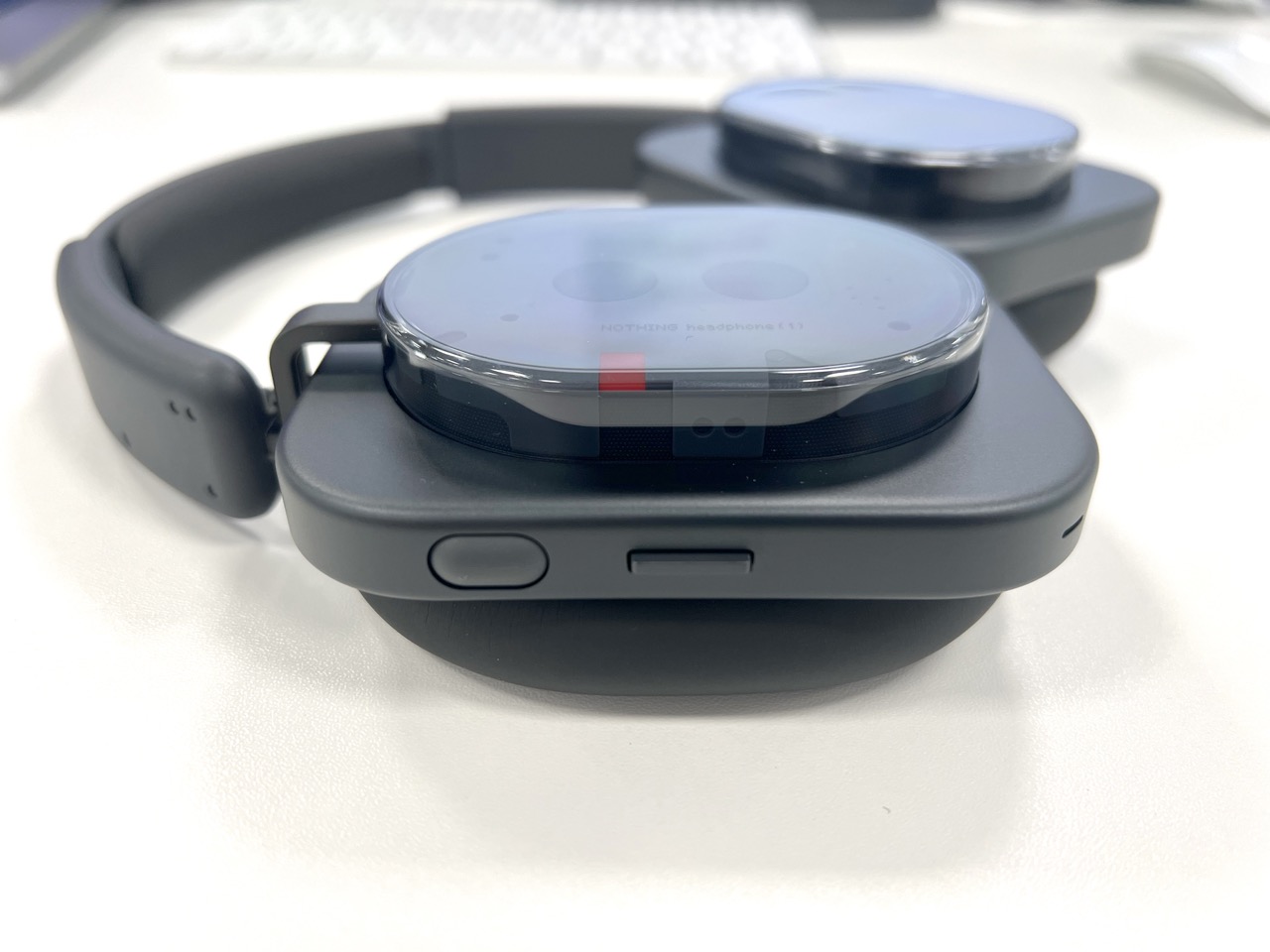
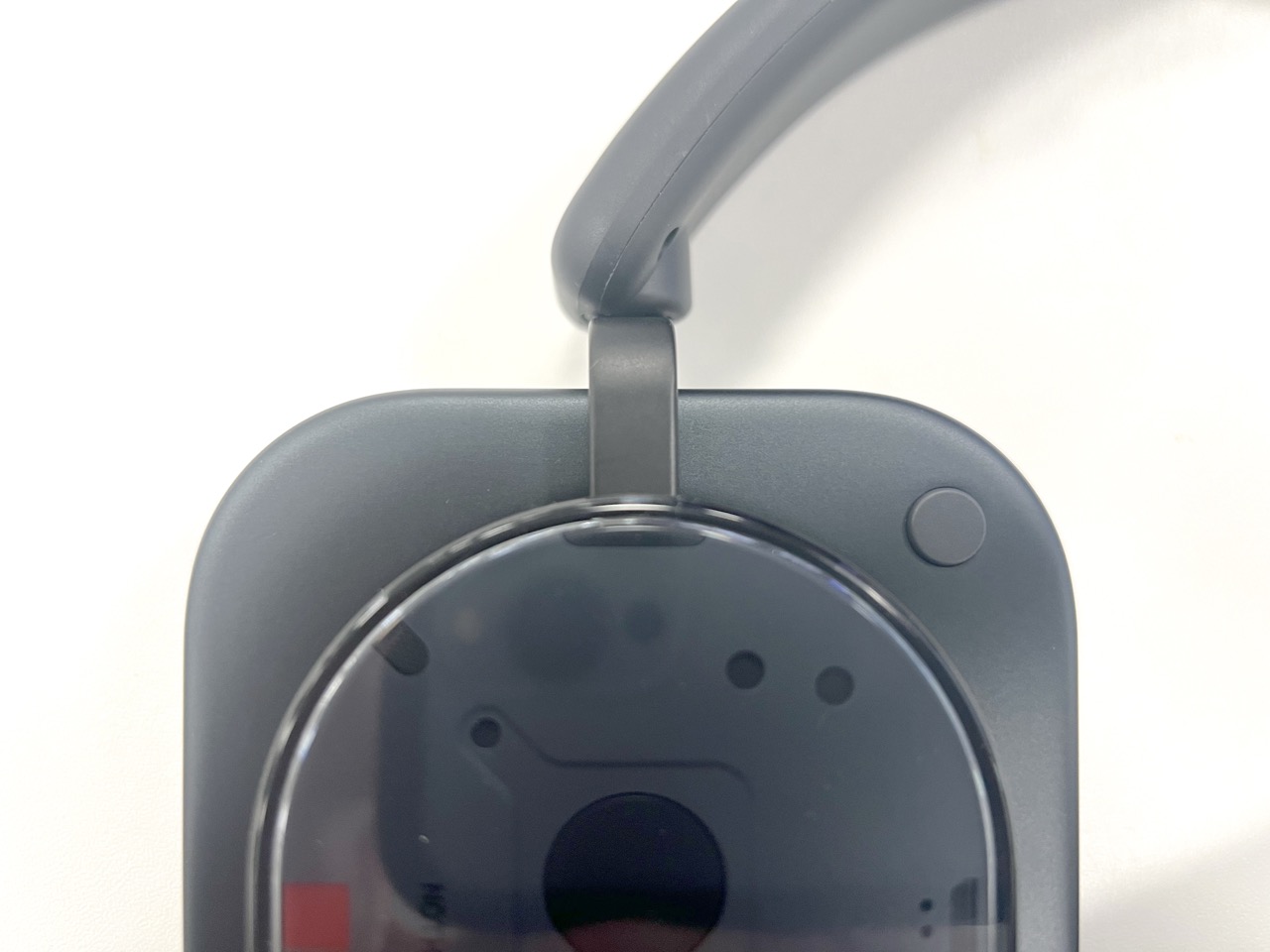
The outer earcups are largely constructed of a brushed aluminum in a rounded rectangular shape, with a clear plastic oval in the middle displaying some internal elements, with text “NOTHING headphone (1)” on one cup and “SOUND BY KEF” on the other. The headband is largely soft plastic, with enough adjustable sizing to fit my large head. The earpads and top of the headband have soft cushioning. Unfortunately the ear pads aren’t easily removeable. Within the clear oval area, there is a gray accent on the left side and red accent on the right. These accents as well as the controls help you easily identify the correct orientation.
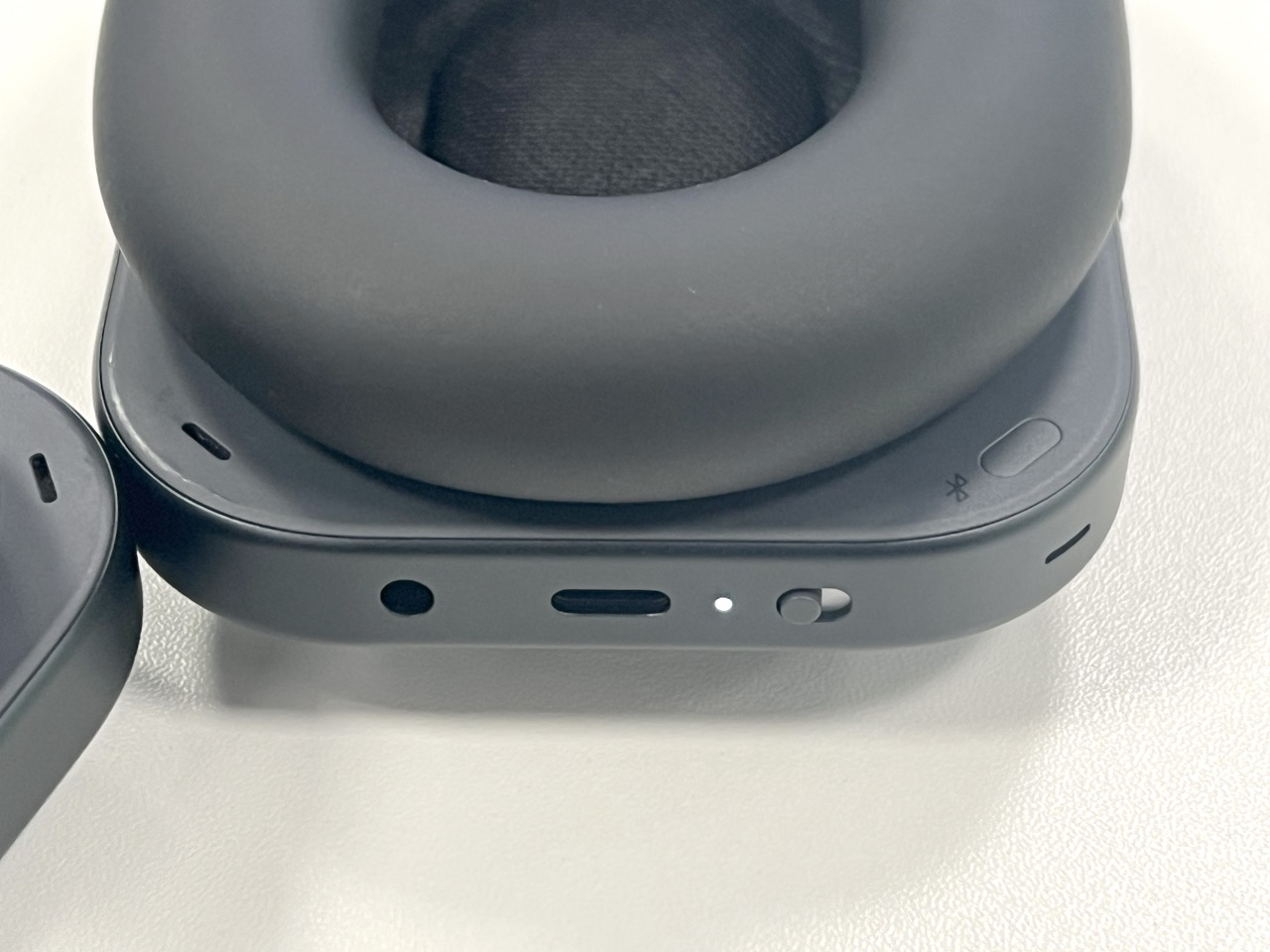
There are several microphones around the headphones for calls and noise cancellation. The right earcup holds all buttons, switches and input. There’s a USB-C port, which doubles as audio input, 3.5mm audio jack and an LED indicator.

It should noted, the headphones are brand new. It will be interesting to see how they hold up after several month of use. Will the aluminum suffer with deep stratches? Will the clear plastic attract finger prints or crack if dropped?
At 329 gram, the Nothing Headphone (1) are noticeably heavier than most plastic-based headphones, such as the Sony WH-1000XM6 and the Bose QuietComfort Ultra headphones, both at around 250g, but lighter than the 384g Apple AirPods Max.
Despite the weight, the headphones feel great on my head, with a firm enough grasp to stay in place, without being uncomfortable or falling off. The ear cushions are slightly smaller and firmer than the Sony WH-1000XM6, leading to a slightly less comfortable overall experience.
Setup
Connecting the headphones with my devices was a pain-free experience. I switched them on, they immediately entered pairing mode and connected to my iPhone seamlessly. I enabled multipoint in the app, used the Bluetooth button to go back into pairing mode and connected with my Mac. As expected, the headphones automatically switched devices based on which was actively playing media. After a restart, the headphones automatically connected with both devices without prompting.
Sound
Premium British audio company KEF contributed towards the audio engineering of the Nothing Headphone (1). They support Hi-Res Audio on compatible devices, and as mentioned earlier can be wired via both the USB-C or the 3.5mm jack.
These headphones sound great! The audio is full, well-balanced and has zero distortion at reasonable volumes. Pushing the volume to maximum, they get loud, but they will start to struggle at full volume. This is the only real difference I can tell the difference between the Nothing and Sony headphones.
Active noise cancellation
The Nothing Headphone (1) feature noise cancellation and transparency. Using the app, you can switch between these two settings or switch it off entirely to preserve battery life. The strength of noise cancellation can be toggled between low, mid, high and adaptive. I left the headphones in high for most of my testing, and without any music playing, they did a decent job of silencing almost all office noise, including voices and keyboard taps.
Switching over to transparency mode plays a disturbing breath sound effect. While off-putting, it’s certainly easier to identify than the random noises on some competitors. This mode passes through outside to the headphones, to help you stay aware of your surroundings. Transparency sounds realistic if a little over amplified.
Active noise cancellation on the Nothing Headphone (1) is as good as the Sony WH-1000XM6, however the transparency mode slightly falls short.
Controls
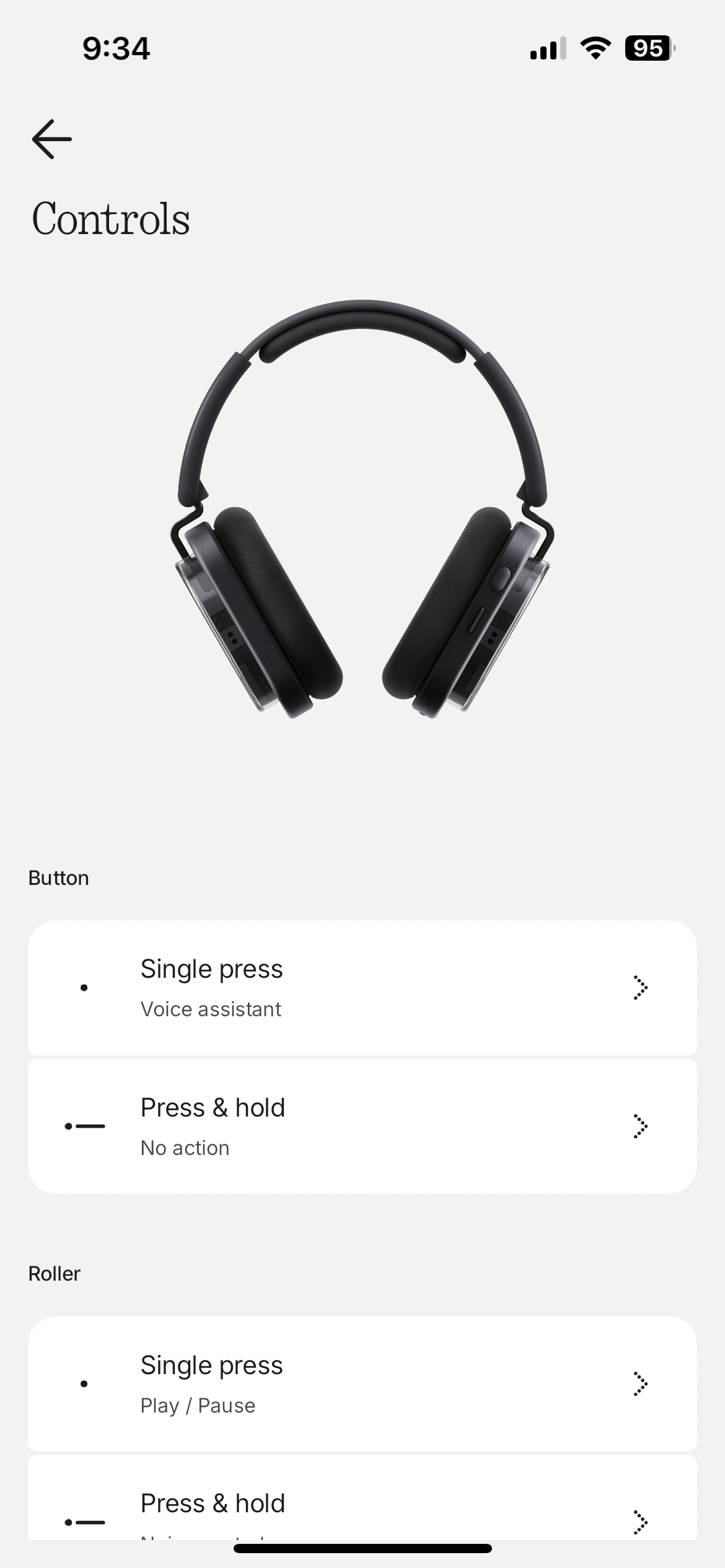
There are five controls on the Nothing headphones. There is an on/off switch, which I prefer to the simple button on most competitors. The roller is my favorite input method of any headphones I’ve tested. While you can push it down for play/pause, you can also hold it down to switch ANC mode, or roll it from side to side to increase or decrease volume. While being really satisfying, it’s also quick and easy to make big adjustments or incremental steps. Just below the roller is a paddle. This is used for track switching, or answering and hanging up calls. You can also push and hold it to fast-forward or rewind. Nothing warns that this functionality is not available in all apps. For me, fast-forward works in Apple Music on Mac, but rewind doesn’t. With Apple Music on my iPhone, nothing happens when holding the paddle down either way. There is a button in the top right corner of the right earcup. A single press summons the voice assistant, while a press and hold is unconfigured by default. On Nothing devices, this button can switch audio sources. Finally, there’s also a Bluetooth button hidden on the inner side of the right earcup. A press and hold of this one enters pairing mode.
Some of these controls are customizable in the app, with additional functionality available to configure, such as spatial audio, mic mute and EQ preset.
The headphones also feature wear detection, to automatically play or pause music, when the headphones are placed on or removed from your head.
Battery life
Using the AAC codec, the Nothing Headphone (1) last for a respectable 35 hours with ANC on and an impressive 80 hours with ANC turned off. For comparison, the Sony WH-1000XM6 last for 30 hours with ANC on and 40 hours with ANC off. The headphones charge via USB-C. You cannot use the headphones in Bluetooth mode while they are charging, however you can use the USB-C port to charge and input music at the same time. There’s also a 3.5mm audio jack, which only works when the headphones are turned on and not charging.
App
While not required, the Nothing X app gives users additional functionality and customization. After pairing the headphones, I opened the app and the headphones were immediately recognized. No sign in is required, which is nice. A notification telling me there was a firmware update popped up, however this failed. I was able to dismiss the update and successfully update the headphones later.
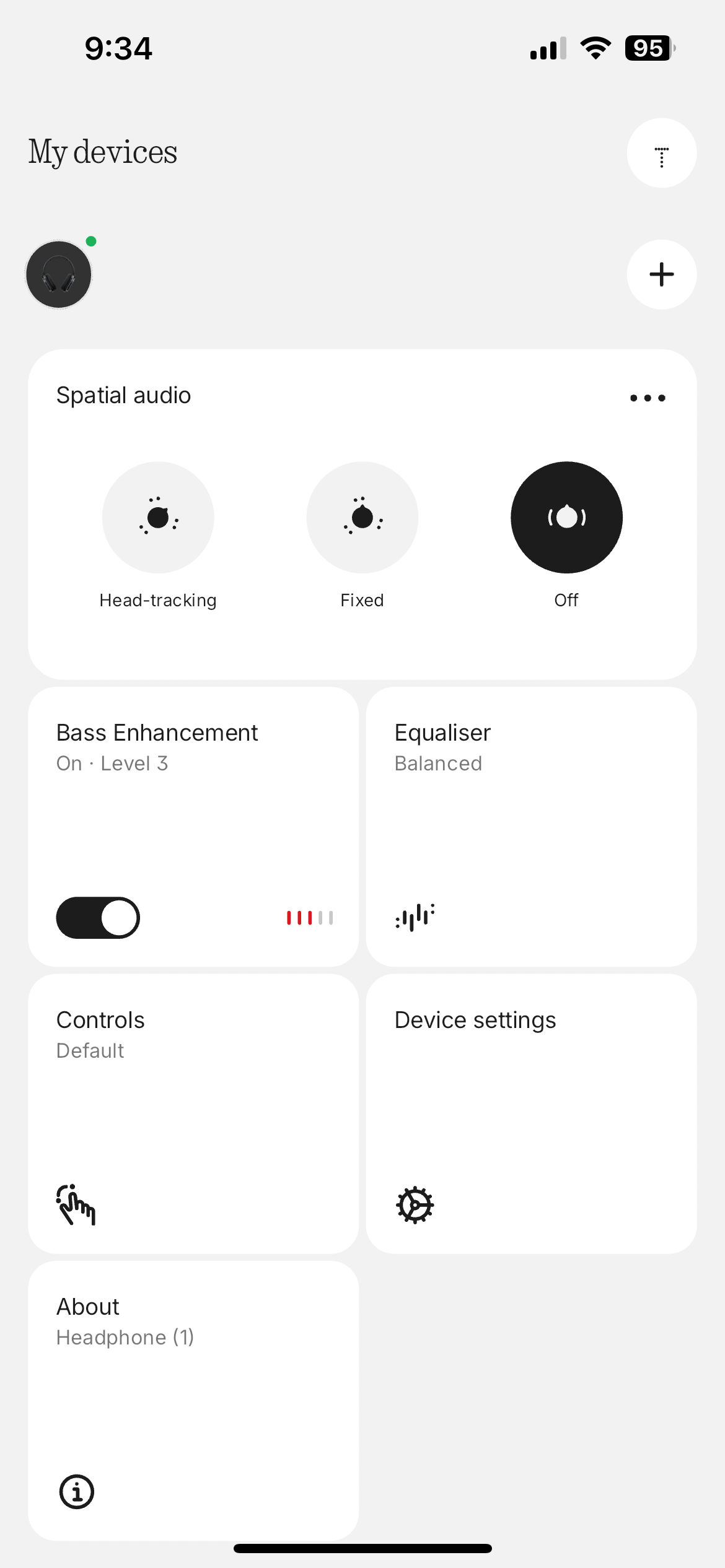
At the top of the app, you’ll see the battery status, followed by the noise cancellation modes mentioned earlier.
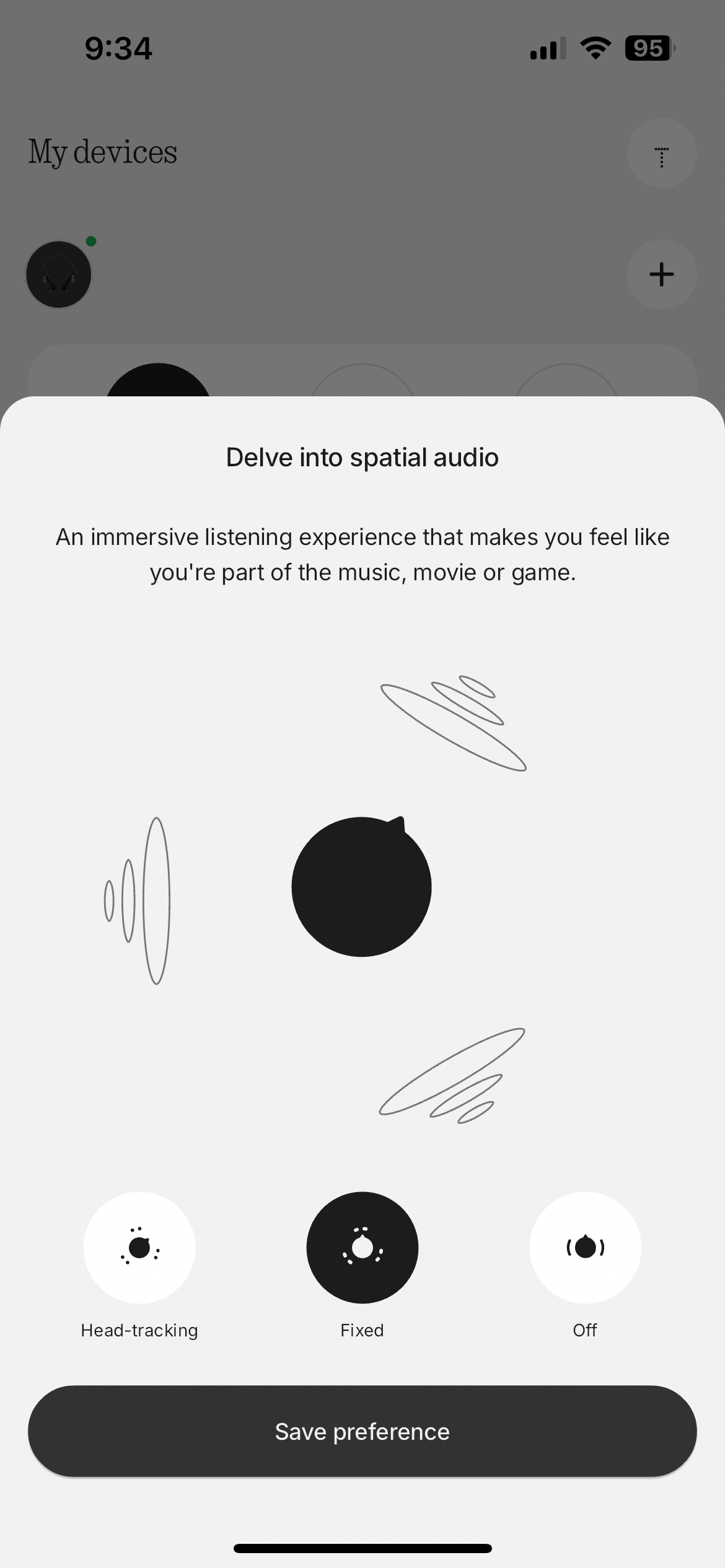
Next up is spatial audio, which has three modes, head-tracking, fixed and off. Essentially just dialling up the reverb, these aren’t really worth touching.
‘Bass Enhancement’ is next. There are five levels which boost the low end nicely without making the sound too muddy or unnatural.
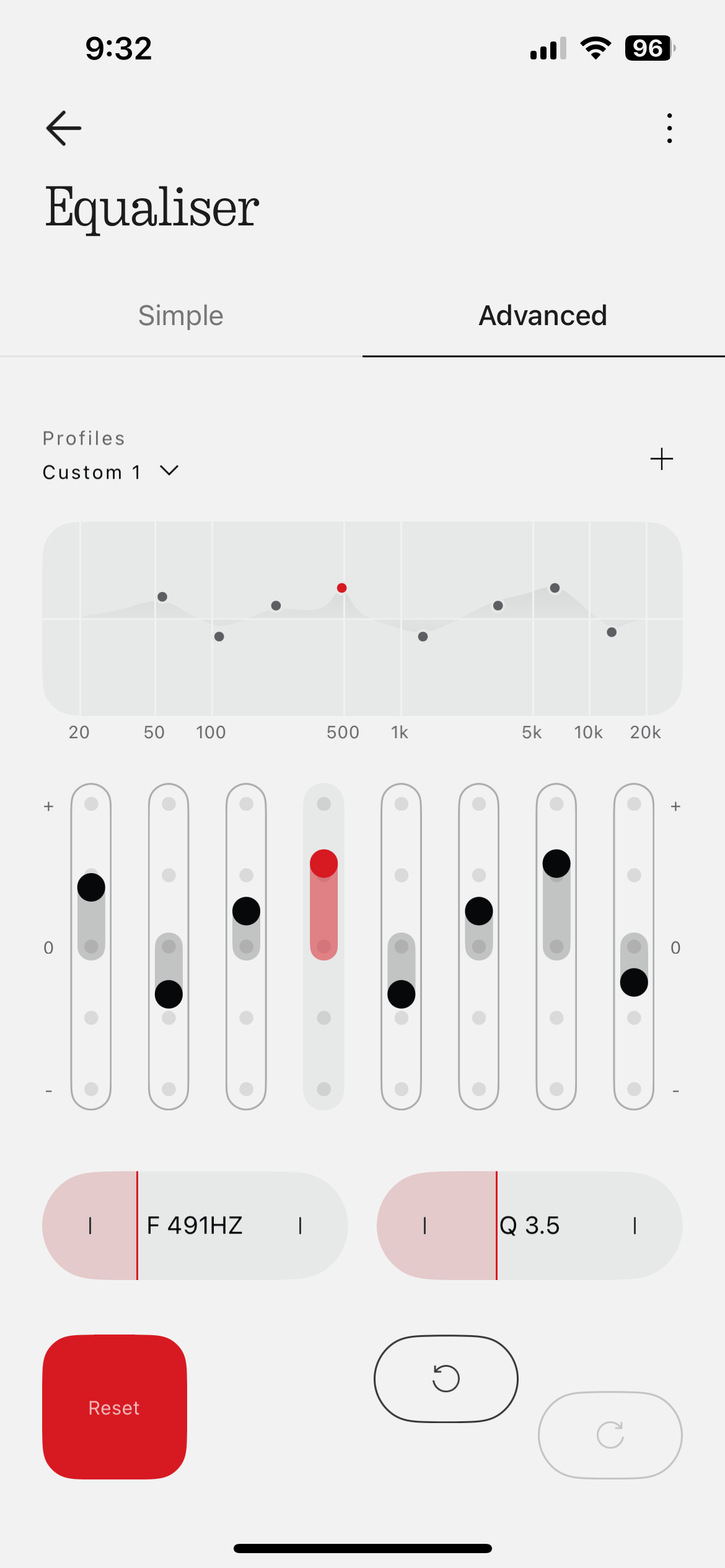
The equaliser has two modes – simple and advanced. The simple equaliser has four presets – balanced, more bass, more treble, and voice. Very straight-forward for all users to understand. The custom option lets you dial up or down the bass, mid and treble by up to six levels. The advance equaliser tab gives you full customization. There’s an 8-band equalizer where you can boost or lower each band, and also alter the frequency value of each band and the shape of the equalizer curve, known as the ‘Q factor’.
Enter the controls screen to change what a single press, or press and hold of the button and roller does.
The device settings provides additional controls, such as enabling low lag mode for a smoother gaming experience, turn on over-ear detection to automatically play or pause music when the headphones are placed on or removed from your head. You can also set up dual connection, or use ‘find my headphones’ to play a loud noise on the headphones.
This is totally a personal preference, but I far prefer the Nothing app over Sony’s Sound Connect app, with its refinded controls and only the feature you actually need close at hand.



Pricing & availability
The Nothing Headphone (1) are available on Amazon now for $299.
In comparison to the $450 Sony WH-1000XM6, Nothing’s headphones win on looks and controls. The active noise cancellation is on par with the excellent ANC in the Sonys. Sony slightly take the edge on audio quality and comfort, plus the ability to fold is a benefit for travelling. These are marginal differences, but honestly unlikely worth the $150 upgrade. This is particularly impressive when you consider this is Nothing’s first attempt at over-ear headphones.
The Headphone (1) were sent to us by Nothing for review. No money has exchanged hands for our opinions. The Amazon link above is an affiliate link. We may earn a small commission for any sales generated.