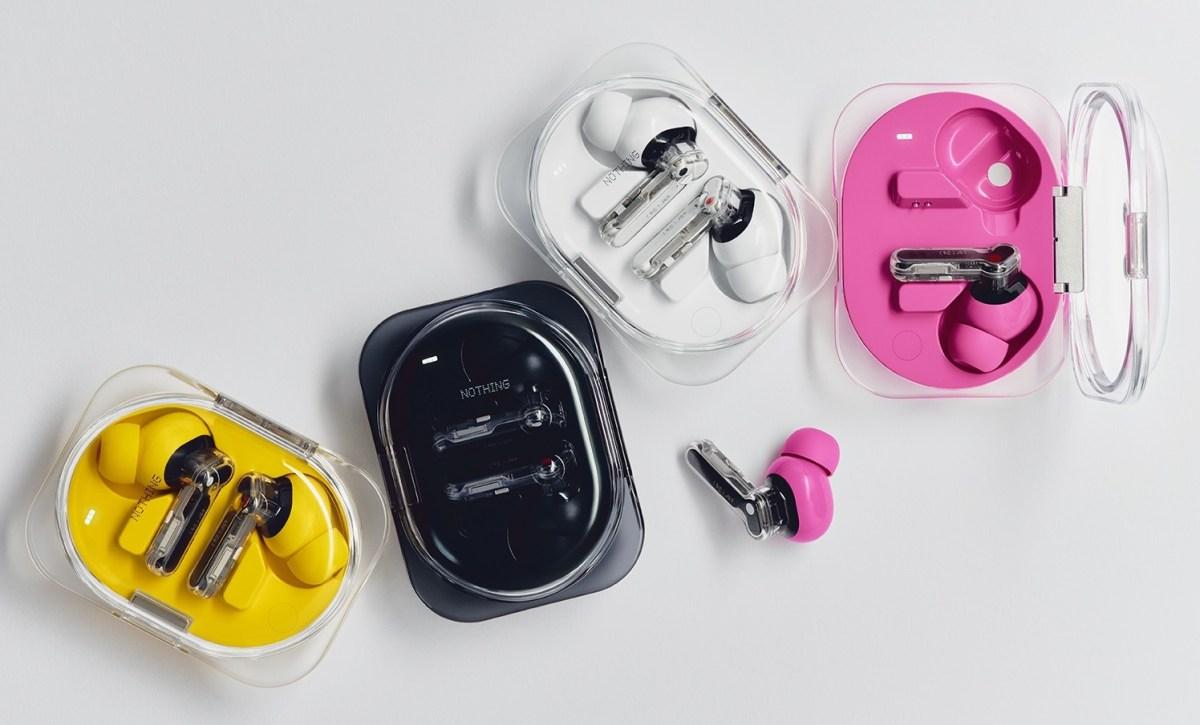
Nothing Ear (3a) LDAC Explained: Does Spotify or Apple Music Sound Better?
The Nothing Ear (3a) wireless earbuds support high-resolution audio through the LDAC Bluetooth codec, giving listeners access to higher-quality wireless music playback on compatible devices.
But what does that actually mean when you’re listening to Spotify, Apple Music or your favourite albums?
With streaming services increasingly offering lossless audio, it’s easy to assume that buying Hi-Res Audio-certified earbuds will automatically make everything sound better.
The reality is a little more complicated.
Although the Nothing Ear (3a) supports high-resolution wireless transmission, the audio quality you experience depends on your phone, Bluetooth settings, streaming service and the recording itself.
Here’s how to get the best possible sound from the Nothing Ear (3a).
What Is LDAC on Nothing Ear (3a)?
LDAC is a Bluetooth audio codec developed by Sony that allows compatible devices to transmit higher-quality audio wirelessly.
Traditional Bluetooth audio uses compression to reduce the amount of information being transmitted between your phone and headphones.
LDAC is designed to preserve more of that information by supporting higher transmission rates.
The Nothing Ear (3a) supports LDAC audio transmission at up to 990kbps, with a maximum supported resolution of 24-bit/96kHz.
This is considerably higher than the bitrate used by many conventional Bluetooth audio connections.
However, it’s important to understand that LDAC is still a lossy audio codec.
Even at its highest settings, it doesn’t provide guaranteed bit-perfect lossless transmission.
Instead, it offers a way to transmit high-quality audio while maintaining the convenience of Bluetooth.
Does Nothing Ear (3a) Support Spotify Lossless?
Yes, you can listen to Spotify’s lossless music streams through the Nothing Ear (3a).
However, the Bluetooth connection itself won’t remain lossless.
Spotify introduced lossless streaming for eligible Premium subscribers in September 2025, offering audio at up to 24-bit/44.1kHz using FLAC.
This represents a significant upgrade over the service’s traditional compressed streaming options.
But when music is transmitted from your phone to the Nothing Ear (3a), the Bluetooth codec still determines how that audio is delivered.
On a compatible Android phone, LDAC can provide a higher-bandwidth wireless connection.
On an iPhone, the earbuds use AAC rather than LDAC.
In either case, the Bluetooth transmission involves lossy compression.
This means the Nothing Ear (3a) can play music from Spotify’s lossless catalogue, but you aren’t receiving the original lossless audio bit for bit.
For genuine lossless listening, Spotify recommends compatible wired equipment or supported Spotify Connect devices using a suitable connection.
Does Apple Music Sound Better With Nothing Ear (3a)?
Apple Music also offers lossless and high-resolution audio.
Its catalogue supports Apple Lossless Audio Codec, or ALAC, with recordings available at resolutions up to 24-bit/192kHz.
However, whether you can take advantage of that quality depends on the device you’re using.
If you’re listening to Apple Music on a compatible Android phone, the Nothing Ear (3a) can use LDAC when properly configured.
This may help preserve more detail during wireless transmission compared with lower-bitrate Bluetooth connections.
However, if you’re using an iPhone, there’s an important limitation.
Nothing Ear (3a) LDAC Does Not Work on iPhone
Although the Nothing Ear (3a) connects to iPhones and works with Apple Music, Spotify and other streaming applications, iOS does not natively support LDAC Bluetooth transmission.
Instead, the earbuds use AAC when connected to an iPhone.
This doesn’t mean they’ll sound bad.
AAC can provide excellent sound quality, particularly with well-mastered recordings and a stable Bluetooth connection.
But it does mean iPhone users cannot access the Ear (3a)’s LDAC capabilities through a normal Bluetooth connection.
Installing the Nothing X app doesn’t change this limitation.
The app can still control features such as equalisation, noise cancellation and other supported settings.
For Android users, LDAC offers an additional option for higher-bandwidth audio transmission.
How to Enable LDAC on Nothing Ear (3a)
If you’re using a compatible Android phone, enabling LDAC is relatively straightforward.
- Connect your Nothing Ear (3a) earbuds to your Android device.
- Open the Nothing X app.
- Select your earbuds and open Device Settings.
- Enable the High-quality audio option for LDAC.
- Check your phone’s Bluetooth settings to confirm that LDAC is selected.
On some Android devices, additional Bluetooth codec controls may be available through Developer Options.
The exact process depends on your phone manufacturer and Android version.
Nothing recommends using the adaptive LDAC playback-quality setting to maintain a stable connection.
Although the highest available bitrate can provide greater transmission bandwidth, it can also be more sensitive to interference.
If you experience audio interruptions, try the adaptive setting rather than forcing the maximum bitrate.
Nothing also recommends disabling dual-device connections when prioritising the highest LDAC quality.
Does LDAC Actually Make Music Sound Better?
The answer depends on several factors.
A higher-bandwidth Bluetooth codec can preserve more audio information during transmission.
However, that doesn’t guarantee that every listener will hear a noticeable difference.
The quality of the original recording matters.
A poorly mastered song won’t suddenly become an excellent recording simply because you’re listening through LDAC.
The same applies to low-quality audio files.
Once audio information has been lost through compression, switching to a higher-quality Bluetooth codec cannot restore everything that was removed.
The physical fit of your earbuds also matters.
A poor seal can reduce bass response and make music sound thin, regardless of the codec being used.
For most listeners, improvements to earbud fit, EQ settings and listening conditions may be more noticeable than switching between high-quality Bluetooth codecs.
How to Get the Best Music Quality From Nothing Ear (3a)
If you want to maximise audio quality, start with the basics.
Choose the highest suitable streaming quality available through your music service.
For eligible Spotify Premium users, this may include the Lossless setting.
Apple Music listeners can enable lossless playback through the app’s Audio Quality settings.
Next, check your Bluetooth connection.
Android users with compatible devices can enable LDAC, while iPhone users can rely on AAC.
Make sure your ear tips fit securely and experiment with the Nothing X app’s equaliser.
Avoid applying several aggressive sound-processing effects simultaneously, as these can make music sound less natural.
Finally, listen at a comfortable volume.
Good audio quality isn’t simply about making music louder.
It’s about being able to appreciate the details, dynamics and balance of a recording.
Are Nothing Ear (3a) Good for Hi-Res Music?
The Nothing Ear (3a) offers a strong range of features for listeners who care about sound quality.
Its 12mm dynamic drivers, LDAC support and advanced equaliser give users considerable flexibility.
For Android users, LDAC is a useful additional feature that can improve the quality of wireless audio transmission under the right conditions.
For iPhone users, the earbuds remain capable wireless headphones, even without LDAC support.
The important distinction is between high-resolution wireless audio and genuinely lossless playback.
The Nothing Ear (3a) supports the former, but conventional Bluetooth playback through these earbuds doesn’t deliver the latter.
Ultimately, the biggest benefit may not be the Hi-Res Audio label itself.
It’s the combination of good hardware, adjustable sound and enough flexibility to make your favourite music sound the way you want it to.
Sources: Nothing Ear (3a), Spotify Lossless, Apple Music Lossless Support