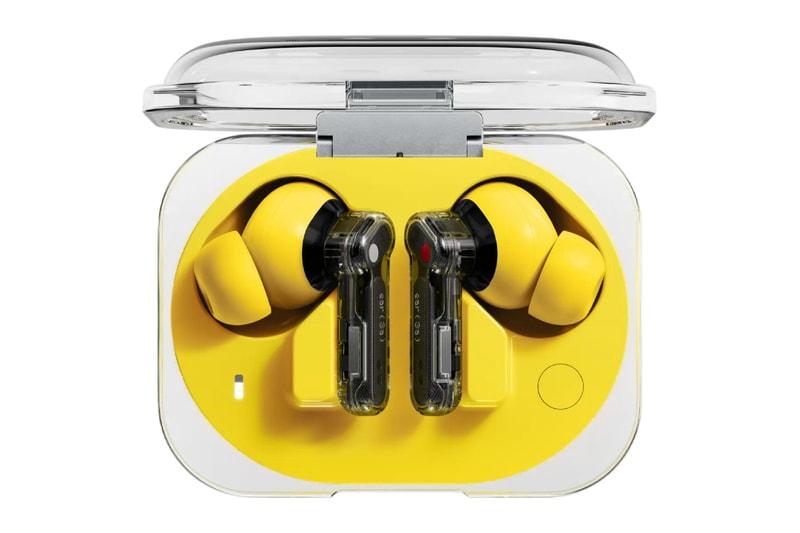
Nothing Ear (3a) Audio Snapshot: How to Save Songs, Podcasts and Audio Moments
The Nothing Ear (3a) wireless earbuds introduce an unusual feature called Audio Snapshot, allowing listeners to capture short clips of audio without reaching for their phones.
It’s one of the most distinctive additions to Nothing’s affordable earbuds, which launched in July 2026.
For music fans, the feature offers a way to save interesting moments from songs, podcasts and other audio playing through a connected device.
But Audio Snapshot isn’t quite the same as recording a voice memo or using an app such as Shazam.
Understanding what it can and cannot do is important if you’re planning to use it.
What Is Audio Snapshot on Nothing Ear (3a)?
Audio Snapshot is a recording feature that lets users capture short sections of media currently playing through their connected phone.
Nothing describes the concept as an audio equivalent of taking a screenshot.
Instead of saving a photograph of what’s on your screen, you’re capturing a brief audio clip from something you’re listening to.
For example, imagine you’re listening to a podcast and hear an interesting explanation you’d like to revisit.
Rather than trying to remember the exact timestamp, you can activate Audio Snapshot directly from the earbuds.
The recording can then be accessed through the Nothing X app.
The feature supports snapshots of up to one minute and uses storage built into the earbuds.
How to Use Nothing Ear (3a) Audio Snapshot
Activating Audio Snapshot is designed to be straightforward.
First, connect your Nothing Ear (3a) earbuds to your phone and make sure they’re configured through the Nothing X app.
Then:
- Start playing music, a podcast or another supported audio source on your phone.
- Press the controls on both earbuds simultaneously to activate Audio Snapshot.
- Continue listening while the earbuds capture the audio.
- The recording will stop automatically when the configured duration is reached.
- Open the Nothing X app to access and transfer the captured clip.
The feature uses the earbuds’ pressure-sensitive controls, so you don’t need to navigate through your phone’s menus every time you want to save something.
Nothing also allows users to adjust the capture mechanism inside the Nothing X app.
Depending on the configuration, Audio Snapshot can include audio from before the gesture, after the gesture or a combination of both.
This can be particularly useful when you realise that something interesting has just played.
Can Nothing Ear (3a) Record a Song You Just Heard?
Yes, provided the song is playing through the connected device and the content can be captured.
For example, you might be listening to a playlist when a particularly interesting instrumental section catches your attention.
Audio Snapshot gives you a way to preserve a short section for personal reference.
You could then revisit the clip to remember which part of the recording interested you.
However, saving a clip isn’t the same as downloading or owning a song.
Audio Snapshot is intended for short personal recordings rather than replacing a music streaming service’s download or offline listening features.
Nothing also reminds users to respect copyright and intellectual property rights when making recordings.
Does Audio Snapshot Work Like Shazam?
Not exactly.
Shazam and similar music recognition services are designed to identify songs by analysing audio.
Audio Snapshot has a different purpose.
It records a short section of audio that is already playing through your connected device.
It doesn’t automatically identify an unknown song or provide its title, artist and album.
You might be able to use a saved clip as a reference when trying to identify music later, but that would require a separate recognition tool.
If identifying unfamiliar music is your main priority, a dedicated song recognition application remains the more suitable option.
Can Audio Snapshot Record Music Playing Around You?
This is an important limitation.
Audio Snapshot does not function as a general-purpose microphone recorder.
It is designed to capture audio being played on your connected phone, rather than the sounds happening in your surroundings.
For example, if you’re watching a live band perform, Audio Snapshot isn’t designed to record the music coming from the stage through the earbuds’ microphones.
Likewise, it isn’t intended for recording spontaneous conversations or singing a melody into the earbuds.
Nothing’s official support documentation distinguishes Audio Snapshot from microphone-based voice recording.
If you want to capture an original melody, a live performance or sounds in your surroundings, a conventional recording application on your phone is a better choice.
Audio Snapshot Could Be Useful for Podcast Listeners
While the feature is interesting for music fans, podcast listeners may find it particularly valuable.
Imagine listening to a long interview while commuting.
A guest mentions a book, an artist, a historical event or an idea you’d like to explore later.
Usually, you’d have to remember where the conversation happened or manually save a timestamp.
With Audio Snapshot, you can capture a short segment instead.
This could be useful for listeners who regularly enjoy:
- Music interviews and documentaries.
- Artist conversations and behind-the-scenes stories.
- Educational podcasts.
- Music history programmes.
- Album analysis and long-form discussions.
Rather than relying entirely on memory, you can collect short audio references and return to them later.
The ability to capture a moment that has just played makes the feature particularly interesting.
Audio Snapshot and Call Recording Are Different Features
The Nothing Ear (3a) also supports call recording.
Although Audio Snapshot and call recording use related controls, they operate differently.
Audio Snapshot captures supported media playing through the connected device.
Call recording is designed to capture audio from an active phone or supported app-based call.
Nothing says recordings can be transferred through the Nothing X app, where supported transcription tools can help users review spoken content.
Call recording availability varies by region due to privacy and recording laws.
Nothing also warns that other participants may receive an audio notification when call recording begins.
Users should ensure they have the appropriate permission before recording calls or sharing private conversations.
Are Audio Snapshots Stored on the Earbuds?
Yes.
The Nothing Ear (3a) includes 32MB of internal storage designed to support its recording functions.
This allows recordings to be captured directly by the earbuds before being transferred through the Nothing X app.
The internal storage is intended for short recordings rather than storing an entire offline music library.
The main benefit is convenience.
Instead of opening a separate recording application every time something interesting happens in a podcast or audio stream, you can capture a moment using the earbuds themselves.
Is Nothing Ear (3a) Audio Snapshot Actually Useful?
That depends on how you listen.
For someone who primarily plays music playlists and rarely saves individual moments, Audio Snapshot might not become an everyday feature.
However, it could be useful for listeners who regularly consume podcasts, interviews and other spoken content.
It also introduces an interesting idea about the future of wireless earbuds.
Traditionally, earbuds have been designed primarily to play audio, take calls and block unwanted noise.
Audio Snapshot moves beyond playback by giving users a way to interact with the content they’re hearing.
That doesn’t make it a replacement for dedicated recording or music recognition tools.
But it gives the Nothing Ear (3a) a distinctive capability that many conventional wireless earbuds don’t offer.
And for people who frequently hear something interesting and wish they’d saved it, that convenience could be surprisingly valuable.
Sources: Nothing Ear (3a), Nothing Ear (3a) Official Support