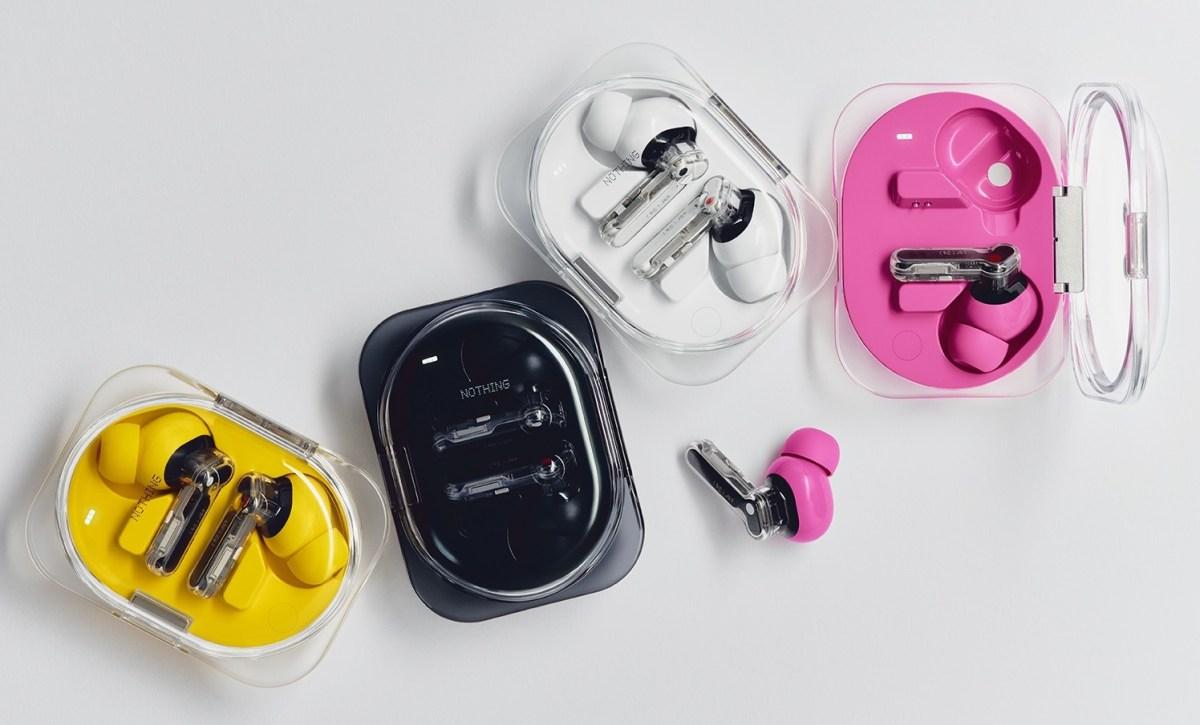
Best Nothing Ear (3a) EQ Settings for Bass, Vocals and Clearer Sound
The Nothing Ear (3a) wireless earbuds deliver powerful bass, active noise cancellation and high-resolution audio support. But one of their most useful features is the ability to customise how your music sounds.
Using the Nothing X app, listeners can adjust the earbuds’ equaliser to bring out deeper bass, clearer vocals or a more balanced sound.
That matters because not everyone wants their music to sound the same.
Some listeners prefer powerful bass for hip-hop and electronic music. Others want to hear every detail in an acoustic recording, while podcast fans might prioritise speech clarity.
The good news is that Nothing offers several ways to adjust the Ear (3a), including preset sound profiles and an advanced eight-band equaliser.
Here’s how to get the most out of them.
How to Change the EQ on Nothing Ear (3a)
The Nothing Ear (3a) uses the Nothing X companion app, available on Android and iOS.
To adjust the sound:
- Connect your Nothing Ear (3a) earbuds to your phone.
- Open the Nothing X app.
- Select your connected earbuds.
- Open the Equaliser section.
- Choose a preset or switch to the custom equaliser.
- Play a familiar song and adjust the settings while listening.
The app includes a simple equaliser alongside more detailed controls for users who want to fine-tune individual frequencies.
The advanced eight-band EQ offers significantly more flexibility than the basic bass, midrange and treble adjustments found on many affordable earbuds.
Before changing anything, listen to a few songs using the default settings. This gives you a reference point for deciding what actually needs improving.
Best Nothing Ear (3a) EQ Settings for Balanced Sound
For everyday music listening, a balanced EQ is a sensible starting point.
The Ear (3a) has a relatively bass-forward sound by default, which can give modern pop and electronic music plenty of energy.
However, excessive bass can sometimes make vocals and instruments sound less prominent.
For a more balanced presentation, try:
- Slightly reducing the lowest bass frequencies if they sound overpowering.
- Keeping the midrange relatively neutral.
- Making small adjustments to upper-mid frequencies to improve vocal clarity.
- Adding a little treble if your music sounds too dark.
The objective isn’t to remove the bass completely.
Instead, you’re trying to make sure the kick drums, basslines, vocals and instruments all have enough space in the mix.
This approach works particularly well for listeners who regularly switch between different musical genres.
Best EQ Settings for Hip-Hop and Rap
Hip-hop often relies on deep sub-bass, powerful kick drums and clearly defined vocals.
The Nothing Ear (3a) is naturally suited to bass-heavy music thanks to its 12mm dynamic drivers.
Nothing also includes a More Bass preset for listeners who want a stronger low-end response.
If you’re listening to artists such as Travis Scott, Kendrick Lamar or Drake, you might prefer a sound profile that gives basslines plenty of impact without overpowering the vocals.
Try starting with the More Bass preset.
If the sound becomes muddy, reduce the mid-bass slightly rather than continuously boosting the deepest frequencies.
This can help separate the kick drum from sustained bass notes.
Keep the midrange clear enough for vocals to remain prominent, especially in tracks with dense instrumentation.
The ideal result is powerful bass that feels controlled rather than overwhelming.
Best EQ Settings for Rock and Indie Music
Rock music presents a different challenge.
Electric guitars, drums, bass and vocals often occupy overlapping frequencies, particularly in heavily layered recordings.
Too much low-end emphasis can make guitars sound dull or cause the bass guitar to become indistinct.
For rock and indie music, try reducing excessive bass and allowing the midrange to come forward.
A small increase in the upper midrange can help reveal guitar textures and vocal detail.
However, avoid boosting those frequencies too aggressively, as cymbals and distorted guitars can quickly become harsh.
Albums from bands such as Radiohead, Arctic Monkeys and Foo Fighters can be useful references because they feature a wide range of guitar tones, production styles and dynamic arrangements.
The aim is to hear individual instruments clearly without losing the energy of the performance.
Best EQ Settings for Electronic and Dance Music
Electronic music is another genre where the Nothing Ear (3a)’s bass response can be particularly enjoyable.
Dance tracks often contain powerful kick drums, synthesised basslines and high-frequency percussion.
For house, techno and drum and bass, a slightly elevated bass response can add excitement.
However, the relationship between bass and kick drums is particularly important.
If both become excessively boosted, they can lose definition.
Try maintaining a strong low end while slightly reducing muddy mid-bass frequencies.
You can also experiment with a gentle treble increase to bring out hi-hats, synth textures and electronic percussion.
Nothing’s Static Spatial Audio feature is another option worth experimenting with.
It creates a wider virtual sound field, which some listeners may enjoy with electronic music.
However, spatial processing changes how a recording is presented, so switching it off may provide a more natural stereo experience.
Neither approach is automatically better. It depends on how you prefer your music to sound.
Best EQ Settings for Vocals and Podcasts
If you primarily listen to podcasts, audiobooks or vocal-focused music, speech clarity is more important than powerful bass.
The human voice sits largely within the midrange frequencies.
Too much bass can make voices sound muffled, particularly when recordings already have a warm or deep vocal tone.
For clearer voices:
- Reduce excessive bass.
- Keep the midrange relatively prominent.
- Experiment with a small boost to vocal-presence frequencies.
- Avoid excessive treble, which can make certain consonants sound sharp or unpleasant.
These adjustments may also work well for acoustic recordings, jazz singers and stripped-back vocal performances.
If a recording already sounds natural, you may not need to change anything at all.
Don’t Forget the Ear Tip Fit
Before spending too much time adjusting the equaliser, make sure the earbuds fit properly.
The Nothing Ear (3a) comes with four sizes of silicone ear tips, including an extra-small option.
A poor seal can reduce bass response and make active noise cancellation less effective.
This might lead you to increase the bass through EQ when the actual problem is the physical fit.
Try the different ear tip sizes and use the fit-testing features available in the Nothing X app.
A secure, comfortable seal can make a surprisingly large difference to the listening experience.
Common EQ Mistakes to Avoid
One of the most common mistakes is assuming that boosting every frequency will make music sound better.
In reality, aggressive EQ adjustments can introduce distortion or make certain instruments overpower the rest of the recording.
Another mistake is using multiple equalisers simultaneously.
For example, if you boost the bass inside the Nothing X app and then apply another bass-heavy EQ inside your music player, the combined effect may become excessive.
Start with one equaliser and make small changes.
It also helps to compare your customised settings against the original sound at a similar volume.
Louder audio often sounds more impressive during a quick comparison, even when the overall balance is worse.
What Are the Best Nothing Ear (3a) EQ Settings?
There isn’t one universal EQ setting that works perfectly for every listener.
Your preferred sound will depend on the music you enjoy, the fit of the earbuds and your own hearing.
The Nothing Ear (3a) offers enough flexibility to create several different profiles.
You might prefer a bass-focused setting for hip-hop, a balanced profile for everyday listening and a vocal-focused setting for podcasts.
Experimenting with these options is one of the easiest ways to get more enjoyment from your music without buying another pair of headphones.
And with the Nothing X app’s advanced equaliser, you have considerably more control over the listening experience than the Ear (3a)’s affordable price might suggest.