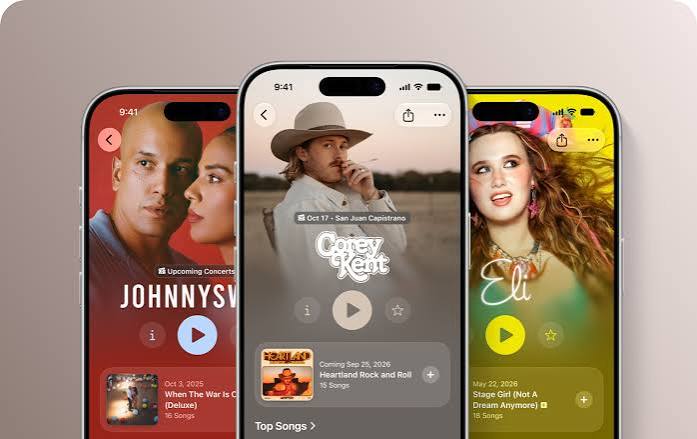
Apple Music Selfie Sing: How to Record Your Own Karaoke Videos on iPhone
Apple Music is introducing a new feature that turns your iPhone into a portable karaoke recording studio. Called Selfie Sing, it lets you film yourself singing along to popular songs, follow lyrics in real time and add vocal effects before sharing your performance with friends.
Discovered in the iOS 27.3 beta in November 2026, Selfie Sing builds on Apple’s existing karaoke functionality by adding something music fans have been missing: the ability to record their performances directly inside Apple Music.
Whether you’re singing your favourite Britney Spears hit, attempting an Oasis classic or recording a karaoke video to share on social media, the feature makes the process much simpler.
Here’s everything you need to know about Apple Music Selfie Sing, including how to use it, which songs are supported and when it will become available.
What Is Apple Music Selfie Sing?
Selfie Sing is a new video karaoke feature built directly into the Apple Music app.
It combines Apple’s existing real-time song lyrics and adjustable vocals with an iPhone camera recording interface.
Rather than simply singing along to music, users can record videos of themselves performing their favourite songs.
The new feature includes:
- Video recording using your iPhone camera.
- Lyrics that scroll and highlight as the music plays.
- Adjustable vocal levels to balance your voice against the music.
- Four different microphone effects.
- Options to save videos or share them with friends.
- A dedicated playlist containing compatible karaoke songs.
Previously, Apple Music Sing allowed listeners to reduce the original singer’s vocals and perform alongside the instrumental.
Selfie Sing takes this a step further by making the performance something you can keep and share.
And unlike traditional karaoke setups, there’s no need for additional recording software or a separate camera app.
How to Use Apple Music Selfie Sing
If you’re running the iOS 27.3 beta on a compatible iPhone, you can try Selfie Sing with one of Apple’s supported karaoke tracks.
Here’s how the feature works:
- Open the Apple Music app on your iPhone.
- Search for Apple’s dedicated Selfie Sing playlist.
- Choose a song that supports the new recording feature.
- Open the song’s playback screen.
- Tap the camera icon beneath the vocal adjustment control.
- Position your iPhone so the camera captures your performance.
- Tap the red recording button to begin.
- Sing along as the lyrics scroll across your screen.
- Finish your recording and adjust the sound if needed.
- Save your video to Photos or share it with friends.
The recording interface combines a live camera view with synchronised song lyrics, allowing you to follow the words without switching between apps.
Videos are recorded in a vertical format, making them particularly convenient for viewing on smartphones.
The feature is currently being tested, so the final interface may change before the public release.
What Voice Effects Are Available in Selfie Sing?
One of the more entertaining parts of Selfie Sing is its collection of microphone effects.
After recording a performance, users can adjust their vocal volume and apply one of four effects.
Megaphone
A megaphone-style effect gives your voice a more amplified, processed sound.
This could be particularly entertaining for energetic pop songs, rock choruses or performances where you want a deliberately exaggerated vocal effect.
Echo
The Echo option adds a repeating effect to your voice.
It’s a familiar sound from live performances and recordings, and could give your karaoke videos a more dramatic atmosphere.
Concert Hall
Concert Hall creates a more spacious sound, designed to give the impression of singing in a large performance venue.
For anyone who has ever imagined performing their favourite ballad in front of a packed arena, this might be the effect to try.
Studio
Studio offers another vocal-processing option for listeners looking to experiment with how their recordings sound.
Although these effects won’t turn every karaoke performance into a professional recording, they make Selfie Sing more entertaining than simply recording yourself with your phone’s standard camera.
Which Songs Work With Apple Music Selfie Sing?
Not every song on Apple Music currently supports Selfie Sing.
Apple has introduced a dedicated playlist containing selected tracks that work with the video karaoke feature.
The initial selection focuses on familiar singalong favourites, including:
- “Since U Been Gone” – Kelly Clarkson
- “What Makes You Beautiful” – One Direction
- “…Baby One More Time” – Britney Spears
- “Like a Virgin” – Madonna
- “Respect” – Aretha Franklin
- “Girls Just Want to Have Fun” – Cyndi Lauper
- “Wonderwall” – Oasis
- “Hungry Like the Wolf” – Duran Duran
- “9 to 5” – Dolly Parton
The collection includes a mixture of pop, rock and classic karaoke favourites.
These songs are particularly well suited to the feature because many listeners already know the choruses and lyrics.
For now, the restricted catalogue is one of Selfie Sing’s biggest limitations.
Apple hasn’t confirmed whether every song supporting Apple Music Sing will eventually support video recording.
However, it’s possible the available selection will expand as the feature develops.
What’s the Difference Between Apple Music Sing and Selfie Sing?
Apple Music already offers a karaoke feature called Apple Music Sing, which first arrived in December 2022.
It allows listeners to lower the original vocals of selected songs while following synchronised lyrics.
Selfie Sing builds on this functionality rather than replacing it.
| Feature | Apple Music Sing | Selfie Sing |
|---|---|---|
| Real-time lyrics | Yes | Yes |
| Adjustable vocals | Yes | Yes |
| Record karaoke videos | No built-in recording mode | Yes |
| Microphone effects | Not part of standard Sing | Yes |
| Save and share performance videos | No built-in feature | Yes |
| Song availability | Broad supported catalogue | Limited playlist initially |
For listeners who simply want to sing along at home, the original Apple Music Sing feature remains useful.
But for anyone wanting to capture their performance or make a short karaoke video, Selfie Sing offers a more complete experience.
You can also explore our guide to viewing Apple Music lyrics alongside album artwork in iOS 27 for more ways to enjoy song lyrics on your iPhone.
When Will Apple Music Selfie Sing Be Released?
Selfie Sing appeared in the first iOS 27.3 developer beta, released on 3 November 2026.
That means some users can already try the feature by installing Apple’s beta software.
However, it’s not yet available through the regular public version of iOS.
The iOS 27.3 update is expected to arrive more widely in December 2026, although Apple has not confirmed an exact public release date for Selfie Sing.
As with any beta feature, its functionality and availability could change before launch.
Interestingly, the dedicated Selfie Sing playlist can already appear in Apple Music on iPhones running iOS 27.2.
However, the camera recording functionality requires the newer beta software.
If you can’t see the recording option, it may simply mean your iPhone hasn’t received the necessary update.
Does Selfie Sing Work on iPad?
At the moment, Selfie Sing’s video recording functionality appears to be limited to iPhones.
Early testing suggests that even iPads running the iPadOS 27.3 beta don’t offer the same recording option.
This is different from the existing Apple Music Sing feature, which supports selected iPhones, iPads and Apple TV devices.
It’s unclear whether Apple intends to bring Selfie Sing recording to additional devices in future updates.
Can You Share Apple Music Selfie Sing Videos on TikTok and Instagram?
Selfie Sing is designed to make karaoke performances easy to save and share.
Once you’ve completed a recording, you can save the finished video to your iPhone’s Photos library or use the available sharing options.
The vertical recording format makes the videos a natural fit for platforms such as TikTok, Instagram Reels and YouTube Shorts.
However, being able to save a video doesn’t automatically guarantee that every social platform will permit it to be uploaded with the original music.
Music licensing rules, regional restrictions and copyright detection systems may affect whether particular recordings can be published or remain available.
For casual sharing with friends, though, the feature offers a convenient way to capture a fun musical moment.
Why Apple Is Making Music More Interactive
The arrival of Selfie Sing highlights an interesting trend in music streaming.
For years, platforms such as Apple Music and Spotify have primarily focused on providing access to enormous music catalogues and helping listeners discover their next favourite song.
But listening is becoming increasingly interactive.
People don’t always want to consume music passively. They want to sing along, understand the lyrics, create videos and share experiences with friends.
TikTok helped demonstrate how powerful music can be when listeners become participants rather than simply an audience.
Selfie Sing brings a small part of that experience directly into a streaming app.
Instead of opening Apple Music, finding a song, switching to a recording app and trying to synchronise everything manually, listeners can potentially complete the entire experience in one place.
It remains to be seen whether Selfie Sing becomes a regularly used feature or simply an entertaining addition for occasional karaoke sessions.
Much will depend on how many songs become supported and how easy Apple makes the recording and sharing experience.
Frequently Asked Questions
Is Apple Music Selfie Sing free?
Apple hasn’t confirmed a separate price for Selfie Sing. The existing Apple Music Sing feature requires an Apple Music subscription, and Selfie Sing is integrated into the same service. Whether additional restrictions will apply hasn’t been officially detailed.
Can you record yourself singing on Apple Music?
Yes, with the new Selfie Sing feature in iOS 27.3 beta. It allows supported iPhone users to record themselves singing selected tracks while following on-screen lyrics.
Does Selfie Sing work with every Apple Music song?
No. The initial version supports a limited collection of songs available through a dedicated Selfie Sing playlist.
What iOS version do I need for Selfie Sing?
The video recording feature first appeared in the iOS 27.3 beta. The dedicated playlist may also be visible on iOS 27.2, but recording requires the newer software.
Can I add effects to my karaoke recordings?
Yes. Selfie Sing offers Megaphone, Echo, Concert Hall and Studio microphone effects, as well as vocal volume adjustments.
Can I use Animoji with Selfie Sing?
Animoji is not an integrated Selfie Sing feature. Although an early demonstration showed an Animoji character, that was used separately by the person recording the demonstration.
Can I save my Selfie Sing videos?
Yes. Recordings can be saved to your iPhone’s Photos library or shared using the available options.
Apple Music Selfie Sing Could Make Karaoke Easier Than Ever
Apple Music Selfie Sing is a relatively simple addition, but it makes an already popular feature considerably more interactive.
By combining synchronised lyrics, adjustable vocals, video recording and microphone effects, Apple is giving listeners an easy way to capture their favourite musical moments.
The limited song catalogue and iPhone-only availability may restrict its appeal initially, but there’s plenty of potential if Apple expands the feature.
For now, music fans can explore the dedicated playlist and, if they’re using the iOS 27.3 beta, try recording their own karaoke performances.
With a wider software release expected before the end of 2026, singing along to your favourite songs could soon become a much more social experience.