Apple HomeView vs Google Nest Hub: Which Is Better for Music?
Apple HomeView and Google’s second-generation Nest Hub both offer a seven-inch smart display for the home, but they serve different music ecosystems. One is built around Apple Music, AirPlay and Siri AI. The other has years of experience with Google’s music services, Chromecast and Google Home.
The quick verdict is simple: if you use YouTube Music and Google Cast speakers, the Nest Hub is likely to be more convenient. If you’re an Apple Music subscriber with an iPhone and HomePod speakers, HomeView brings useful extras, including a more ambitious tabletop speaker design and a dedicated Apple Music interface.
It’s worth looking beyond those headline differences, especially because the two products occupy very different price points.
How do the screens compare?
HomeView has a square seven-inch Liquid Retina display with a resolution of 1088 by 1088 pixels. Apple’s software is designed to adapt information to how far you are standing from the screen. The same display can show large, glanceable information across the room or more detailed controls when you’re nearby.
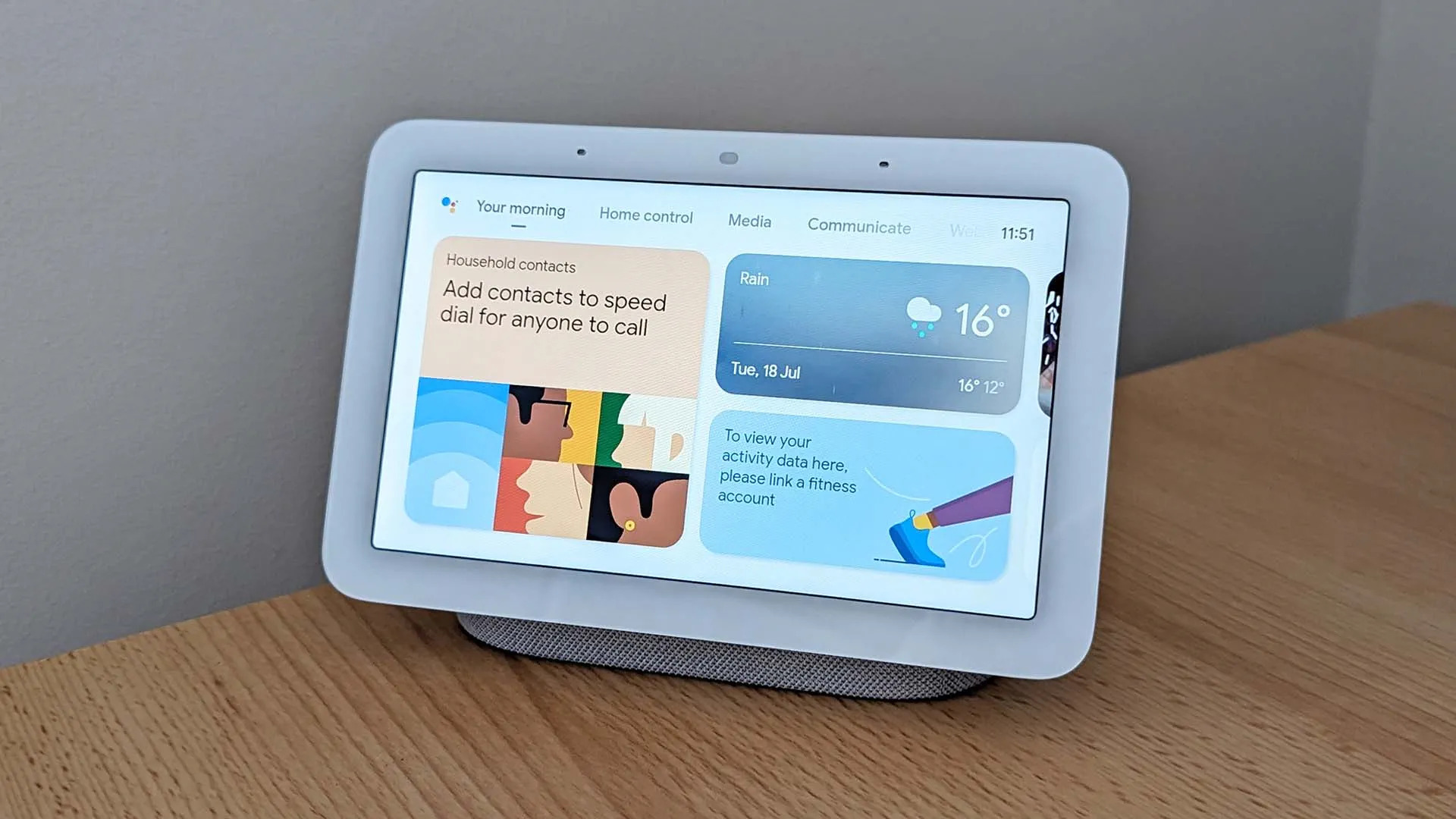
Google’s second-generation Nest Hub also has a seven-inch screen, but its shape is more traditionally widescreen, with a resolution of 1024 by 600 pixels. That makes it a natural fit for familiar Google Home controls and visual content.
For music, the most important question isn’t which screen has more pixels. It’s whether the music service you actually use presents useful controls, song information and playback options on that display.
Apple Music vs YouTube Music: Which experience is better?
HomeView has a built-in Music app. Apple has confirmed animated album artwork, song lyrics and integration with its music service. That provides a clear reason for Apple Music subscribers to consider it instead of controlling a speaker entirely through their phones.
Nest Hub is tied more closely to Google’s entertainment environment. YouTube Music works naturally within Google’s broader smart speaker and casting system, allowing users to send audio from compatible devices and use supported voice controls.
If you move between an Android phone, Chromecast-enabled devices and YouTube Music, that continuity is likely to matter more than HomeView’s visual polish.
HomeView supports third-party audio apps from an iPhone and AirPlay, but Apple has not specifically confirmed a native YouTube Music screen or comprehensive Siri control for the service. That’s a key uncertainty for YouTube Music households.
What about Spotify?
Both systems offer potential routes to Spotify, but their level of confirmation differs.
Google Nest Hub can work with Spotify through Google’s music integrations and Cast-enabled playback. The service has an established history across Google’s smart-home products.
HomeView supports AirPlay, so Spotify playback from an iPhone is a plausible route. What Apple has not confirmed is full Spotify Connect integration or a dedicated Spotify experience on HomeView’s screen.
If Spotify is your only streaming subscription, don’t choose HomeView just because its specifications say ‘third-party apps’. Check precisely which playback controls are supported.
Radar has a separate breakdown of Spotify on Apple HomeView.
Which one has better speakers?
HomeView’s tabletop hardware is impressive for a smart display. Apple has included two full-range drivers, a down-firing woofer and two force-cancelling passive radiators. It also advertises Spatial Audio with Dolby Atmos for compatible content and real-time computational tuning.
Google’s Nest Hub 2 has a more modest speaker configuration: a single full-range 43.5mm driver. On paper, HomeView’s extra drivers and dedicated bass hardware suggest greater potential for full-bodied music reproduction.
However, speaker specifications can’t tell you exactly how a product will sound in your kitchen. Listening volume, bass tuning and the shape of the room all make a difference. HomeView won’t be available until November 2026, so it is too early to make a definitive sound-quality claim.
It’s also worth knowing that the wall-mounted HomeView has a simpler two-driver system without the tabletop model’s separate woofer and passive radiators.
AirPlay and Google Cast: Why the distinction matters
AirPlay is Apple’s system for sending audio between compatible Apple devices and speakers. HomeView supports it, including multiroom listening with compatible speakers and other Apple equipment.
Google Nest Hub has Chromecast built in. That’s particularly useful for people who frequently tap a Cast button inside compatible apps or use a mix of Android and Google devices.
AirPlay and Google Cast aren’t interchangeable. Owning a Cast-compatible speaker doesn’t automatically mean it will appear as a HomeView AirPlay destination. Similarly, a speaker built only for AirPlay may not be available to a Google Cast app.
Before switching ecosystems, check which wireless audio technology is used by the equipment you already own.
Can the devices control your smart home?
Yes. Both are designed to serve as shared home-control screens rather than just music players.
HomeView works within Apple’s Home system, including supported HomeKit and Matter accessories. It also recognises up to six people by face for personalised interfaces, subject to setup and account requirements.
Nest Hub works through Google Home and also supports Matter and Thread. It includes sensors used for features such as Sleep Sensing, although available capabilities and subscription arrangements can change.
Your existing lights, plugs, cameras and routines may therefore be just as important as your favourite music app when choosing between them.
Is HomeView worth paying more for?
HomeView costs £299 in the UK. Google’s Nest Hub 2 has been listed on the Google Store at £89.99, although stock and offers can change. These aren’t similarly priced products.
For the difference, HomeView offers a higher-resolution display, a 12MP camera for FaceTime, personalised Apple features and, in its tabletop form, more substantial speaker hardware.
If you simply want to ask for playlists while making dinner, that may be more than you need. If you’re trying to build an Apple-centred smart home with a useful permanent music screen, the extra features could justify the cost.
Which smart display should music listeners choose?
Buy the Google Nest Hub if you favour YouTube Music, use Google Cast regularly, have Android devices or want an inexpensive kitchen music screen.
Consider the tabletop Apple HomeView if you use Apple Music, already have compatible Apple devices, value lyrics and animated artwork or want a more advanced Apple Home dashboard.
HomeView is an interesting new entrant, but convenience usually comes from buying into the ecosystem you already use. The best music display is the one that plays your playlists without making you think about how it works.