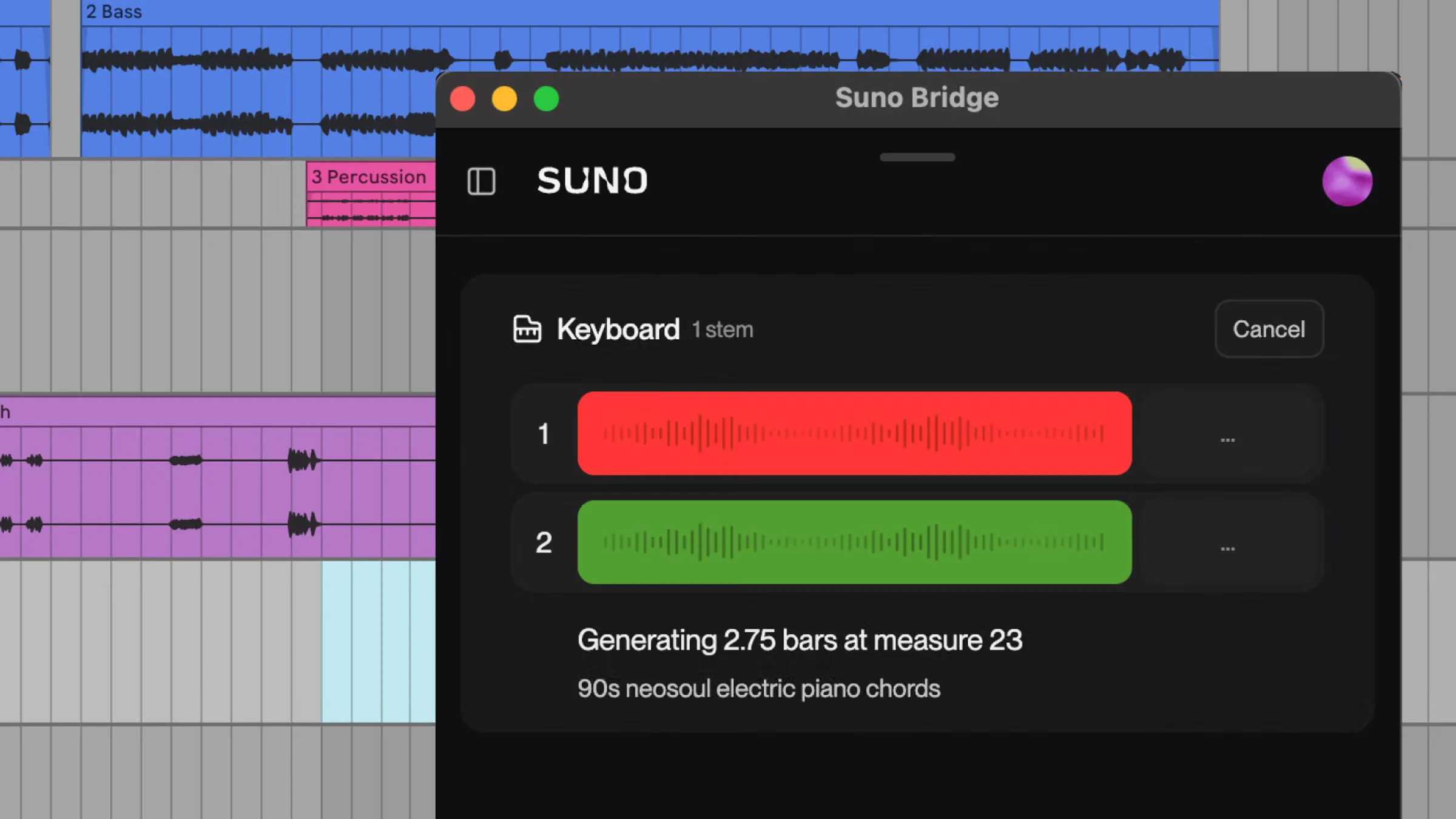
Suno Bridge launches: Generate AI music stems directly in Ableton Live
Suno has launched a new tool called Suno Bridge, bringing AI-generated music directly into Ableton Live and allowing producers to create instrument and vocal stems without leaving their existing music production workflow.
Launched in beta on 13 November 2026, Suno Bridge connects the company’s AI music generation technology with Ableton Live, enabling musicians to generate new sounds that automatically match the tempo, key and musical arrangement of their projects.
The development marks another significant step in the integration of artificial intelligence into professional music production software.
Rather than asking musicians to create entire AI-generated songs, Suno Bridge is designed to help producers build upon their existing compositions.
What is Suno Bridge?
Suno Bridge is a standalone application that connects Suno’s AI music generation models with Ableton Live.
The software enables users to generate new instrumental and vocal parts using text prompts and insert them directly into their Ableton projects.
For example, a producer working on an electronic track could ask Suno Bridge to generate a warm analogue synthesiser melody, atmospheric piano chords or a vocal harmony.
The application analyses the existing music to create audio that Suno says matches the project’s musical characteristics, including its tempo, key, harmony and groove.
Unlike conventional sample libraries, where producers must search for suitable sounds and manually adjust them, Suno Bridge generates new material specifically for the project.
Importantly, Bridge is primarily a tool for generating new musical parts, rather than simply separating existing recordings into individual stems.
How does Suno Bridge work with Ableton Live?
Suno Bridge operates alongside Ableton Live, with both applications running simultaneously.
After downloading the software and connecting it to their Suno account, producers can begin generating music within their existing sessions.
The process involves five steps:
- Open an existing music project in Ableton Live and launch Suno Bridge.
- Select the section of the track where additional instrumentation or vocals are needed using Ableton’s loop markers.
- Enter a text prompt describing the sound, instrument or musical style.
- Allow Suno’s AI models to generate audio based on the existing musical arrangement.
- Insert the generated audio into Ableton Live, where it can be edited, processed and mixed like any other recording.
For example, a producer working on a house track could request a funky disco bassline for an eight-bar section.
Suno Bridge would analyse the selected project and attempt to generate a bassline that follows the track’s tempo, harmonic structure and groove.
The generated audio can then be manipulated using Ableton’s existing effects, plugins and production tools.
Suno Bridge also offers controls for adjusting the influence of the original audio and the desired musical style.
This means producers can experiment with AI-generated ideas while retaining control over the final arrangement.
What can producers create with Suno Bridge?
The most interesting aspect of Suno Bridge is its potential to assist with different stages of music production.
Generate new instrumental parts
Producers can use Suno Bridge to experiment with additional instrumentation without needing to record every part themselves.
For example, an electronic music producer could generate guitar melodies, piano arrangements, percussion or synthesiser parts to complement an existing track.
This could be particularly useful for independent musicians who don’t have access to session musicians or a large collection of virtual instruments.
Add AI-generated vocals
Suno Bridge can also generate vocal parts that fit an existing production.
These could include backing vocals, harmonies or other vocal elements designed to complement the track.
However, producers should be careful when using AI-generated vocals commercially, particularly if the results resemble identifiable artists or existing recordings.
Finish incomplete songs
Many music producers have unfinished projects sitting on their hard drives.
Suno Bridge could make it easier to revisit those tracks by generating new musical ideas, additional layers or alternative arrangements.
Instead of starting from scratch, producers can experiment with different instrumentation until they find something that works.
Overcome creative blocks
Writer’s block is a common challenge in music production.
AI tools such as Suno Bridge could provide inspiration by generating musical ideas that producers might not otherwise have considered.
The intention isn’t necessarily to replace human creativity but to provide another production tool that musicians can use when developing their own compositions.
Is Suno Bridge free?
The Suno Bridge application is free to download, but using it requires an active Suno Premier subscription.
At launch, Suno Premier costs $30 per month, or $24 per month when billed annually at $288.
The subscription includes 10,000 Suno credits per month, which can be used across supported Suno features.
Each generation within Suno Bridge currently consumes 10 credits.
This means the service operates on a credit-based model rather than charging producers individually for every generated audio file.
Users can download the application from the official Suno Bridge website.
Which DAWs support Suno Bridge?
At launch, Suno Bridge is available exclusively for Mac users running Ableton Live 12 or later.
The software does not currently support Windows or other popular digital audio workstations, including FL Studio, Logic Pro, Cubase and Pro Tools.
However, Suno has confirmed plans to expand compatibility to additional operating systems and DAWs in the future.
One important distinction is that Suno Bridge has been developed independently of Ableton. It is not an official Ableton product.
For now, producers using other music production platforms will need to wait for further compatibility announcements.
What happens to music uploaded through Suno Bridge?
While Suno Bridge offers an interesting new production workflow, there are important considerations around copyright, data usage and intellectual property.
To generate music that matches an existing arrangement, Suno Bridge uploads the selected Ableton Live project and its associated audio files to Suno’s systems.
This allows the AI models to analyse the musical context of the project.
According to Suno, uploaded audio is checked using copyright detection systems, with material identified as belonging to other rights holders potentially blocked from processing.
However, artists should also understand the implications of uploading their original recordings to an AI music platform.
Suno’s Terms of Service state that users retain ownership of their submitted material but grant the company broad rights to use that content in connection with its services, including their improvement and related AI models.
Producers working with unreleased recordings, exclusive music catalogues or confidential client projects should review these conditions carefully before using Bridge.
The ability to generate new audio within a DAW does not remove the need to understand how the underlying AI service handles original music.
Can you commercially release music created with Suno Bridge?
Suno Premier subscriptions include commercial-use rights for eligible AI-generated output, subject to the company’s terms and permitted-download conditions.
However, commercial-use permission from an AI music provider does not automatically mean every generated recording is eligible for copyright protection or distribution across every streaming platform.
Artists should check the applicable licence, approved download requirements and the terms of any samples or recordings used in their projects before releasing music commercially.
Music distributors and streaming services may also have additional rules governing AI-generated material.
RouteNote accepts certain AI-generated and AI-assisted music releases, provided the content meets its requirements and the artist has the necessary rights.
However, restrictions apply to some services, including content recognition platforms, Amazon and certain South Korean streaming services.
Artists planning to distribute music created with Suno Bridge should review the latest distribution guidelines before submitting their releases.
For further information, read our guide on how to distribute AI-generated music.
Why Suno Bridge could be important for the future of AI music production
Perhaps the biggest development is not the ability to generate AI music itself, but where that generation takes place.
Until recently, many AI music platforms have operated as standalone services where users generate complete songs before downloading them into traditional music production software.
Suno Bridge changes that workflow by bringing generative AI into the environment where musicians already create their music.
This could represent an important shift in how AI is adopted by professional producers.
Rather than replacing the entire creative process, AI becomes another tool alongside synthesiser plugins, effects processors, virtual instruments and sample libraries.
It also introduces a different approach to AI-assisted music production, where musicians retain greater control over the structure and direction of their compositions.
For established producers, this could make AI tools considerably more useful than platforms focused primarily on creating finished songs from text prompts.
Of course, the technology also raises questions about originality, copyright and the future role of human musicians.
Those questions are unlikely to disappear as AI becomes more deeply integrated into music production software.
The future of Suno Bridge
Suno Bridge is currently in beta, but its launch suggests that generative AI companies are increasingly interested in becoming part of existing music production workflows.
If the company successfully expands compatibility to other DAWs, it could make AI-generated instrumentation and vocals accessible to a much larger community of musicians.
For independent producers, the appeal is straightforward: faster experimentation, new sources of creative inspiration and the ability to develop musical arrangements without constantly switching between applications.
The challenge will be balancing these capabilities with the copyright, ownership and commercial-use considerations surrounding AI-generated music.
Suno Bridge demonstrates how quickly music production technology is evolving, and it could be an early indication of a future where AI generation becomes a standard feature of digital audio workstations.
For artists ready to release their finished music, RouteNote provides free and premium music distribution options to help independent musicians reach streaming platforms worldwide, subject to applicable distribution policies.