How to Show Song Lyrics on Apple HomeView With Apple Music
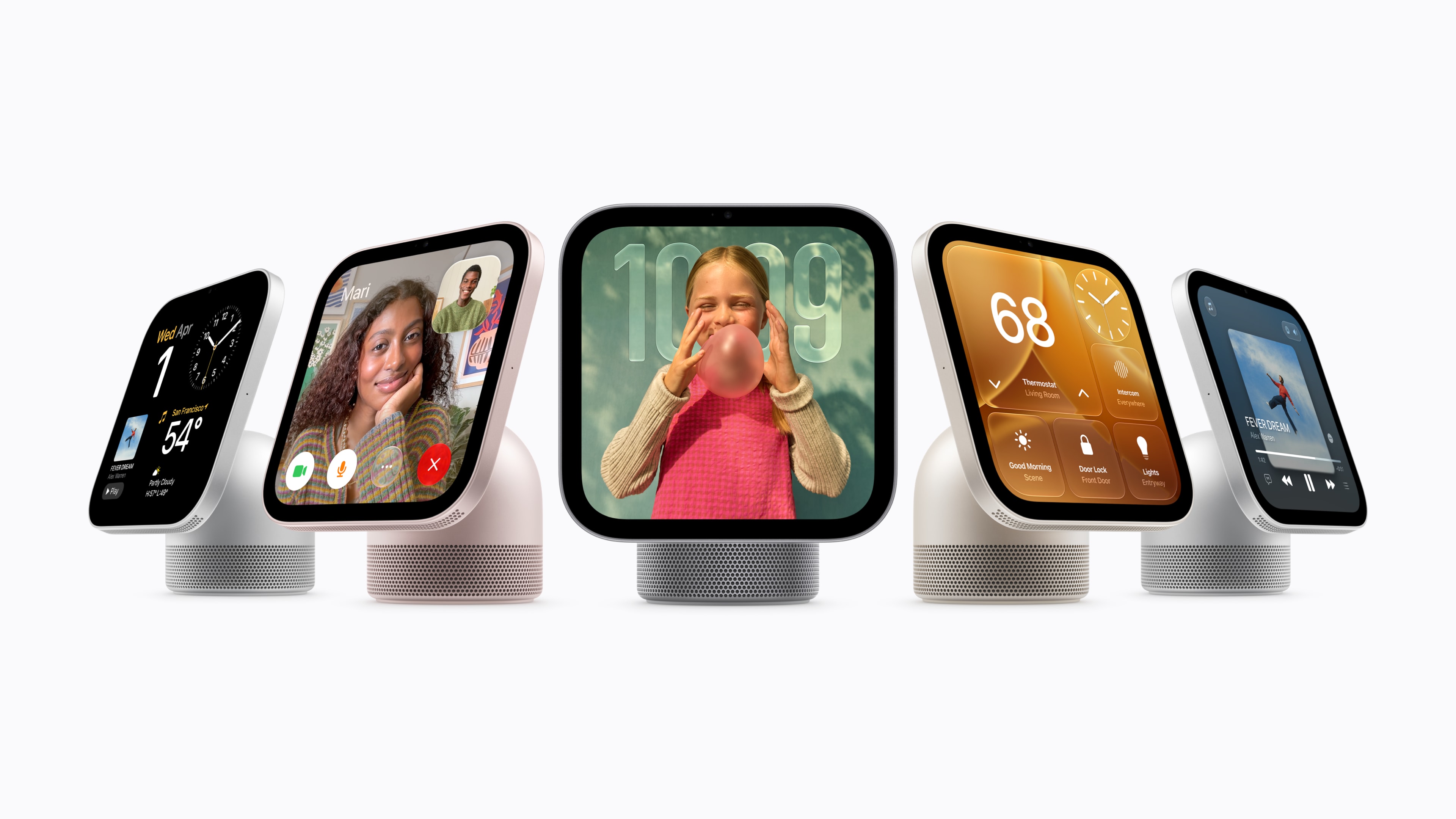
Apple HomeView brings something new to the company’s smart home speaker experience: a dedicated touchscreen that can display song lyrics while you listen to music.
Whether you’re singing along to your favourite songs, trying to understand a difficult lyric or discovering a new artist, having words displayed on a screen can make listening more interactive.
Apple has officially confirmed that HomeView supports lyrics through its built-in Music app, alongside album artwork and other visual features.
But how do you show lyrics on Apple HomeView, which songs are supported, and can you use it for karaoke?
Here’s everything we know so far.
Does Apple HomeView Display Song Lyrics?
Yes. Apple specifically highlights song lyrics as one of HomeView’s music entertainment features.
The device includes a seven-inch Liquid Retina touchscreen that can display music information while songs are playing.
Unlike a traditional HomePod speaker, HomeView offers a visual interface rather than relying exclusively on voice commands and controls from an iPhone.
That makes it particularly useful for lyrics.
Instead of repeatedly unlocking your phone to check what an artist is singing, you can use a dedicated display positioned somewhere convenient in your home.
The feature is part of Apple’s broader attempt to make HomeView a central entertainment device for music, podcasts and other content.
How to View Lyrics on Apple HomeView
Apple HomeView is scheduled for release on 13 November 2026.
Apple has confirmed lyrics support but has not yet published a detailed, verified sequence of touchscreen instructions for opening and closing lyrics on the new device.
The expected process is straightforward: use HomeView’s built-in Music app, start playing a compatible song and access its lyrics through the playback interface.
However, the location and behaviour of the lyrics control should be confirmed once the device becomes available.
For now, these are the requirements worth checking:
- Set up Apple HomeView with a compatible iPhone or iPad.
- Make sure you have access to Apple Music and the song you want to play.
- Open the built-in Music app on HomeView.
- Start playing a song with available lyrics.
- Use the Music interface to look for its lyrics display.
Apple’s final software interface will determine the exact interaction needed for the last step.
We’ll be able to give more precise instructions once HomeView is released and the lyrics controls can be tested.
How to Show Apple Music Lyrics on iPhone
While HomeView’s exact interface is still being documented, Apple already provides a straightforward way to display lyrics on an iPhone.
If you’re an Apple Music subscriber, you can use the following method:
- Open the Music app on your iPhone.
- Choose a song and begin playback.
- Tap the MiniPlayer to open the Now Playing screen.
- Tap the Lyrics button.
- If lyrics are available, they will appear on the screen.
- Tap the Lyrics button again to hide them.
For many songs, Apple Music offers time-synchronised lyrics, meaning the displayed words follow the progression of the recording.
You can also tap a particular lyric to jump to that section of the track when the feature is supported.
Apple Music offers additional features for some songs, including lyric translations and pronunciation guidance.
These are existing iPhone features. Their availability on HomeView should not be assumed until confirmed.
Similarly, showing lyrics on an iPhone does not automatically mean the same lyrics screen will be mirrored to HomeView over AirPlay.
Does Apple HomeView Have Time-Synchronised Lyrics?
Apple has confirmed that lyrics are available on HomeView but hasn’t yet fully detailed the different lyrics presentation modes.
Apple Music already supports time-synchronised lyrics on compatible devices, and many tracks in its catalogue include them.
With time-synchronised lyrics, lines appear in time with the recording.
This makes it easier to follow the song without manually scrolling through the words.
However, not every track has time-synchronised lyrics, and some songs may offer a simpler static lyrics display instead.
Listeners should also distinguish between general lyrics support and the specific behaviour of the HomeView interface.
Whether HomeView follows each line automatically, allows users to jump between verses or offers extra text settings will need to be verified.
Can You Use Apple HomeView for Karaoke?
HomeView could be a fun addition to an informal singalong at home.
A device that combines speakers with a lyrics display is naturally suited to singing along with familiar songs.
Instead of balancing an iPhone somewhere in the room, you could position HomeView on a kitchen counter or side table where everyone can see the words.
Its touchscreen and built-in speaker system make it a convenient way to enjoy music together.
However, it’s important to understand the difference between displaying lyrics and offering a full karaoke system.
Does HomeView support Apple Music Sing?
Apple Music Sing is Apple’s karaoke-style feature available on certain supported devices.
It allows users to interact with vocal levels on compatible songs, alongside lyrics and other singalong features.
Apple has not specifically confirmed Apple Music Sing support on HomeView.
That means buyers should not assume HomeView can reduce recorded vocals, connect to karaoke microphones or provide the same controls as Apple Music Sing on other Apple devices.
For now, the confirmed feature is lyrics displayed through Apple Music.
That alone may be enough for casual singing at home, even without dedicated karaoke controls.
Can You Display Lyrics While Listening to Dolby Atmos Music?
Apple HomeView supports Spatial Audio with Dolby Atmos for compatible music and video content.
It also supports lyrics through Apple Music.
These are two separately confirmed features, although Apple has not yet explained every possible combination of playback and lyrics display.
Dolby Atmos is designed to provide a more immersive audio presentation for music mixed in the format.
The lyrics feature provides a visual way to follow the song.
Together, they could make HomeView an interesting device for enjoying albums and live-style listening experiences, provided the relevant content and playback features are supported.
Read more in our guide to Apple HomeView and Dolby Atmos.
Why Are Lyrics Missing From Some Apple Music Songs?
Even on established Apple Music devices, not every song includes lyrics.
There are several possible reasons.
1. Lyrics haven’t been supplied
Some recordings simply don’t have lyrics available within the streaming service.
This can be more common for certain independent releases, older recordings or less widely available tracks.
2. Time-synchronised lyrics aren’t available
A song may have ordinary lyrics without the timing information needed to follow each line automatically.
The display experience can therefore vary between tracks.
3. The recording is instrumental
Songs without vocals may not have meaningful lyrics to display.
This includes instrumental electronic music, classical recordings and certain soundtrack pieces.
4. The content or feature isn’t supported
Lyrics availability can depend on the particular recording, version and features offered by the music service.
A live version, remix or cover may not provide the same lyrics experience as the original recording.
If lyrics don’t appear, try another well-known song to determine whether the problem relates to a specific track.
Will Spotify Lyrics Work on Apple HomeView?
This has not yet been confirmed.
Spotify offers lyrics within its own app, but Apple has not announced a dedicated Spotify lyrics experience on HomeView.
The device supports compatible third-party audio apps and AirPlay, although that doesn’t guarantee third-party lyrics will be displayed on its screen.
For example, sending Spotify audio to an AirPlay speaker is not the same as transferring Spotify’s complete visual interface.
Until Spotify and Apple confirm specific support, Apple Music remains the clearest option for lyrics directly on HomeView.
You can read our full Spotify compatibility guide for Apple HomeView.
Why HomeView Could Make Music More Social
A dedicated lyrics display might seem like a relatively small improvement, but it could change how people interact with music at home.
Smart speakers generally encourage passive listening.
You ask for a song or playlist, the music starts, and the device fades into the background.
HomeView introduces a more visual element.
Seeing artwork or following lyrics can encourage people to pay closer attention to a song.
It can also make music more of a shared experience.
In a family kitchen, children could follow lyrics while learning a song. Friends could sing along to familiar tracks during a gathering. Someone discovering music in another language might find written lyrics helpful.
HomeView also recognises different household members, supporting personalised experiences on a shared device.
These features suggest Apple wants music at home to become more interactive.
Is the HomeView Screen Big Enough for Lyrics?
HomeView features a seven-inch Liquid Retina display with a resolution of 1088 by 1088 pixels.
That gives it considerably more room for text than a typical smart speaker without a display.
Apple has also developed an interface that adjusts the amount of information presented based on the user’s distance from the screen.
This could be particularly useful when listening to music from across a kitchen or living room.
However, the actual text sizes, layout and viewing experience of the lyrics screen will need to be assessed after launch.
A seven-inch display is not a replacement for a television-sized karaoke screen, but it could be a practical option for everyday music listening.
Frequently Asked Questions
Does Apple HomeView show Apple Music lyrics?
Yes. Apple officially confirms lyrics as a feature of the built-in Music app.
Do you need Apple Music to see lyrics on HomeView?
Apple has confirmed lyrics through its Apple Music experience. Access to particular songs and features may require an Apple Music subscription.
Does Apple HomeView have karaoke mode?
Apple has confirmed song lyrics but not a dedicated karaoke mode or Apple Music Sing support.
Can you show Spotify lyrics on HomeView?
A dedicated Spotify lyrics display has not yet been confirmed.
Does HomeView support animated album artwork?
Yes. Apple specifically highlights animated album artwork as part of its Apple Music experience on HomeView.
Final Thoughts
Apple HomeView could make following song lyrics at home considerably more convenient.
Its combination of a dedicated display, built-in speakers and Apple Music creates a more interactive experience than a traditional smart speaker.
For people who enjoy singing along to music or discovering the meaning behind songs, this is one of HomeView’s most appealing features.
The biggest unanswered questions concern the exact lyrics interface, time-synchronised presentation and support for Apple Music Sing.
Those details should become clearer when the device launches on 13 November 2026.